
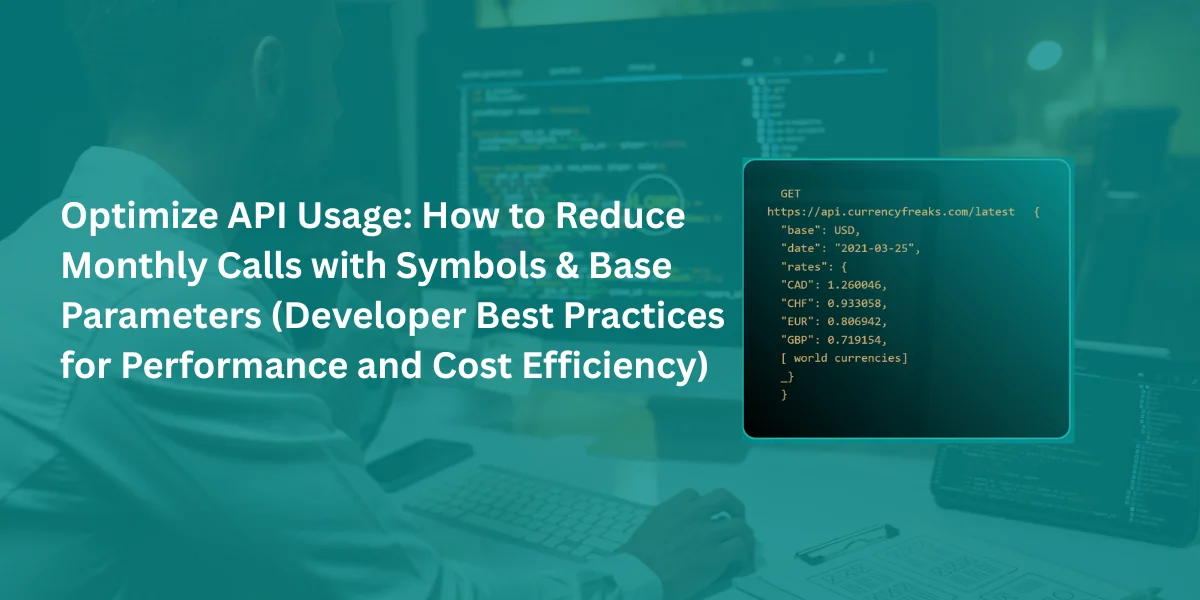
Have you ever made an application that suddenly burns through its usage API quota in a few days? This happens because the usage of high REST API calls can make your app slower. It costs more and annoys the users. Most of the developers request data from the API client, skip caching, and make the same conversion API endpoint requests again and again.
In this blog, we will talk about practical strategies to optimize your API usage with the help of CurrencyFreaks - free currency converter API. We will also cover their:
-
Symbols
-
Base currency
-
Caching
-
API endpoint selection and more.
At the end of this blog, you will be able to understand how to reduce monthly API traffic, speed up your application, and save your money without compromising functionality. So let’s get started.
Understanding API Overuse: The Root Causes
Most of the developers mistakenly increase the API usage. Some of the common mistakes are given below.
-
They request data completely when only a few currencies are needed.
-
They maintain repeated HTTP requests instead of caching the result.
-
They use the conversion API endpoint instead of using simple rate calculations.
-
They did not set the base currency correctly.
-
They use the API in client-side JavaScript, which exposes their keys and creates multiple calls.
All these mistakes add up and multiply your monthly API calls and API documentation. For example, apps fetch all the currencies for dashboards and widgets even when only a few currencies are needed.
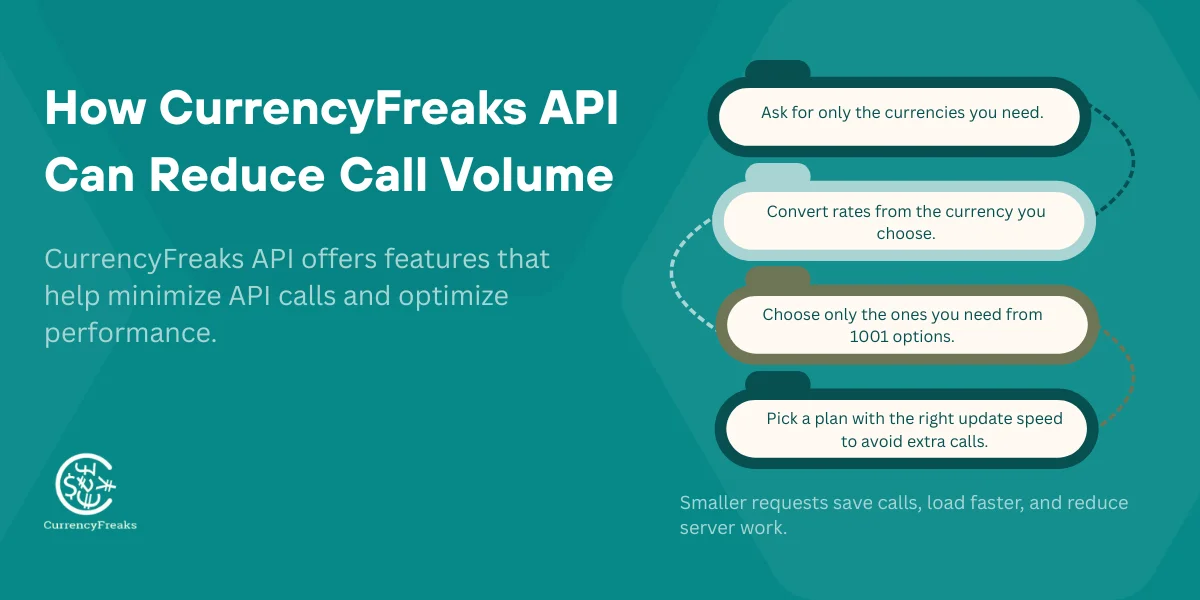
How CurrencyFreaks API Can Reduce Call Volume
CurrencyFreaks is very beneficial for you because it gives you a helpful feature that reduces usage API. You can manage calls efficiently and stay within your API rate limit.
- Symbols Parameter
Choose only the currency you need and avoid loading the full list. This also helps your API dashboard show cleaner data. It saves your time.
- Base Parameter
Get the latest rates based on your chosen currency using the application programming interface. You can integrate it via simple object access protocol (SOAP APIs) or a WebSocket API, depending on your system.
- 1020 Available Currencies
Pick the specific one that reduces the data and keeps API gateways streamlined.
- Plans from Starter to Enterprise
If the rates update every hour, you just need to call once per hour, not every minute.
This reduces API traffic, lowers latency, and eases load on your web server.
If you want to learn about 10 best Currency Exchange API for developers, then click on this link.
Optimize With The Symbols Parameter
What The Symbols Parameter Does
The symbol parameter plays an important role because it allows you to choose those currencies you actually need. This gives you smarter and better responses. It gives you faster API calls, which is best for these things, so check them:
-
Check out the widgets that show only some currencies according to your needs. These widgets can integrate with Web APIs and public APIs for live updates.
-
Dashboards that track specific FX pairs, providing detailed insights and improving development speed.
-
Mobile applications and crypto tickers that need instant updates. they can pass data effectively for that they use authentication tokens.
This thing is also helpful for monitoring API activity and it makes sure that your system is working properly with new API integrations.
Example: Without Symbols (Inefficient)
https://api.currencyfreaks.com/v2.0/rates/latest?apikey=KEY
It returns all your 1020 currencies, which increases your API usage for no reason.
Example: With Symbols (Optimized)
https://api.currencyfreaks.com/v2.0/rates/latest?apikey=KEY&symbols=USD,EUR,PKR,GBP
The payload reduces the cost up to 95%, so you can make more requests without extra cost.
When To Use Symbols
- Mobile apps
It keeps the responses small, so your app loads faster and uses less data.
- Checkout widgets
It shows only those currencies that you want to see. Do not give the complete list.
- Financial dashboards
It tracks only a specific currency pair instead of every currency.
- Time-series visualizations
It pulls only those currencies you want to graph.
- Crypto tickers
It fetches only the related fiat or crypto pairs that you actually need.
Optimize With The Base Parameter
What The Base Parameter Does
The base parameter converts all the return rates to your own base currency. It is available only in paid plans, and it saves your time and extra calculations on your backend.
Example: Without Base
base = USD (default)
It needs manual conversion for other bases.
Example: With Base Parameter
https://api.currencyfreaks.com/v2.0/rates/latest?apikey=KEY&base=EUR
It reduces the extra conversion calls.
Best Practice
Fetch once and reuse rates across your app. Update daily or hourly, depending on your plan.
Combine Symbols + Base For Maximum Efficiency
Example: Highly Optimized Request
https://api.currencyfreaks.com/v2.0/rates/latest?apikey=KEY&symbols=USD,PKR,GBP,CAD&base=EUR
This one request gives you all the rates that you need, so you do not have make many single conversion calls. This is ideal for e-commerce systems and for pricing calculators.
How This Reduces API Calls
-
One request for multiple FX pairs
-
No repeated conversion endpoint calls
-
No second request to change base
Use Caching To Reduce Repeated Calls
Why Caching Is Crucial
The exchange rates API rarely changes every second. Caching reduces unnecessary API usage:
| Plan | Update Frequency | Suggested Cache TTL |
|---|---|---|
| Free | 24 hours | 24 hours |
| Starter | 1 hour | 60 minutes |
| Growth | 10 minutes | 10 minutes |
| Professional/Enterprise | 60 sec | 30 to 60 seconds |
What To Cache
-
Latest rates response
-
Historical and time-series data
-
Conversion results
Backend Caching Methods
Using caching such as Redis, Memory cache, CDN cache, and Database cache with TTL, it can cut the thousands of API requests to a few per interval.
Avoid Overusing the Conversion Endpoint
Many apps call /convert/latest unnecessarily. You can often calculate conversions locally:
converted = amount * rate
Call the latest rates once, then perform math in your code. This reduces API usage dramatically.
Reduce Calls Using Historical Data Features
With the help of historical data and time-series endpoints, you can fetch multiple days of data in just one call. Instead of making 15 daily requests, you can fetch 15 days of data in only one call. Flutuation endpoints show the percentage in just one call, and save more requests.
Avoid Client-Side Exposure (And Extra Calls)
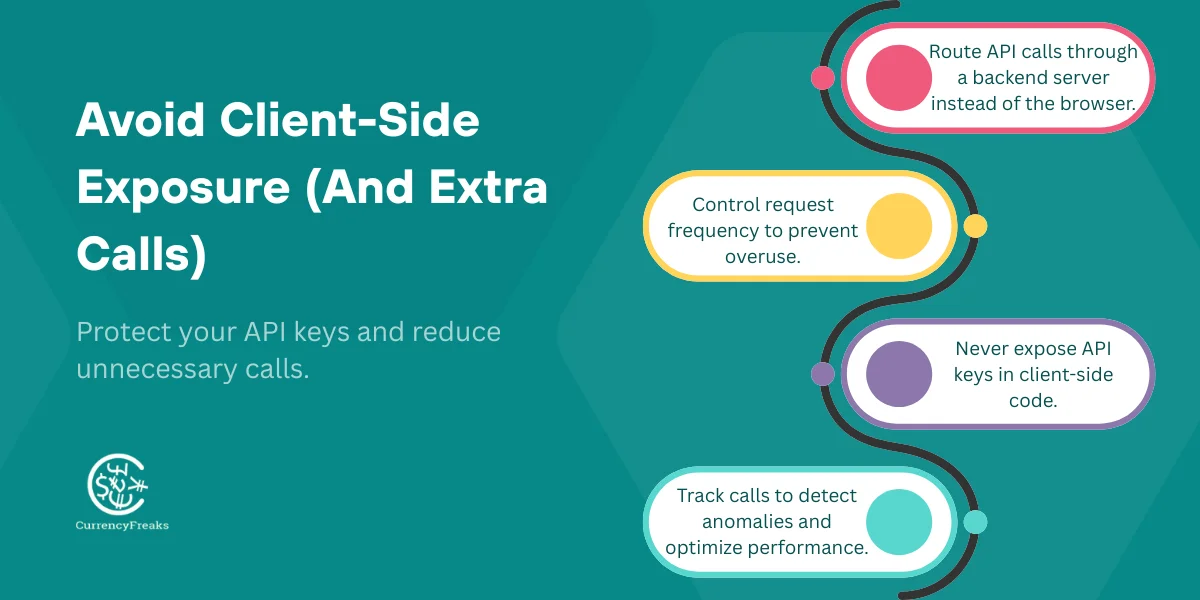
Never expose your API keys in the browser. If you do that, then it can lead to unlimited requests and higher API usage. Always send an API request through a backend server and use rate limiting for the calls.
Monitor Usage To Catch Spikes Early
Use CurrencyFreaks dashboards or tools such as:
-
Grafana
-
DataDog
-
CloudWatch
-
New Relic
Set alerts for usage spikes to avoid unexpected API overages.
Real-World Examples Of Reducing API Calls
- Fintech App
Reduce calls from 50K → 5K by using symbols + caching.
- E-Commerce Store
Remove the extra conversion call; it cuts the cost by 70%.
- Analytics Dashboard
It replaced 30 daily requests in a single time-series call.
Best Practices Summary
-
Always use symbols to limit data only when you need it, and keep everything up to date using accurate data sources.
-
To avoid multiple conversion calls, use the base currency and follow representational state transfer practices.
-
Implement the caching with the right TTL, and track these following metrics, they give you clear view.
-
Always prefer bulk endpoints such as time-series and fluctuation. Organize them in a table list and in a following table. So you can monitor the time window of every request.
-
Never expose your API key in front of anyone or on the client-side. Especially when you are managing rate limits and also when you are planning for a limit increase.
-
Monitor the usage and also set alerts for spikes. It includes a detailed description for proper and best tracking.
TL;DR
High API usage can slow down your app and overload the service. You can optimize calls by using symbols or requests for those currencies you actually need. The base parameters reduce the extra conversion calls. Cache gives you a response, depending on your update frequency and time zone, to avoid repeated requests. Use bulk endpoints for time-series and use fluctuation data to reduce the count of calls.
Never expose your API key on the client-side, and monitor usage with the help of dashboards and alerts to catch the spikes. When you use all these practices with the CurrencyFreaks API, it reduces monthly calls and improves app performance. With small adjustments such as filtering currencies and caching, both can save thousands of unnecessary requests.
You can easily track the following information in your log. So, then you will understand the value of your account and customers across every page. It gives smoother two-way communication and the best content type.
Conclusion
To optimize the API usage, you can reduce costs and improve the speed of your app. Note that you should use the symbols parameter to request only the currencies you actually need. Use base parameters to avoid extra conversion calls.
Cache gives you a response, depending on your update frequency, and it avoids repeated requests. Use bulk endpoints for time-series and use fluctuation data to reduce the number of calls. Always keep your API secure on the server side and monitor the usage with the help of dashboards and alerts, and catch all spikes early.
You should also implement proper authorization and avoid exposing anything in the browser. When you create these practices with the CurrencyFreaks API, it cuts unnecessary calls and lowers monthly usage.
FAQs
What Is API Usage?
API usage refers to the number of requests your app makes to an API.
How Can I Reduce API Usage?
Use symbols, base parameters, caching, and bulk endpoints.
What Does The Symbols Parameter Do?
Filters returned currencies to only what you need.
What Does The Query Parameter Do?
Converts all returned rates relative to a chosen base currency.
How Often Should I Cache Data?
Depends on plan: Free daily, Starter hourly, Growth 10 min, Professional 30–60 sec.
Can I Use API Keys In Client-Side Code?
No, never expose your keys in front of client-side code or anyone.
What Endpoints Should I Avoid Overusing?
Avoid repeated /convert/latest calls; use rate math instead.
How Do Time Series Endpoints Help Reduce API Calls?
Instead of requesting daily, fetch multiple days of data in only one request.
How Can I Monitor API Usage?
To monitor the CurrencyFreaks dashboard, use:
-
Grafana
-
DataDog
-
CloudWatch
-
New Relic
Are There Cost Savings By Reducing API Usage?
Yes, fewer calls mean lower costs and faster app performance.
Sign up for CurrencyFreaks, read the documentation. Explore supported currencies and symbols.


