Last updated: 5 August 2026
Have you ever built an application that suddenly burns through its monthly API quota in a few days? A high volume of API calls slows your app down, costs more, and frustrates users. Most developers hit this because they request more data than they need, skip caching, and repeat the same conversion request over and over.
In this blog, we will talk about practical strategies to optimize your API usage with the help of CurrencyFreaks - free currency converter API. We will also cover their:
-
Symbols
-
Base currency
-
Caching
-
API endpoint selection and more.
At the end of this blog, you will be able to understand how to reduce monthly API traffic, speed up your application, and save your money without compromising functionality. So let’s get started.
Understanding API Overuse: The Root Causes
Most developers drive up their API usage without realizing it. Some of the most common mistakes:
-
They fetch the full currency list when only a few currencies are needed.
-
They repeat the same HTTP request instead of caching the result.
-
They call the conversion endpoint instead of doing simple rate math locally.
-
They don't set the base currency correctly, and end up making extra calls to convert.
-
They call the API from client-side JavaScript, which exposes their key and multiplies requests.
These mistakes add up fast. A dashboard or widget that fetches all currencies on every load, when it only displays three or four, is a common example.
How CurrencyFreaks API Can Reduce Call Volume
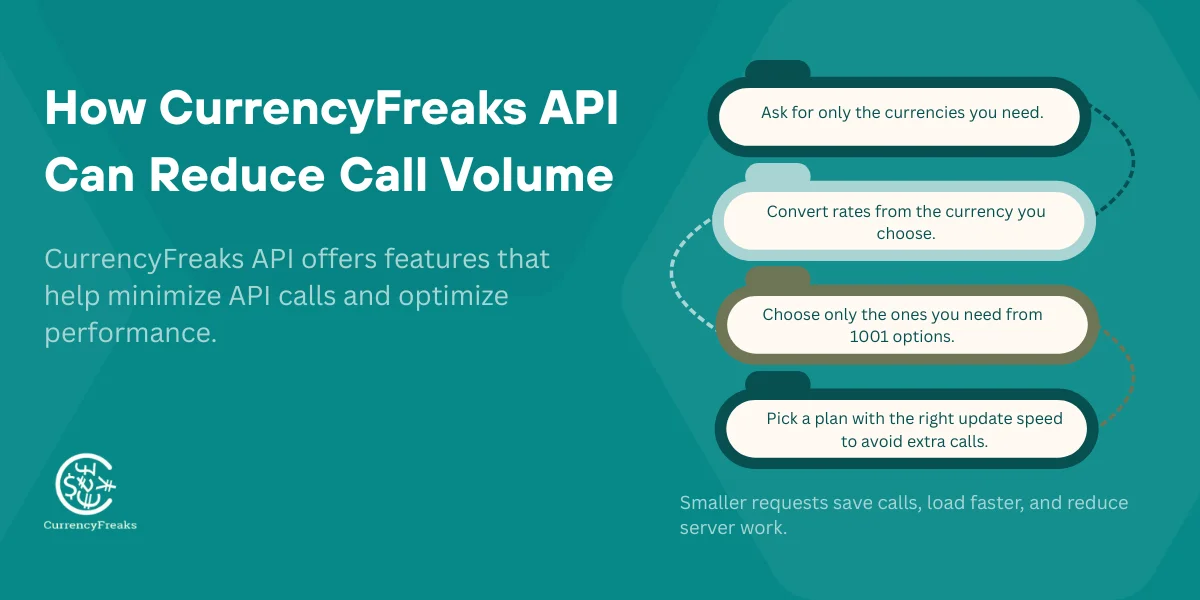
CurrencyFreaks gives you several ways to cut your API usage without losing functionality. Used together, they help you manage calls efficiently and stay well within your rate limit.
- Symbols Parameter
Choose only the currencies you need and avoid loading the full list. Smaller responses mean less data to parse and faster load times.
- Base Parameter
Get rates already converted to your chosen currency, instead of converting from USD yourself on every request.
- 1000+ Available Currencies To Filter From
Since CurrencyFreaks covers this many currencies, filtering down to just the ones your app actually displays makes a real difference in payload size.
- Poll At Your Plan's Update Frequency, Not Faster
If your plan refreshes rates every hour, calling once an hour is enough - calling every minute just burns quota for data that hasn't changed.
Matching your call frequency to your plan's actual update frequency reduces API traffic, lowers latency, and eases load on your backend.
If you want to learn about 10 best Currency Exchange API for developers, then click on this link.
Optimize With The Symbols Parameter
What The Symbols Parameter Does
The symbols parameter lets you choose exactly which currencies come back in the response, instead of the full list. This means smaller, faster responses - useful for:
-
Widgets that only need to show a handful of currencies to users.
-
Dashboards that track specific FX pairs rather than every currency CurrencyFreaks supports.
-
Mobile apps and crypto tickers that need fast, low-bandwidth updates.
Keeping requests this focused also makes it easier to monitor API activity, since you can see exactly which currency pairs each part of your system is calling.
Example: Without Symbols (Inefficient)
https://api.currencyfreaks.com/v2.0/rates/latest?apikey=KEY
It returns all your 1000+ currencies, which increases your API usage for no reason.
Example: With Symbols (Optimized)
https://api.currencyfreaks.com/v2.0/rates/latest?apikey=KEY&symbols=USD,EUR,PKR,GBP
The payload reduces the cost up to 95%, so you can make more requests without extra cost.
When To Use Symbols
- Mobile apps
It keeps the responses small, so your app loads faster and uses less data.
- Checkout widgets
It shows only those currencies that you want to see. Do not give the complete list.
- Financial dashboards
It tracks only a specific currency pair instead of every currency.
- Time-series visualizations
It pulls only those currencies you want to graph.
- Crypto tickers
It fetches only the related fiat or crypto pairs that you actually need.
Optimize With The Base Parameter
What The Base Parameter Does
The base parameter converts all returned rates to your own base currency. It's available only on paid plans, and it saves you time and extra calculations on your backend.
Example: Without Base
base = USD (default)
It needs manual conversion for other bases.
Example: With Base Parameter
https://api.currencyfreaks.com/v2.0/rates/latest?apikey=KEY&base=EUR
It reduces the extra conversion calls.
Best Practice
Fetch once and reuse rates across your app. Update daily or hourly, depending on your plan.
Combine Symbols + Base For Maximum Efficiency
Example: Highly Optimized Request
https://api.currencyfreaks.com/v2.0/rates/latest?apikey=KEY&symbols=USD,PKR,GBP,CAD&base=EUR
This one request gives you all the rates that you need, so you do not have to make many single conversion calls. This is ideal for e-commerce systems and for pricing calculators.
Payload size comparison:
Without symbols -- returns all currencies (~1,000 entries, ~40 KB):
{
  "date": "2026-06-22 12:00:00+00",
  "base": "USD",
  "rates": {
    "EUR": "0.9201",
    "GBP": "0.7854",
    "JPY": "148.23",
    ... 1,000+ more entries ...
  }
}
With symbols=USD,PKR,GBP,CAD and base=EUR -- returns only what you need (~4 entries, ~180 bytes):
{
  "date": "2026-06-22 12:00:00+00",
  "base": "EUR",
  "rates": {
    "USD": "1.0834",
    "PKR": "301.45",
    "GBP": "0.8421",
    "CAD": "1.4892"
  }
}
A 99% reduction in payload size with one extra parameter.
How This Reduces API Calls
-
One request for multiple FX pairs
-
No repeated conversion endpoint calls
-
No second request to change base
Use Caching To Reduce Repeated Calls
Why Caching Is Crucial
The exchange rates API rarely changes every second. Caching reduces unnecessary API usage:
| Plan | Update Frequency | Suggested Cache TTL |
|---|---|---|
| Free | 24 hours | 24 hours |
| Starter | 1 hour | 60 minutes |
| Growth | 10 minutes | 10 minutes |
| Professional/Enterprise | 60 sec | 30 to 60 seconds |
What To Cache
-
Latest rates response
-
Historical and time-series data
-
Conversion results
Backend Caching Methods
Using caching such as Redis, Memory cache, CDN cache, and Database cache with TTL, it can cut thousands of API requests down to a few per interval.
In-memory cache (Python):
import requests
import time

_cache = {}

def get_rates(symbols='EUR,GBP,JPY', base='USD', ttl=3600):
    key = f'{base}:{symbols}'
    now = time.time()
    entry = _cache.get(key)
    if entry and (now - entry['ts']) < ttl:
        return entry['rates']  # serve from cache

    r = requests.get('https://api.currencyfreaks.com/v2.0/rates/latest', params={
        'apikey': 'YOUR_API_KEY',
        'base': base,
        'symbols': symbols
    }, timeout=5)
    r.raise_for_status()
    rates = r.json()['rates']
    _cache[key] = {'rates': rates, 'ts': now}
    return rates
Redis cache (Python):
import redis
import requests
import json

_redis = redis.Redis(host='localhost', port=6379, db=0)

def get_rates(symbols='EUR,GBP,JPY', base='USD', ttl=3600):
    key = f'cf:{base}:{symbols}'
    cached = _redis.get(key)
    if cached:
        return json.loads(cached)  # serve from Redis

    r = requests.get('https://api.currencyfreaks.com/v2.0/rates/latest', params={
        'apikey': 'YOUR_API_KEY',
        'base': base,
        'symbols': symbols
    }, timeout=5)
    r.raise_for_status()
    rates = r.json()['rates']
    _redis.setex(key, ttl, json.dumps(rates))
    return rates
Node.js cache (node-cache):
Install node-cache (npm install node-cache), then wrap your API call:
const NodeCache = require('node-cache');
const axios = require('axios');
const cache = new NodeCache({ stdTTL: 3600 }); // 1 hour for Starter plan

async function getRate(target) {
  const key = `rate_usd_${target}`;
  const hit = cache.get(key);
  if (hit) return hit;
  const res = await axios.get(
    `https://api.currencyfreaks.com/v2.0/rates/latest?apikey=${process.env.CF_API_KEY}&symbols=${target}`
  );
  const rate = res.data.rates[target];
  cache.set(key, rate);
  return rate;
}
Set ttl (or stdTTL) to match your plan: 86400 seconds for Free, 3600 for Starter, 600 for Growth, 60 for Professional. All three patterns make a single API call per TTL window regardless of how many users hit your app during that interval. Redis is worth the extra setup over in-memory or node-cache if your cache needs to survive a server restart or be shared across multiple app instances.
Avoid Overusing the Conversion Endpoint
Many apps call /convert/latest unnecessarily. You can often calculate conversions locally:
converted = amount * rate
Call the latest rates once, then perform math in your code. This reduces API usage dramatically.
Reduce Calls Using Historical Data Features
Historical data and time-series endpoints let you fetch multiple days of data in a single call - 15 daily requests become one request covering 15 days. The fluctuation endpoint returns the percentage change over a range in one call too, saving even more requests.
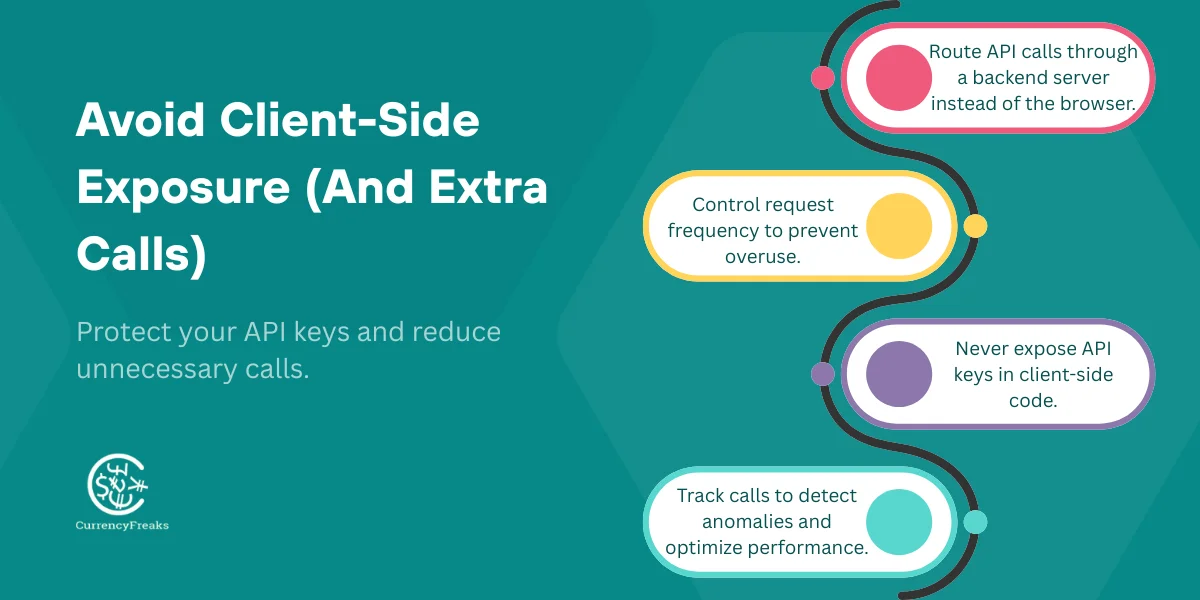
Avoid Client-Side Exposure (And Extra Calls)
Never expose your API keys in the browser. If you do that, then it can lead to unlimited requests and higher API usage. Always send an API request through a backend server and use rate limiting for the calls.
Monitor Usage To Catch Spikes Early
Use CurrencyFreaks dashboards or tools such as:
-
Grafana
-
DataDog
-
CloudWatch
-
New Relic
Set alerts for usage spikes to avoid unexpected API overages.
Real-World Examples Of Reducing API Calls
- Fintech App
Reduce calls from 50K → 5K by using symbols + caching.
- E-Commerce Store
Remove the extra conversion call; it cuts the cost by 70%.
- Analytics Dashboard
It replaced 30 daily requests in a single time-series call.
Best Practices Summary
-
Always use symbols to limit data only when you need it, and keep everything up to date using accurate data sources.
-
Use the base parameter to avoid making a separate conversion call for every currency pair.
-
Cache responses with a TTL that matches your plan's update frequency, and track cache hit rate so you can see whether it's actually working.
-
Always prefer bulk endpoints such as time-series and fluctuation for multi-day data.
-
Never expose your API key in front of anyone or on the client-side. Especially when you are managing rate limits and also when you are planning for a limit increase.
-
Monitor usage and set alerts for spikes so you catch problems before they turn into an overage.
TL;DR
High API usage can slow down your app and overload the service. You can optimize calls by using symbols or requests for those currencies you actually need. The base parameters reduce the extra conversion calls. Cache gives you a response, depending on your update frequency and time zone, to avoid repeated requests. Use bulk endpoints for time-series and use fluctuation data to reduce the count of calls.
Never expose your API key on the client-side, and monitor usage with the help of dashboards and alerts to catch the spikes. When you use all these practices with the CurrencyFreaks API, it reduces monthly calls and improves app performance. With small adjustments such as filtering currencies and caching, both can save thousands of unnecessary requests.
Handling Latency, Fallback Strategies, and Production Resilience
Caching cuts down repeated calls, but it doesn't help when the API itself is briefly unreachable. Fallback strategies keep your application running through that too - both matter for a production deployment.
Fallback Strategies When the API Is Unavailable
Three fallback levels in order of preference:
- Level 1 - Stale cache: return the last successful response from your cache store even if the TTL has expired. A slightly old rate is almost always better than an error.
- Level 2 - Database snapshot: if you run the scheduled rates:fetch Artisan command (or equivalent), you have rates stored in your database. Query the most recent row for the pair you need.
- Level 3 - Hardcoded safety rate: for the most critical currency pairs in your application (e.g. EUR/USD, GBP/USD), store a hardcoded fallback rate that was accurate within the past 24 hours. Update it manually once a day. This should only ever activate in a complete infrastructure failure.
Monitoring for Production Stability
Set alerts - not just logs - for the following:
- API response time exceeding 500ms (normal is 20-40ms with CurrencyFreaks geolocation routing)
- Cache hit rate dropping below 80% (indicates either TTL misconfiguration or a traffic spike)
- HTTP 429 responses (rate limit hit - check for client-side API calls leaking through)
- HTTP 5xx responses (API-side issue - activate fallback immediately)
Tools that work well for this: Grafana with a Prometheus exporter, Datadog APM, AWS CloudWatch alarms, or simply a cron job that hits the API health endpoint and sends an alert on failure.
Conclusion
To optimize the API usage, you can reduce costs and improve the speed of your app. Note that you should use the symbols parameter to request only the currencies you actually need. Use base parameters to avoid extra conversion calls.
Cache gives you a response, depending on your update frequency, and it avoids repeated requests. Use bulk endpoints for time-series and use fluctuation data to reduce the number of calls. Always keep your API secure on the server side and monitor the usage with the help of dashboards and alerts, and catch all spikes early.
You should also implement proper authorization and avoid exposing anything in the browser. When you create these practices with the CurrencyFreaks API, it cuts unnecessary calls and lowers monthly usage.
FAQs
What Is API Usage?
API usage refers to the number of requests your app makes to an API.
How Can I Reduce API Usage?
Use symbols, base parameters, caching, and bulk endpoints.
What Does The Symbols Parameter Do?
Filters returned currencies to only what you need.
What Does The Base Parameter Do?
Converts all returned rates relative to a chosen base currency. For example, adding &base=EUR returns all rates with EUR as the base instead of USD, so you avoid recalculating the conversion yourself.
How Often Should I Cache Data?
Depends on plan: Free daily, Starter hourly, Growth 10 min, Professional 30-60 sec.
Can I Use API Keys In Client-Side Code?
No, never expose your keys in front of client-side code or anyone.
What Endpoints Should I Avoid Overusing?
Avoid repeated /convert/latest calls; use rate math instead.
How Do Time Series Endpoints Help Reduce API Calls?
Instead of requesting daily, fetch multiple days of data in only one request.
How Can I Monitor API Usage?
To monitor the CurrencyFreaks dashboard, use:
-
Grafana
-
DataDog
-
CloudWatch
-
New Relic
Are There Cost Savings By Reducing API Usage?
Yes, fewer calls mean lower costs and faster app performance.
Sign up for CurrencyFreaks, read the documentation. Explore supported currencies and symbols.