Last updated: 21 August 2026
Svelte compiles components to vanilla JavaScript at build time. There is no virtual DOM and no runtime framework overhead, just lean, reactive code that updates the browser directly. For an application that polls exchange rate data and re-renders conversion results on user input, that architecture is a good fit.
This tutorial covers two patterns: a standalone Svelte component that works in any Svelte project, and a SvelteKit integration that moves the API call to the server side to protect your API key and improve load speed. Both use the CurrencyFreaks exchange rate API. The free plan gives you 1,000 calls per month with SSL, enough for development and low-traffic production setups.
Get your free API key at currencyfreaks.com/signup before starting. No credit card required.
Prerequisites
-
Node.js 18+ installed
-
Basic familiarity with Svelte reactivity (
$:,bind:,{#each}) -
A CurrencyFreaks API key (the free plan covers everything in this guide)
Part 1: Standalone Svelte Component
This pattern works in any Svelte project, with no SvelteKit required. It fetches rates client-side using onMount and stores your API key in an environment variable.
Step 1: Create a Svelte Project
npm create svelte@latest currency-app
cd currency-app
npm install
Choose the "Skeleton project" template when prompted. If you just want a plain Svelte project without SvelteKit, use:
npx degit sveltejs/template currency-app
cd currency-app
npm install
Step 2: Store Your API Key
Create a .env file at the project root. Never hardcode API keys in component files.
VITE_CF_API_KEY=your_api_key_here
Access it in your component with import.meta.env.VITE_CF_API_KEY. Vite, which Svelte uses, exposes only variables prefixed with VITE_ to the browser. All others stay server-only.
Step 3: Create a Rates Store
Svelte stores are the right place for shared API data. Create src/lib/ratesStore.ts:
import { writable, derived } from 'svelte/store';

// Raw rates from the API, base USD
export const rates = writable<Record<string, string>>({});
export const ratesFetchedAt = writable<string>('');
export const ratesError = writable<string>('');
export const loading = writable<boolean>(false);

const API_KEY = import.meta.env.VITE_CF_API_KEY;
const CACHE_KEY = 'cf_rates_cache';
const CACHE_TTL = 3600 * 1000; // 1 hour in ms

export async function fetchRates(): Promise<void> {
  // Check localStorage cache first, to avoid burning API quota on reload
  const cached = localStorage.getItem(CACHE_KEY);
  if (cached) {
    const { data, timestamp } = JSON.parse(cached);
    if (Date.now() - timestamp < CACHE_TTL) {
      rates.set(data.rates);
      ratesFetchedAt.set(data.date);
      return;
    }
  }

  loading.set(true);
  ratesError.set('');

  try {
    const res = await fetch(
      `https://api.currencyfreaks.com/v2.0/rates/latest?apikey=${API_KEY}`
    );

    if (!res.ok) {
      if (res.status === 401) throw new Error('Invalid API key, check your .env file');
      if (res.status === 429) throw new Error('Rate limit reached, try again later');
      throw new Error(`API error: ${res.status}`);
    }

    const data = await res.json();
    rates.set(data.rates);
    ratesFetchedAt.set(data.date);
    localStorage.setItem(CACHE_KEY, JSON.stringify({ data, timestamp: Date.now() }));
  } catch (err) {
    ratesError.set(err instanceof Error ? err.message : 'Failed to fetch rates');
  } finally {
    loading.set(false);
  }
}

// Convert any amount between two currencies
export function convert(
  ratesData: Record<string, string>,
  from: string,
  to: string,
  amount: number
): string {
  if (!ratesData[from] || !ratesData[to]) return '--';
  // All rates are relative to the USD base
  const fromRate = parseFloat(ratesData[from]);
  const toRate = parseFloat(ratesData[to]);
  const result = (amount / fromRate) * toRate;
  return result.toFixed(4);
}
Step 4: Build the Currency Converter Component
Create src/lib/CurrencyConverter.svelte:
<script lang="ts">
  import { onMount } from 'svelte';
  import { rates, ratesFetchedAt, ratesError, loading, fetchRates, convert } from './ratesStore';

  let fromCurrency = 'USD';
  let toCurrency = 'EUR';
  let amount = 1;

  $: currencies = Object.keys($rates).sort();
  $: result = convert($rates, fromCurrency, toCurrency, amount);
  $: formattedDate = $ratesFetchedAt
    ? new Date($ratesFetchedAt).toLocaleString()
    : '';

  function swap() {
    [fromCurrency, toCurrency] = [toCurrency, fromCurrency];
  }

  onMount(fetchRates);
</script>

<div class="converter">
  <h2>Currency Converter</h2>

  {#if $loading}
    <p class="status">Fetching live rates...</p>
  {:else if $ratesError}
    <p class="error">{$ratesError}</p>
    <button on:click={fetchRates}>Retry</button>
  {:else}
    <div class="row">
      <div class="field">
        <label for="amount">Amount</label>
        <input
          id="amount"
          type="number"
          min="0"
          step="any"
          bind:value={amount}
        />
      </div>

      <div class="field">
        <label for="from">From</label>
        <select id="from" bind:value={fromCurrency}>
          {#each currencies as currency}
            <option value={currency}>{currency}</option>
          {/each}
        </select>
      </div>

      <button class="swap" on:click={swap} aria-label="Swap currencies">⇄</button>

      <div class="field">
        <label for="to">To</label>
        <select id="to" bind:value={toCurrency}>
          {#each currencies as currency}
            <option value={currency}>{currency}</option>
          {/each}
        </select>
      </div>
    </div>

    <div class="result" role="status" aria-live="polite">
      {amount} {fromCurrency} = <strong>{result} {toCurrency}</strong>
    </div>

    {#if formattedDate}
      <p class="updated">Rates as of {formattedDate} · Powered by CurrencyFreaks</p>
    {/if}
  {/if}
</div>

<style>
  .converter {
    max-width: 560px;
    margin: 0 auto;
    padding: 2rem;
    background: #f8fafc;
    border-radius: 12px;
    font-family: system-ui, sans-serif;
  }

  h2 { margin-top: 0; color: #1e293b; }

  .row {
    display: flex;
    align-items: flex-end;
    gap: 0.75rem;
    flex-wrap: wrap;
  }

  .field { display: flex; flex-direction: column; gap: 0.3rem; }

  label { font-size: 0.85rem; font-weight: 600; color: #475569; }

  input, select {
    padding: 0.6rem 0.8rem;
    border: 1px solid #cbd5e1;
    border-radius: 8px;
    font-size: 1rem;
    background: #fff;
  }

  input { width: 120px; }
  select { width: 140px; }

  .swap {
    padding: 0.6rem 1rem;
    background: #0f766e;
    color: #fff;
    border: none;
    border-radius: 8px;
    font-size: 1.2rem;
    cursor: pointer;
    align-self: flex-end;
  }

  .result {
    margin-top: 1.5rem;
    padding: 1rem;
    background: #e0f2f1;
    border-radius: 8px;
    font-size: 1.2rem;
    color: #0f4c41;
  }

  .updated { font-size: 0.78rem; color: #94a3b8; margin-top: 0.5rem; }
  .status { color: #64748b; }
  .error { color: #dc2626; font-weight: 600; }
</style>
Step 5: Use the Component
In src/App.svelte (plain Svelte) or src/routes/+page.svelte (SvelteKit):
<script>
  import CurrencyConverter from '$lib/CurrencyConverter.svelte';
</script>

<main>
  <CurrencyConverter />
</main>
Step 6: Run the Project
npm run dev
Open http://localhost:5173. The converter loads all available currencies from CurrencyFreaks, caches them in localStorage for 1 hour, and converts reactively as you type or change the dropdowns. No page refresh required.
Part 2: SvelteKit with Server-Side API Fetching
The standalone component above exposes your API key in browser network requests. For production applications, move the API call to a SvelteKit server endpoint so the key never leaves the server.
Step 1: Store the Key Server-Side
In SvelteKit, server-only variables use no prefix:
# .env
CF_API_KEY=your_api_key_here
Access it via import { CF_API_KEY } from '$env/static/private'. This variable is never bundled into client JavaScript.
Step 2: Create a Server Route
Create src/routes/api/rates/+server.ts:
import { CF_API_KEY } from '$env/static/private';
import { json } from '@sveltejs/kit';
import type { RequestHandler } from './$types';

export const GET: RequestHandler = async () => {
  try {
    const res = await fetch(
      `https://api.currencyfreaks.com/v2.0/rates/latest?apikey=${CF_API_KEY}`
    );

    if (!res.ok) {
      return json({ error: `CurrencyFreaks API error: ${res.status}` }, { status: res.status });
    }

    const data = await res.json();

    // Return with cache headers, which browsers and CDN edge caches respect
    return json(data, {
      headers: {
        'Cache-Control': 'public, max-age=3600' // cache for 1 hour
      }
    });
  } catch (err) {
    return json({ error: 'Failed to fetch exchange rates' }, { status: 500 });
  }
};
Step 3: Load Rates in the Page's Load Function
Create src/routes/+page.server.ts:
import type { PageServerLoad } from './$types';

export const load: PageServerLoad = async ({ fetch }) => {
  const res = await fetch('/api/rates');
  const data = await res.json();

  if (data.error) {
    return { rates: {}, error: data.error, date: '' };
  }

  return {
    rates: data.rates as Record<string, string>,
    date: data.date as string,
    error: ''
  };
};
Step 4: Use Load Data in the Page Component
Update src/routes/+page.svelte:
<script lang="ts">
  import type { PageData } from './$types';
  import { convert } from '$lib/ratesStore';

  export let data: PageData;

  let fromCurrency = 'USD';
  let toCurrency = 'EUR';
  let amount = 1;

  $: currencies = Object.keys(data.rates).sort();
  $: result = convert(data.rates, fromCurrency, toCurrency, amount);
</script>

{#if data.error}
  <p class="error">{data.error}</p>
{:else}
  <div class="converter">
    <h2>Live Exchange Rates</h2>

    <label>
      Amount
      <input type="number" bind:value={amount} min="0" step="any" />
    </label>

    <label>
      From
      <select bind:value={fromCurrency}>
        {#each currencies as c}
          <option value={c}>{c}</option>
        {/each}
      </select>
    </label>

    <label>
      To
      <select bind:value={toCurrency}>
        {#each currencies as c}
          <option value={c}>{c}</option>
        {/each}
      </select>
    </label>

    <p class="result">
      {amount} {fromCurrency} = <strong>{result} {toCurrency}</strong>
    </p>

    <small>Rates as of {new Date(data.date).toLocaleString()}</small>
  </div>
{/if}
With this pattern, the rate data arrives with the initial HTML response, so users see the converter already populated on first load. No API key touches the browser. The Cache-Control header means SvelteKit, or a CDN in front of it, will serve cached rates for up to 1 hour without hitting CurrencyFreaks again.
Fetching Historical Rates
CurrencyFreaks provides historical exchange rate data going back to 1984. The endpoint structure is identical to the latest rates endpoint, so you just swap the path:
// Server endpoint: src/routes/api/rates/historical/+server.ts
import { CF_API_KEY } from '$env/static/private';
import { json } from '@sveltejs/kit';
import type { RequestHandler } from './$types';

export const GET: RequestHandler = async ({ url }) => {
  const date = url.searchParams.get('date'); // format: YYYY-MM-DD
  const base = url.searchParams.get('base') || 'USD';
  const symbols = url.searchParams.get('symbols') || '';

  if (!date || !/^\d{4}-\d{2}-\d{2}$/.test(date)) {
    return json({ error: 'Invalid date, use YYYY-MM-DD format' }, { status: 400 });
  }

  const res = await fetch(
    `https://api.currencyfreaks.com/v2.0/rates/historical?apikey=${CF_API_KEY}&date=${date}&base=${base}&symbols=${symbols}`
  );

  const data = await res.json();
  return json(data, {
    headers: { 'Cache-Control': 'public, max-age=86400' } // historical rates do not change, cache 24h
  });
};
Call it from your component:
<script lang="ts">
  let historicalDate = '2025-01-01';
  let historicalRates: Record<string, string> = {};

  async function fetchHistorical() {
    const res = await fetch(`/api/rates/historical?date=${historicalDate}&base=USD&symbols=EUR,GBP,JPY`);
    const data = await res.json();
    historicalRates = data.rates;
  }
</script>

<input type="date" bind:value={historicalDate} max={new Date().toISOString().slice(0,10)} />
<button on:click={fetchHistorical}>Get Historical Rates</button>

{#each Object.entries(historicalRates) as [currency, rate]}
  <p>{currency}: {rate}</p>
{/each}
Error Handling Reference
| Status Code | Meaning | What to do in Svelte |
|---|---|---|
| 401 | Invalid API key | Show an "API key error" message and link to the documentation |
| 422 | Invalid currency code | Validate against supported currencies before calling |
| 429 | Monthly quota exceeded | Show a rate limit message and fall back to cached rates |
| 5xx | CurrencyFreaks server error | Show stale cached rates from localStorage if available |
The store in Part 1 handles 401 and 429 explicitly. For production applications, add a fallback that serves the last successful cached response on 5xx errors rather than showing an empty converter.
FAQs
What Is the Difference Between Svelte and SvelteKit for This Integration?
In plain Svelte, the API call runs in the browser, so the API key is visible in network requests. In SvelteKit, you can move the call to a server endpoint where the API key stays private. For any production application, use the SvelteKit pattern. Use the plain Svelte pattern for prototypes or internal tools where key exposure is acceptable.
How Do I Avoid Hitting the Free Plan Limit in Svelte?
The localStorage caching in the store (Part 1) limits API calls to once per hour per browser. The Cache-Control: max-age=3600 header in the SvelteKit endpoint (Part 2) lets the server or a CDN cache the response, so even high-traffic applications make at most one API call per hour. On the free plan of 1,000 calls per month, this keeps you well within limits.
Can I Use Svelte Stores to Share Rates Across Multiple Components?
Yes, and that is the correct pattern. The ratesStore.ts in Part 1 is a writable store that any component in your application can subscribe to with $rates. Fetch once in the top-level component with onMount(fetchRates) and all child components receive the same data reactively.
Does the CurrencyFreaks API Support TypeScript Types?
The API returns JSON with a date string, a base string, and a rates object of string-keyed string values. The TypeScript type for the rates map is Record<string, string>. For stricter typing, create a local interface:
interface RatesResponse {
  date: string;
  base: string;
  rates: Record<string, string>;
}
How Do I Convert Between Two Non-USD Currencies?
All rates from CurrencyFreaks are relative to the base currency, which is USD by default on the free plan. To convert EUR to GBP, divide the amount by the EUR rate to get USD, then multiply by the GBP rate. The convert function in ratesStore.ts handles this automatically.
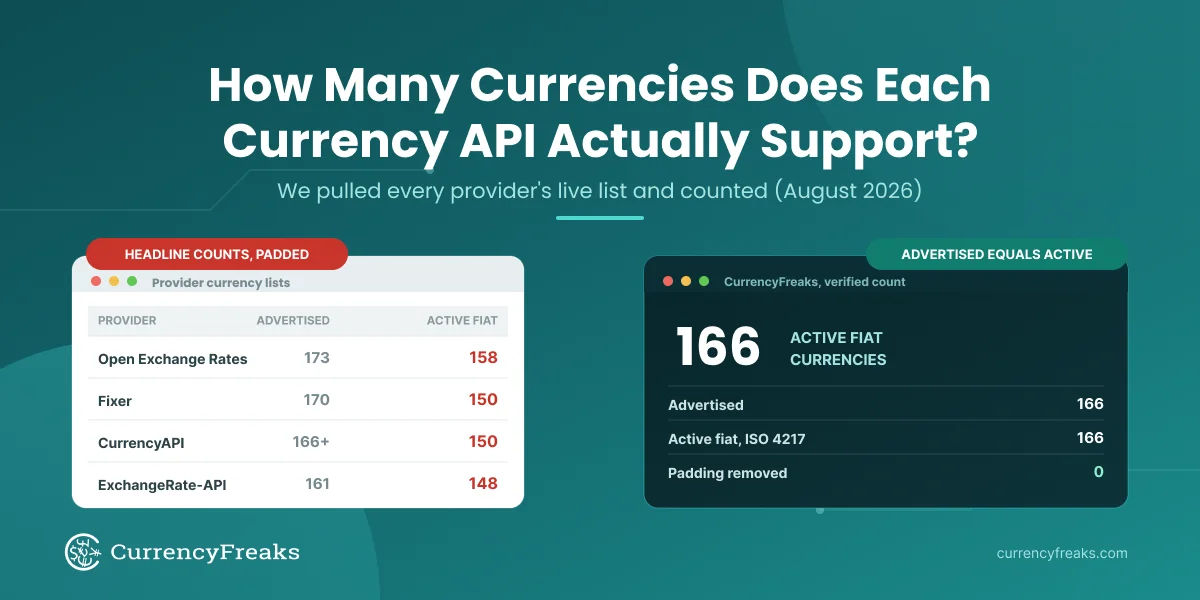
Get your free CurrencyFreaks API key: 166 active fiat currencies, 874 crypto, 1,000 free calls per month. No credit card required.