Last updated: 1 October 2026
If you price products in three currencies or invoice clients abroad, rates typed into a sheet by hand are out of date by the next morning. Google Sheets can fetch them for you. This guide covers two ways to convert currency in Google Sheets:
-
GOOGLEFINANCE, the built-in function. Free, no setup, fine for a few conversions.
-
The CurrencyFreaks API, called from a short Apps Script function. Rates refresh every 60 seconds, and you also get crypto, metals and historical data.
Start with GOOGLEFINANCE. Move to the API once its gaps start costing you time.
Working in Excel instead? The Excel exchange rate guide covers the basic conversion formula, WEBSERVICE() and Power Query.
How to Convert Currency in Google Sheets: Two Methods
Method 1: Use The GOOGLEFINANCE Formula (Basic & Free)
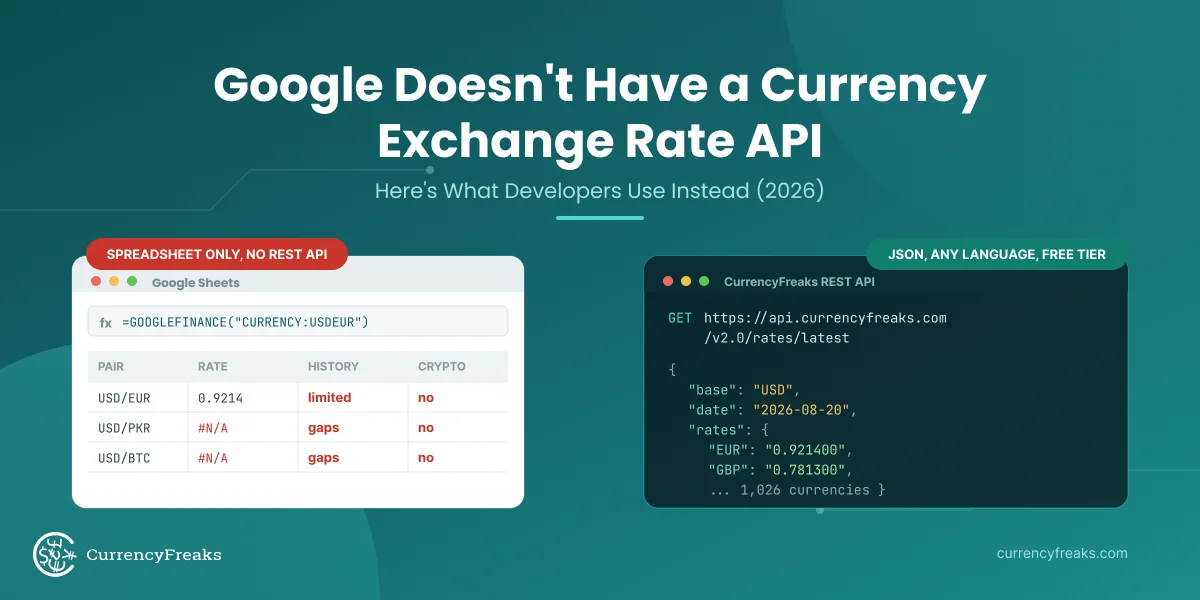
In Google Sheets, the GoogleFinance function works as a built-in formula. It fetches live exchange rates and live financial data, and financial information instantly.
Example Formula is: including specific date parameters.
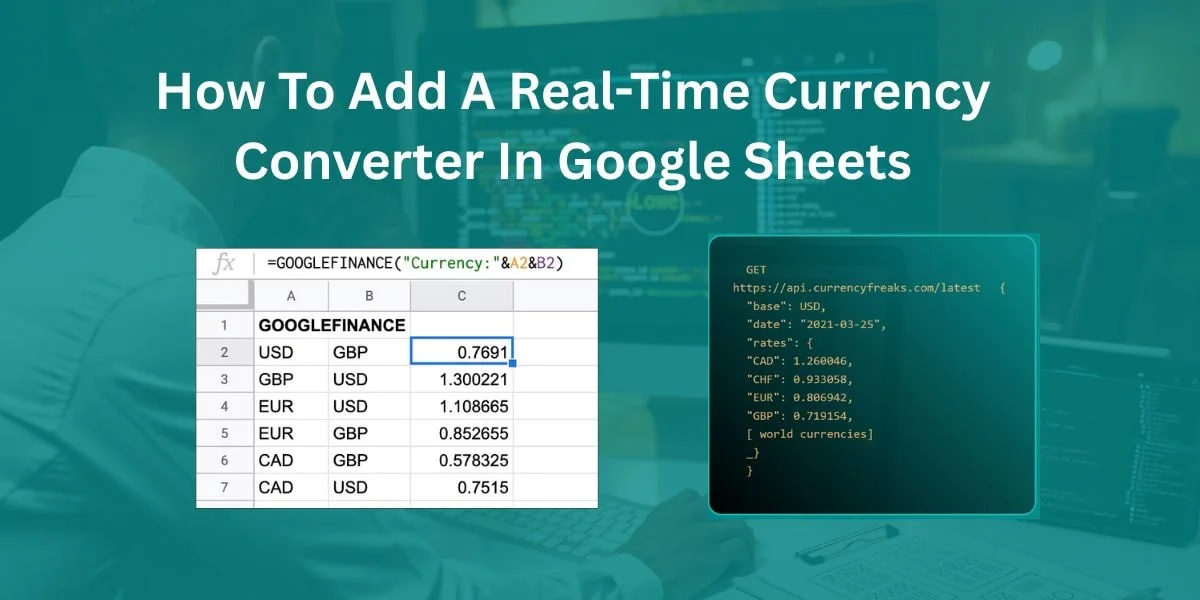
=GOOGLEFINANCE("CURRENCY:USDGBP")
The following formula retrieves the current exchange rate for USD to GBP. It converts into a specific amount:
=A2 * GOOGLEFINANCE("CURRENCY:USDGBP")
Limitations:
-
Sometimes, you may experience a delay in data.
-
Sometimes several currencies are missing.
-
There is no support for crypto or metals.
-
There are no filtering or historical features.
GOOGLEFINANCE currency conversion is an easy and free option. Additionally, it is not ideal for dashboards or global pricing sheets that require real-time updates, especially if you need to fetch historical exchange rates .
Method 2: Use CurrencyFreaks API For 60-Second Real-Time Data
CurrencyFreaks gives 1000+ currency rates. This includes 874 cryptocurrencies, currency data, and 4 metals.
Benefits:
-
It gives you real-time updates every 60 seconds.
-
It supports two currency formats, JSON and XML.
-
This is reliable for dashboards and automation.
You can filter data by currency symbols in CurrencyFreaks. You can pull historical rates, too. It handles advanced and global financial workflows without issues.
Comparing providers first? Read 10 Best Currency Exchange API Options for Developers in 2026.
Upgrading From The Formula To A Live API
GOOGLEFINANCE is fine for occasional conversions. Once you need 60-second rates, crypto and metals, or historical data, you can replace the formula with a single API call. Here is the condensed version.
1. Get a free API key. Create a CurrencyFreaks account and copy the key from your dashboard. The free plan includes 1,000 API calls per month and needs no card. If you are still weighing up providers, see the best web services for currency conversion.
2. Add one Apps Script function. In your sheet, open Extensions → Apps Script and paste this:
function convertAmount(amount, fromCurrency, toCurrency) {
  var apiKey = "YOUR_API_KEY";
  var url = "https://api.currencyfreaks.com/v2.0/rates/latest"
          + "?apikey=" + apiKey
          + "&symbols=" + fromCurrency + "," + toCurrency;
  var response = UrlFetchApp.fetch(url);
  var data = JSON.parse(response.getContentText());
  var rates = data.rates;
  var base = data.base;  // USD on the free plan

  if (fromCurrency === base) {
    return parseFloat(amount) * parseFloat(rates[toCurrency]);
  }
  // Cross-rate: convert to the base currency first, then to the target
  var amountInBase = parseFloat(amount) / parseFloat(rates[fromCurrency]);
  return amountInBase * parseFloat(rates[toCurrency]);
}
3. Use it like any other formula. Save the script, then in any cell:
=convertAmount(1,"USD","EUR")
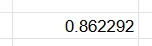
Because the function routes through the base currency, pairs that do not involve USD still work on the free plan.
Need the full developer walkthrough? This is the short version. For the complete build, including sheet layout, dropdown menus for currency selection, response caching, and error handling, see How to Use a Currency API in Google Sheets.
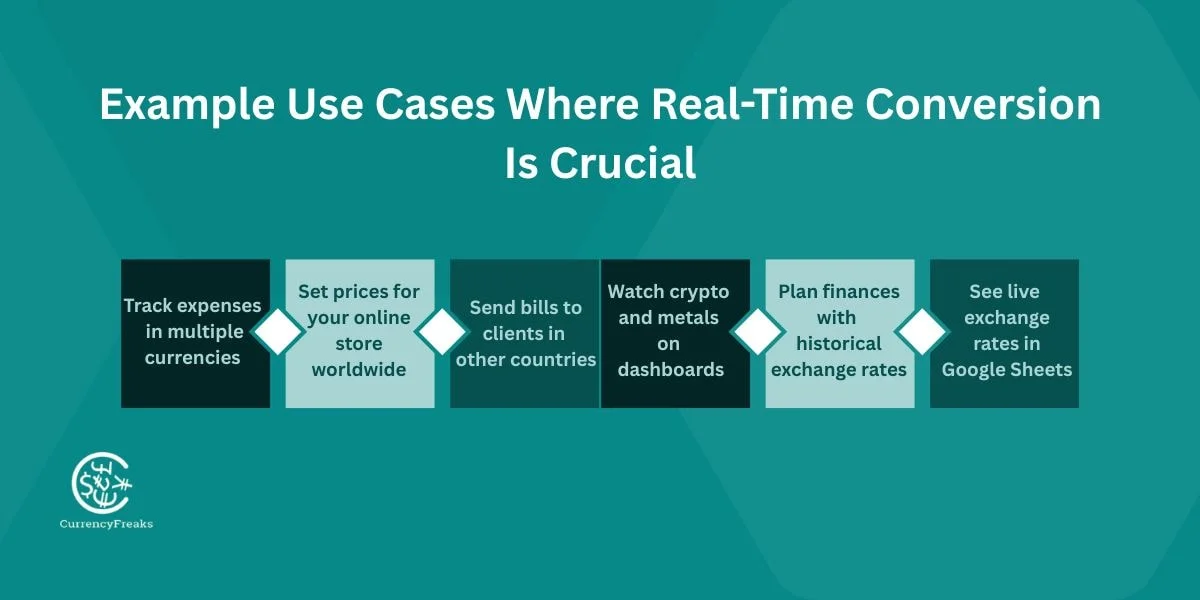
Example Use Cases Where Real-Time Conversion Is Crucial
-
Keep track of your expenses in different currencies.
-
Set prices for your online store around the world.
-
Send invoices to clients in other countries.
-
Watch crypto and metals in the dashboards.
-
Plan your finances using past exchange rates.
-
See live exchange rates in your Google Sheet.
CurrencyFreaks vs GOOGLEFINANCE:
What's The Difference?
| Feature | GOOGLEFINANCE | CurrencyFreaks |
|---|---|---|
| Cost | It is Free | Free & Paid Plans both |
| Data Frequency | You may experience a delay in data. | Every 60-second updates |
| Currency Coverage | This one is limited | It has 1000+ currencies, crypto, and metals |
| Filtering | None | Available (symbols=) |
| Historical Data | This one is limited | Full historical & time-series |
| Accuracy | Sometimes gives you inaccurate data | It is Reliable & accurate |
| Dashboard Ready | This one is limited | Fully supported platform |
CurrencyFreaks works faster and more reliably than GOOGLEFINANCE for global rates, including those relevant to market capitalization.
Building a developer integration rather than a spreadsheet formula? The Google Sheets API tutorial covers the full Apps Script setup end to end.
How To Use Historical And Forecasting Data In Google Sheets
Pull Historical Exchange Rates
You can put historical exchange rates from CurrencyFreaks API using the following endpoint:
$ curl 'https://api.currencyfreaks.com/v2.0/rates/historical?apikey=YOUR_APIKEY&date=2022-03-20'
Here is the JSON response:
{
    "date": "2022-03-20",
    "base": "USD",
    "rates": {
        "FJD": "2.1176",
        "MATIC": "0.6832001093120175",
        "MXN": "20.385892",
        "STD": "21382.190504",
        "SCR": "14.408136",
        "CDF": "2005.74861",
        "BBD": "2.0",
        "HNL": "24.411536",
        "UGX": "3583.338449",
        "ZAR": "14.9602",
        "STN": "22.425165",
        .
        .
        .
    }
}
You can also fetch historical exchange rates using the Google Sheets built-in currency conversion:
=IMPORTJSON("https://api.currencyfreaks.com/v2.0/rates/historical?apikey=YOUR_APIKEY&date=" & A2)
Build Time Series Charts
If you want to understand your desired currency movements, track them daily, weekly, and monthly basis. Charts show these changes and support understanding currency codes, budgeting, and planning, offering practical tips for financial decision-making during market open. Time series charts showing opening prices make it easy to identify patterns and trends, enabling you to make informed decisions quickly.
You can put time series exchange rates from CurrencyFreaks API using the following endpoint:
$ curl 'https://api.currencyfreaks.com/v2.0/timeseries?apikey=YOUR_APIKEY&startDate=2022-06-01&endDate=2022-06-07&base=eur&symbols=pkr,usd'
Here is the JSON response:
{
    "startDate": "2022-06-01",
    "endDate": "2022-06-07",
    "base": "EUR",
    "historicalRatesList": [
        {
            "date": "2022-06-01",
            "rates": {
                "PKR": "210.58073648790247",
                "USD": "1.0651300000000001"
            }
        },
        {
            "date": "2022-06-02",
            "rates": {
                "PKR": "212.41441993262268",
                "USD": "1.07504"
            }
        },
        {
            "date": "2022-06-03",
            "rates": {
                "PKR": "211.80743999999882",
                "USD": "1.0719"
            }
        },
        {
            "date": "2022-06-04",
            "rates": {
                "PKR": "212.3705498572507",
                "USD": "1.0719"
            }
        },
        {
            "date": "2022-06-05",
            "rates": {
                "PKR": "212.49419555477172",
                "USD": "1.0725240781655547"
            }
        },
        {
            "date": "2022-06-06",
            "rates": {
                "PKR": "213.19503849443953",
                "USD": "1.06928999144568"
            }
        },
        {
            "date": "2022-06-07",
            "rates": {
                "PKR": "215.71624763798502",
                "USD": "1.0696700000000001"
            }
        }
    ]
}
If you want to learn about the best currencies APIs, read this blog by CurrencyFreaks, 10 Best Currency Exchange APIs.
Use Fluctuation API
Use the API for fluctuations and understand the three-letter code to calculate daily and weekly currency rates. This helps you with understanding multiple currencies dynamically, including understanding the target currency code and currency codes, understanding market movements with three-letter currency codes, and managing risks effectively.
This is better for your financial calculations, financial planning, and budget, ensuring up-to-date conversions are maintained. By tracking fluctuations, including closing price, you can make better decisions and protect your business and investments from unexpected changes.
You can put fluction API rates from CurrencyFreaks API using the following endpoint:
$ curl 'https://api.currencyfreaks.com/v2.0/fluctuation?apikey=YOUR_APIKEY&startDate=2022-10-01&endDate=2022-10-15&symbols=PKR&base=GBP'
Here is the JSON response:
{
    "startDate": "2022-10-01",
    "endDate": "2022-10-15",
    "base": "GBP",
    "rateFluctuations": {
        "PKR": {
            "startRate": "254.331",
            "endRate": "243.874",
            "change": "10.457",
            "percentChange": "4.11"
        }
    }
}
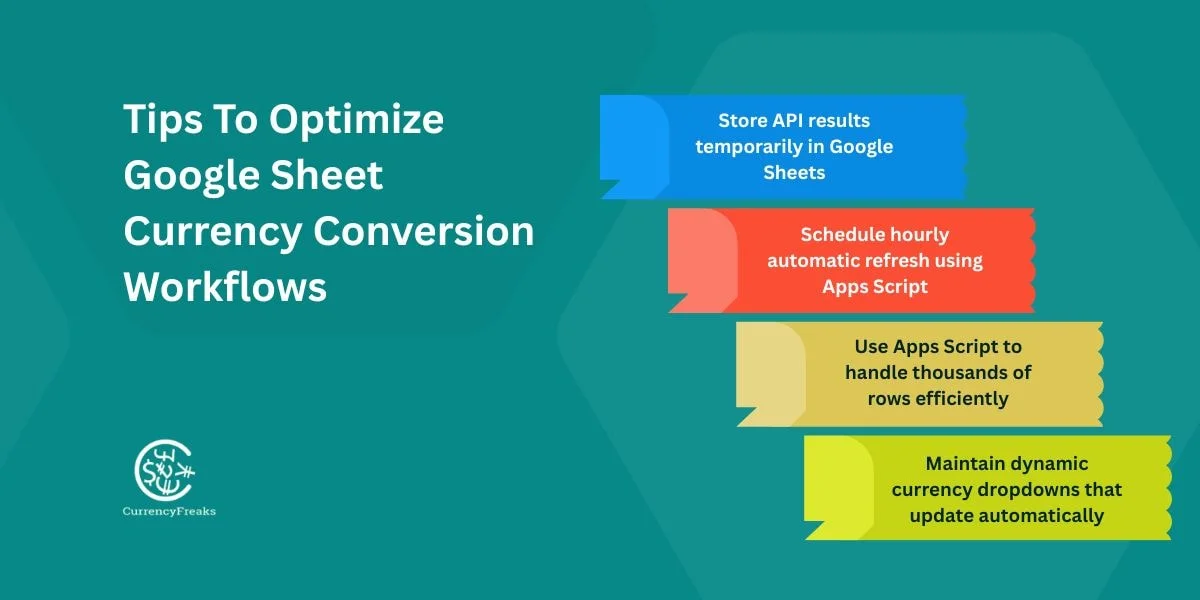
Tips To Optimize Google Sheet Currency Conversion Workflows
-
To reduce API requests, store results temporarily in Google Sheets.
-
Schedule automatic refreshes hourly by using Apps Script.
-
To manage thousands of rows, use Script Apps; it would not slow down your sheet.
-
Keeps your currency symbols in dropdowns; they will update automatically.
Why Choose CurrencyFreaks For Google Sheet Integrations?
CurrencyFreaks gives you updates in real-time every 60 seconds. It keeps your data up to date. It supports two types of formats, JSON and XML, which give you flexible integration options. It gives you reliable performance globally. The API covers all types of currencies, including crypto, metal, US dollars, Canadian dollars, and Japanese yen, which makes it ideal for diverse financial workflows.
All endpoints are SSL-secured, which ensures that your data is safe. Furthermore, CurrencyFreaks offers you a free plan with 1,000 API calls, key takeaways, and comprehensive documentation. The setup is simple and also accessible for beginners and advanced users, as long as you have an internet connection .
How to Add Real Time Currency Converter in Google Sheet: Conclusion
Real-time currency conversion is crucial for individuals managing global finances. Static rates slow the decision-making process and increase errors. Google spreadsheet exchange rate makes tracking currency processes easy. You can use the Google Sheet currency conversion formula in your Google Sheets, "GOOGLEFINANCE". This formula is used for quick conversions.
For faster and more correct updates, the CurrencyFreaks API is the good and best choice. It supports one hundred plus currencies, cryptocurrencies, and metals. With the simple formulas and Apps Scripts, you can automate the conversion rates, refresh rates, and you can build dashboards. This saves time, reduces mistakes, and gains reliable data for budgeting, forecasting, and invoicing.
Start your free CurrencyFreaks plan. Turn your Google Sheets into a live, real-time currency converter for U.S. dollars and one currency, allowing you to write formulas and make smarter financial decisions every day.
How to Add Real Time Currency Converter in Google Sheet: FAQs
How Do I Convert Currency In Google Sheets?
Use GOOGLEFINANCE for basic usdeur exchange rate and the current day's trading volume. Use CurrencyFreaks API for real-time conversion, especially for international transactions . It will give you the opening and closing exchange rate.
Why Is GOOGLEFINANCE Not Giving Real-Time Rates?
It sometimes displays delayed data and provides outdated information.
How Do I Pull Live Exchange Rates In Google Sheets?
=IMPORTJSON("https://api.currencyfreaks.com/v2.0/rates/latest?apikey=YOUR_APIKEY")
Can I Convert Cryptocurrencies In Google Sheets?
Yes. CurrencyFreaks supports 874 crypto rates and various currency codes .
How Do I Refresh Exchange Rates Automatically?
Google spreadsheet currency conversion refreshes periodically. You can use the fill handle to help App Script refresh periodically and force an hourly refresh.
How Do I Convert Thousands Of Rows?
Use relative references and drag formulas. Or integrate Apps Script for bulk conversion using absolute references and proper cell references.