

Consider having a freelance team on five continents. You need to compute project budgets in real time. There are price changes due to fluctuations in global exchange rates.
Gemini is a competent assistant. In the absence of live data, it has to rely on old numbers. This loophole may lead to costly errors in financial reports.
This is the guide to bridging that gap. You will integrate the CurrencyFreaks API with Google Gemini. This enables the live availability of global currency exchange rates
You will know what exchange rate APIs are and how to use them step by step. At the end, it will be a clean Python implementation. It will be ready for SaaS use and equally beneficial to fintech projects.
What Is A Global Exchange Rates API?
A Global Exchange Rates API is a programmatic entry point to financial markets worldwide. You can refresh a browser; however, that type of action is replaced by a request to a server to receive a global exchange rate. The server returns organized information, including the precise value of one currency in terms of another.
Such services aggregate data from numerous trusted sources. They are commercial forex feeds, central banks, and crypto exchanges that monitor the global exchange rates. This can provide a developer with a global exchange rate without having to manually enter it or scrape unreliable sources.
Types Of Global Exchange Rates API
Understanding the categories of APIs helps you choose the right subscription plan. Each option supports different use cases tied to Global Exchange Rates and reporting accuracy. The right choice matters when working with global exchange rates currency data for analytics or global money transfers.
Here are the common types available:
Latest Rates API: This is an API delivering the latest exchange value.
Historical Rates API: You will be able to query certain dates in the past which is useful in audits.
Currency Conversion API: Deals with the multiplication to convert certain amounts.
Time Series API: Returns daily historical rates between two dates for trend analysis.
Fluctuation API: Shows how much a currency changed in percentage and margin over a period.
Helpful Resource: Analyze Currency Volatility With A Foreign Exchange Rates API: Fluctuation Endpoint Guide
Why Do You Integrate A Global Exchange Rates API Into Gemini?
Google Gemini is a Large Language Model. It is a logical one, but not real-time on Global Exchange Rates. This gap is significant in cases where decisions are aimed at pricing, reporting, or business planning.
Gemini grounding is provided by the addition of live data. It is also able to know the global exchange currency rates rather than making assumptions based on past trends. It is necessary for teams that deal with global payments in different regions.
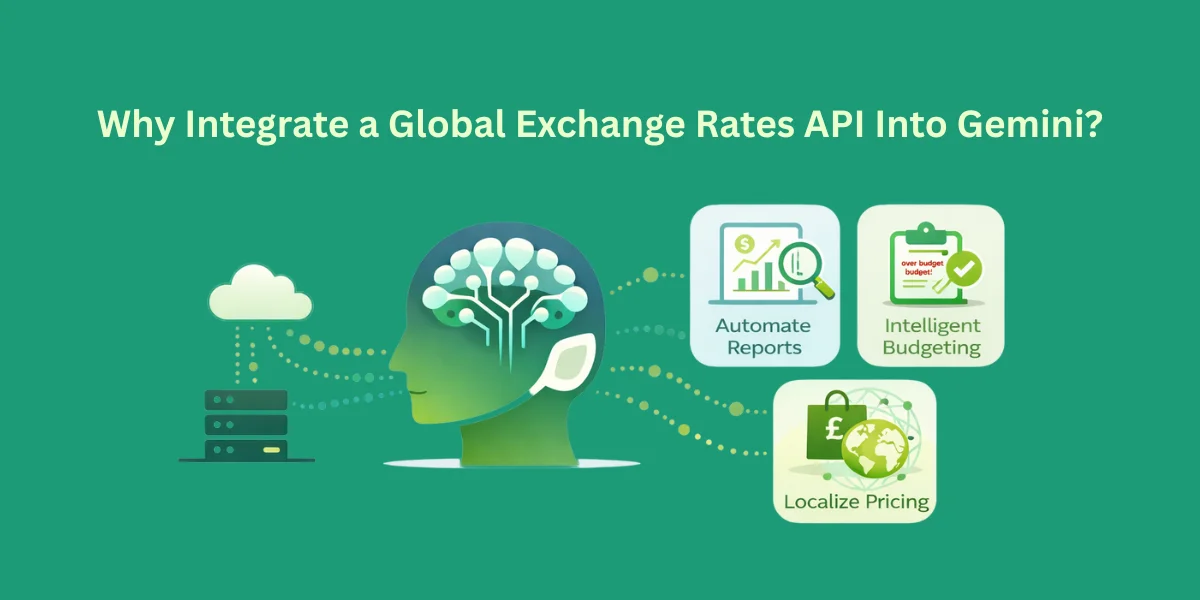
By putting CurrencyFreaks information into Gemini, you enable it to:
Automate Reports: Produce monthly financial summaries through precise conversions.
Intelligent Budgeting: Determine whether a project has been over-budgeted by comparing the current forex trends.
Localize Pricing: Recommend region pricing, which suits local markets.
What Are The Top Ways To Integrate Global Exchange Rates Within Gemini?
This can be done in two principal technical ways. The two methods will assist Gemini in dealing with Global Exchange Rates. Which option is right will depend on your use case.
Context Injection (RAG)
A script is used to fetch live data. At that point, you just put it in the prompt. This is effective in straightforward operations with global exchange rates currency. As an example, you can request Gemini to compare such a currency pair as the euro and the US dollar.
Function Calling
This is the developed method. You sign up for the CurrencyFreaks API as a callable application. Gemini chooses to bring the Global Exchange Rates itself. This renders responses smarter and autonomous.
Helpful Resource: How to Choose the Right API for Currency Exchange: Key Factors
How Do You Integrate A Global Exchange Rates API Into Gemini
Goal:
User asks Gemini a question like:
“Convert 500 USD to PKR”
OR
“What’s the current USD to EUR rate?”
…and Gemini fetches the data from CurrencyFreaks API and replies naturally.
Step 1: Get Your API Key
-
Sign up at CurrencyFreaks.
-
Go to your dashboard → copy your API key.
-
Keep it private. Never expose it on the front-end.
Step 2: Decide Your Endpoints
CurrencyFreaks has multiple endpoints. For beginners, focus on:
- Latest Rates
GET https://api.currencyfreaks.com/v2.0/rates/latest?apikey=YOUR_APIKEY
Optional: add symbols to get specific currencies:
&symbols=USD,EUR,PKR
- Conversion Endpoint (paid plans required)
GET https://api.currencyfreaks.com/v2.0/convert/latest?apikey=YOUR_APIKEY&from=USD&to=PKR&amount=500
Step 3: Set Up a Middleware Server
Since Gemini cannot directly call your API, you’ll create a Python Flask server as a bridge.
- Install Python packages:
pip install flask requests
- Create a file called currency_server.py:
from flask import Flask, request, jsonify
import requests

app = Flask(__name__)

API_KEY = "YOUR_API_KEY"  # Replace with your actual API key

@app.route("/rate", methods=["GET"])
def get_rate():
    # Get query parameters
    base = request.args.get("base", "USD")
    target = request.args.get("target", "EUR")

    url = f"https://api.currencyfreaks.com/v2.0/rates/latest?apikey={API_KEY}&symbols={target}"

    response = requests.get(url)
    data = response.json()

    if "rates" in data and target in data["rates"]:
        rate = data["rates"][target]
        return jsonify({
            "success": True,
            "message": f"1 {base} = {rate} {target}",
            "rate": rate
        })
    else:
        return jsonify({
            "success": False,
            "message": "Could not fetch the rate."
        })

@app.route("/convert", methods=["GET"])
def convert_amount():
    from_currency = request.args.get("from", "USD")
    to_currency = request.args.get("to", "PKR")
    amount = request.args.get("amount", 1)

    url = f"https://api.currencyfreaks.com/v2.0/convert/latest?apikey={API_KEY}&from={from_currency}&to={to_currency}&amount={amount}"

    response = requests.get(url)
    data = response.json()

    if "convertedAmount" in data:
        return jsonify({
            "success": True,
            "message": f"{amount} {from_currency} = {data['convertedAmount']} {to_currency}",
            "convertedAmount": data['convertedAmount']
        })
    else:
        return jsonify({
            "success": False,
            "message": "Could not convert the amount."
        })

if __name__ == "__main__":
    app.run(port=5000)
Step 4: Test Your Server
Run the server:
python currency_server.py
Test in your browser web page or Postman:
- Get rate:
http://127.0.0.1:5000/rate?base=USD&target=PKR
- Convert amount:
http://127.0.0.1:5000/convert?from=USD&to=PKR&amount=500
Expected JSON response:
{
  "success": true,
  "message": "500 USD = 140841.475 PKR",
  "convertedAmount": 140841.475
}
Step 5: Make It Accessible to Gemini
If you want Gemini (or a cloud chatbot) to access it, localhost won’t work. Use ngrok:
ngrok http 5000
You’ll get a public HTTPS URL like:
https://abcd1234.ngrok.io
Note: Download ngrok if you do not have the latest version.
Gemini can now query:
https://abcd1234.ngrok.io/rate?base=USD&target=PKR
https://abcd1234.ngrok.io/convert?from=USD&to=PKR&amount=500
Step 6: Connect Gemini (Chatbot)
-
When using Gemini via Google Cloud AI, create a designed custom tool/plugin.
-
Configure it to call your public endpoints.
-
Gemini parses the JSON response and replies naturally.
Example:
-
User: “Convert 500 USD to PKR”
-
Gemini → Calls
https://abcd1234.ngrok.io/convert?from=USD&to=PKR&amount=500 -
Server returns JSON
-
Gemini replies: "500 USD = 140841.475 PKR"
Best Practices
To keep your integration efficient, follow these industry standards. I have summarized them in the table below.
Integration Standards Table
| Feature | Best Practice | Why It Matters |
|---|---|---|
| Security | Use .env files for keys | Prevents hackers from stealing your credit. |
| Optimization | Use the symbols parameter for different currencies in the world trading | Reduces payload size and Gemini token costs. |
| Latency | Implement Geolocation routing | Speeds up API response time to 20-40ms. |
| Accuracy | Check the date field | Ensures Gemini isn't analyzing stale data. |
Error Handling
Do not allow your application to engage or crash when the internet goes dead. You have to deal with HTTP errors to guard against calculations based on Global Exchange Rates. This is important when applications depend on current global exchange rates at scale.
The CurrencyFreaks website API will provide clear statuses that should be logged in your statistics.
-
The code 429 indicates that the request volume limit for the mid-market rate has been reached.
-
401 indicates that your API key is not active and may impact millions of users' requests.
In Python, one should always use try-except blocks. In case the API does not work, send Gemini a backup message. This does not allow it to make up figures in place of actual global exchange rates.
TL;DR: Bridging The Gemini Knowledge Gap.
The Issue: Gemini cannot see the current turbulent currency markets due to information cutoffs.
The Solution: Add real-time JSON data to prompts using the CurrencyFreaks API.
The Process: CurrencyFreaks API integration using Python code and then hosting it via NGROK.
The Advantage: removes AI hallucinations and makes global business real-time and accurate.
Conclusion
With a Global Exchange Rates API on board and Gemini, a general AI is a special financial assistant. It acquires background, truth, and actual market knowledge. Such a transition compares to the shift of the first global bank exchange rate systems to digital finance.
Begin by selecting the right API endpoints. Respond to user queries cautiously so as to maintain consistency. This makes global currency exchange rates today up to date and safe.
Start with the free one to develop and test your prototype. Scale will increase slowly as the team and geography expand. This strategy is applicable in most countries in the long term.
The system is not a simple conversion procedure. It helps in doing more reasoning based on global foreign exchange rates rather than fixed tables. Such depth is important when markets are dynamic.
Gemini can instruct hedging decisions using live data. It can recommend the optimal moment to pay suppliers or transfer funds across borders. Such insights are based on proper global exchange rate logic.
Interactive charts and alerts can also be stacked. Provide news cues to clarify why the USD changes. This combined is one of the most viable exchange rate solutions for global trade.
FAQs
Is The CurrencyFreaks API Free To Use?
Yes, it has a Developer plan. The free API calls are 1,000 each month. Access to global foreign exchange rates is not based on using any credit card.
Can I Get Data In XML Format?
Yes, XML is supported. Attach &format=xml to the request URL. JSON is more compatible with Gemini and is simpler to interpret.
Which Currencies Are Supported?
The API has more than 500 currencies. This consists of fiat, cryptocurrencies such as BTC, and metals such as Gold. It also covers virtually all foreign exchange rates worldwide.
How Fast Is The API Response?
The mean time of response is 20ms to 40ms. The geolocation routing enhances speed. This is useful when you have urgent things to update on your site.
Do I Need To Use SSL?
Yes, all endpoints will be on HTTPS. This is both in free and paid plans. Information remains safe during transfer.
Can I Change The Base Currency?
Base currency change is allowed in paid plans. Any currency can be used as the standard. It can be employed in the regional analysis.
How Do I Prevent API Key Exposure?
Do not put keys in client code. Always make API calls from your backend. This reduces security risks.
Does It Provide Historical Data?
Indeed, the rates date back to 1984. You can see trends or access datasets. This favors the long-term analysis.
What Happens If I Reach My Request Limit?
The API returns a 429 error. Usage alerts are sent via email to paid users. This helps set limits early.
Is There Support For Time Series?
Yes, Higher plans have Time Series endpoints. They support range-based queries. Charts and forecasting are ideal.
Get started today.
Sign up for a free API key. Create your own first AI-powered currency tool on your site.


