

Imagine the scenario where your e-commerce site is doing well on a flash sale. You have thousands of customers worldwide visiting your cash desk. Then your currency rate api has a little hiccup or spike in latency.
Prices do not load, or even worse, a customer can observe the incorrect totals due to a timeout. This is not a technological hitch. It is a killer of revenues.
This blog will discuss the steps to developing a robust financial integration. We shall discuss the what, why, and how of controlling currency rate api performance. You will get to know practical strategies to maintain your system stable even when there is peak traffic.
You will know how caching is used to minimize the number of api calls and expenses. You will also develop backup plans to ensure that your service does not go down. This will make you deal with the foreign exchange and real time exchange rates with speed and confidence.
Understanding The Mechanics Of A Currency Rate API
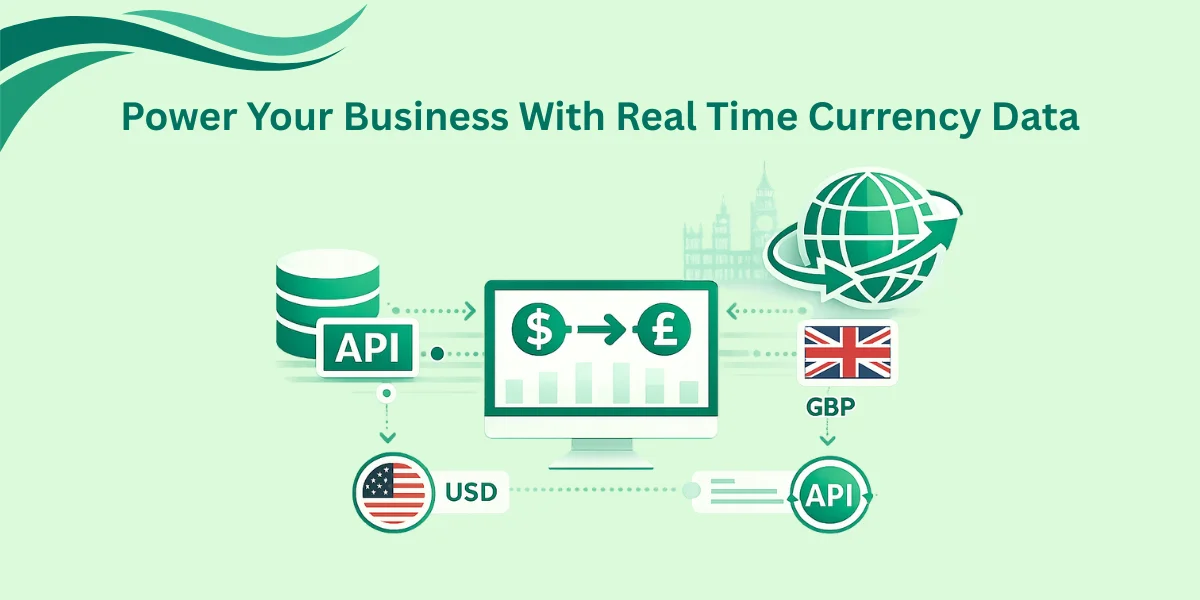
Currency rate API is an interface between your application and the financial markets of the world. It provides real-time information to translate the prices from a source currency to a target currency code. An example of this would be when you sell in usd and your customer is in London, you would require the up to date gbp rate.
These perfect building blocks enable easy and effortless integration between various apps. Many developers prefer such tools such as CurrencyFreaks due to the fact that the rates are provided correctly. Such rates are supplied by the European Central Bank and other reliable business resources.
Currency conversion api eliminates the manual updates. It minimizes the possibility of errors in foreign exchange tables. It is also time saving as well as efficient.
Why Performance Management Matters
Delay in your currency rate api may negatively affect user experience. When the api is slow, then your checkout page will seem slow. Users can be annoyed by a two-second delay.
Your free plan can also run out because of excessive api requests. They can cause hidden costs unless they are managed.
The management of smart currency rate APIs enables easy scaling. You have to manage the exchange rates. This is to ensure that they uphold the platinum support standards for clients.
Correct implementation will minimize mistakes and downtimes. It also eliminates problems of access when there is heavy traffic.
Categories Of Currency Data
When you query a currency api you would normally get a response in clear categories. The knowledge of these categories aids you in designing features. It also helps make smarter choices regarding your product management team.
| Category | Description | Common Use Case |
|---|---|---|
| Real Time Exchange Rates | Rates updated in 60-second intervals. | Live trading or high-frequency transactions. |
| Historical Data | Rates from a specific date in the past. | Accounting audits and quarterly briefing call. |
| Time Series | Data across a range of dates. | Generating growth charts for business reviews. |
| Fluctuation Data | Percentage change over time. | Analyzing market trends for product management feature requests. |
Helpful Resource: Why Businesses Are Switching From the Google Currency Exchange Rate API to Better APIs
Implementing Effective Caching Strategies
Your line of defense against latency is caching. You store the exchange rate in a local store instead of a fresh currency rate api call that is made per user. This will decrease the number of api requests and also accelerate your apps.
How To Cache Currency Data
-
Set a TTL (Time to Live): Hourly updates are adequate in most of the business cases.
-
Store by Pair: Cache rates relying upon the base currencies and target currency code.
-
Use a Fast Store: Redis or Memcached are very good options to store data api responses.
Code Example: Caching With Node.js
const axios = require('axios');

const NodeCache = require('node-cache');

const myCache = new NodeCache({ stdTTL: 3600 }); // Cache for 1 hour


async function getExchangeRate(targetCurrency) {

    const cacheKey = `rate_usd_${targetCurrency}`;

    const cachedRate = myCache.get(cacheKey);


    if (cachedRate) {

        return cachedRate; // Return from cache immediately

    }


    try {

        // Using currency rate api to fetch fresh data

        const response = await axios.get(`https://api.currencyfreaks.com/v2.0/rates/latest?apikey=YOUR_API_KEY`);

        const rate = response.data.rates[targetCurrency];


        myCache.set(cacheKey, rate);

        return rate;

    } catch (error) {

        console.error("Currency rate api error:", error);

        return null; // Trigger fallback strategy here

    }

}
Here is the output of the first call (not cached, success):
"0.92" // example rate value
Second call (cached):
"0.92" // same value returned from cache
Designing Robust Fallback Strategies
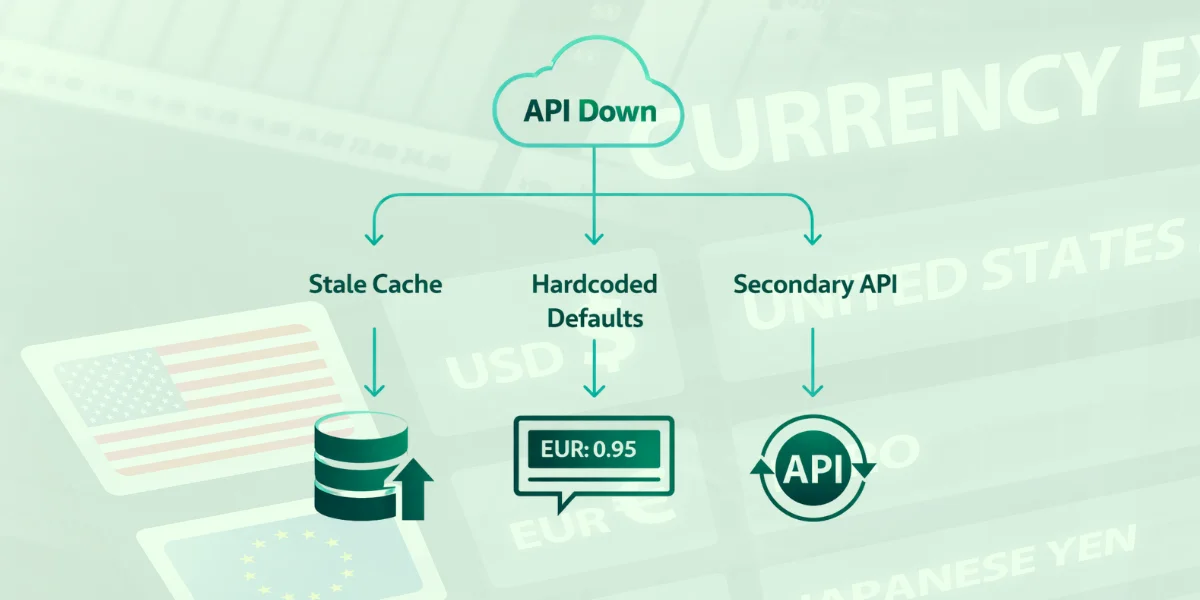
What would be the case when the currency rate api is down? A developer must always have a Plan B. Fallback plans are made so that your customers will still be able to do their transactions even when there is an outage.
Types Of Fallbacks
-
Stale Cache: When the api fails, take the previous successful exchange rate out of your database.
-
Hardcoded Defaults: When it comes to such vital currencies as eur or gbp, maintain a "safety rate" as a last resort.
-
Secondary API: Use a secondary currency conversion api when an error is received by the primary one.
Monitoring And Priority Roadmap Input
Monitoring is added to maintain the health of your endpoints. When the rate of failure increases, this is then a priority roadmap input to the new development cycle. To get to know error formats and error codes, always consult the detailed api documentation.
Avoiding Hidden Fees And Maximizing ROI
The pricing structure of many providers is complicated. You may meet business models that have hidden charges on additional api requests. In order to remain lean, begin by using a free plan and control your usage with the dashboard.
Pricing Tiers And Support
| Plan Type | Best For | Key Features |
|---|---|---|
| Free Plan | Testing/Small Apps | 1,000 calls, 24-hour updates option. |
| Starter | Growing Business | Hourly updates, historical data. |
| Professional | Enterprise Scale | 60-second updates, platinum support click. |
Before selecting a plan, check the traps of the hidden fees starter level. There are premium features that might be locked behind higher levels. In case you require platinum support, choose a higher level so that it is reliable. Before submitting to annual billing, always read the hidden fees professional level.
Step-By-Step Integration Guide
In order to successfully implement a currency rate api, do the following:
Get Your API Key
Register at CurrencyFreaks and obtain your api key on the dashboard. This is a key that enables secure access to exchange rate data. It should be stored safely and not left in the open code.
Choose Your Programming Language
The modern APIs are compatible with Python, JavaScript, PHP, and Ruby. Choose a language that best suits your application and the expertise of your team. Make sure that it is able to work with HTTP requests and data parsing.
Select Endpoints
Choose between the latest endpoint, the historical endpoint, and the convert endpoint of a currency rate api. The two endpoints meet two separate use cases of business. Selecting an appropriate one enhances performance and efficiency.
Handle JSON/XML
Make sure the application can read JSON or XML responses. Parsing is systematic, helps in reducing errors, and increases the reliability. It also simplifies the usage of data in your system.
Test For Latency
Geolocation-based routing to enhance speed and performance. Targets latency of 20-40 ms. Consistency in user experience and stability are achieved as a result of regular testing.
Helpful Resource: Currency Exchange API Integration: A Step-by-Step Guide for Developers
Code Example: Historical Data Request
Python

import requests

# Set your parameters for the currency rate api

api_key = "YOUR_API_KEY"

date_val = "2023-03-21"

base = "USD"


url = f"https://api.currencyfreaks.com/v2.0/rates/historical?apikey={api_key}&date={date_val}&base={base}"

response = requests.get(url)

if response.status_code == 200:

    data = response.json()

    print(f"Historical Rate for EUR on {date_val}: {data['rates']['EUR']}")

else:

    print("Error accessing the currency rate api")
Here's the output
Historical Rate for EUR on 2023-03-21: 0.9275
TL;DR
-
The currency rate API will give real-time and accurate exchange rates.
-
Introduce caching of 1-hour TTL to minimize api activities and latency.
-
To keep transactions running, always have a fallback (such as stale cache).
-
Be aware of the hidden costs by selecting the appropriate subscription.
-
Endpoints can be accessed instantly using detailed api documentation.
Conclusion
Using a currency rate api is not as simple as a network request. It demands an analytical approach to data management. It also requires high system resilience.
Using the reference rates of the European Central Bank, you end up with accuracy and trust. The use of smart caching enhances the reliability and performance. This assists you in offering an international experience.
Your product management department will like the stability. The speed will be appreciated by your clients. This will give you long-term trust in your platform.
The right integration is important regardless of whether it is historical data or real-time exchange rates. It enhances efficiency and minimizes operational risk. It also facilitates scalable global applications.
Begin exploring now to get limitless opportunities with a currency rate api. The global api marketplace is growing rapidly. The first to adopt will provide a good competitive advantage.
FAQs
How Often Does The Currency Rate Api Update?
The minimum updates are 24 hours under the free option and 60 seconds under the professional one.
Are There Hidden Fees For Commercial Use?
The majority of reputable providers are transparent. In case of unexpected things, always read the hidden fees business pricing section.
Which Programming Language Is Best For Integration?
The api is language-agnostic. You may utilize Python, Java, JavaScript, or any language that accepts HTTP requests.
Can I Get Rates For Crypto Currencies?
Yes, it accepts more than currencies. These are fiat, metals, and most crypto assets.
What Is The Average Latency For These Api Requests?
In geolocation routing, latency is typically 20 to 40 ms. This guarantees quick and reliable performance.
Use CurrencyFreaks to exchange money in real time and save time on getting the correct rates.


