This guide calls the CurrencyFreaks currency API from JavaScript and TypeScript, then turns the response into a live exchange rate widget. The widget itself is plain JavaScript: it ships with dark mode, follows the visitor's system theme, and drops into any page with two lines of HTML, no build step required.
It also fixes the mistake most JavaScript currency converter tutorials make. They pass a base parameter on every request, which returns an error on free API plans and silently produces wrong numbers when the visitor picks a non-USD source currency. Every snippet below pulls one USD-based payload and derives each pair locally, so the code runs on the free CurrencyFreaks Developer plan and costs one API call per page load instead of one per keystroke.
Pick the part you need:
- Paste-in widget: the embed code right below, ready to use.
- Build it yourself: Steps 1 to 4, plus the dark mode toggle.
- API call only: the async/await fetch section.
- Typed code: the TypeScript interface and typed widget.
- React app: the useCurrencyRate hook.
Quick answer
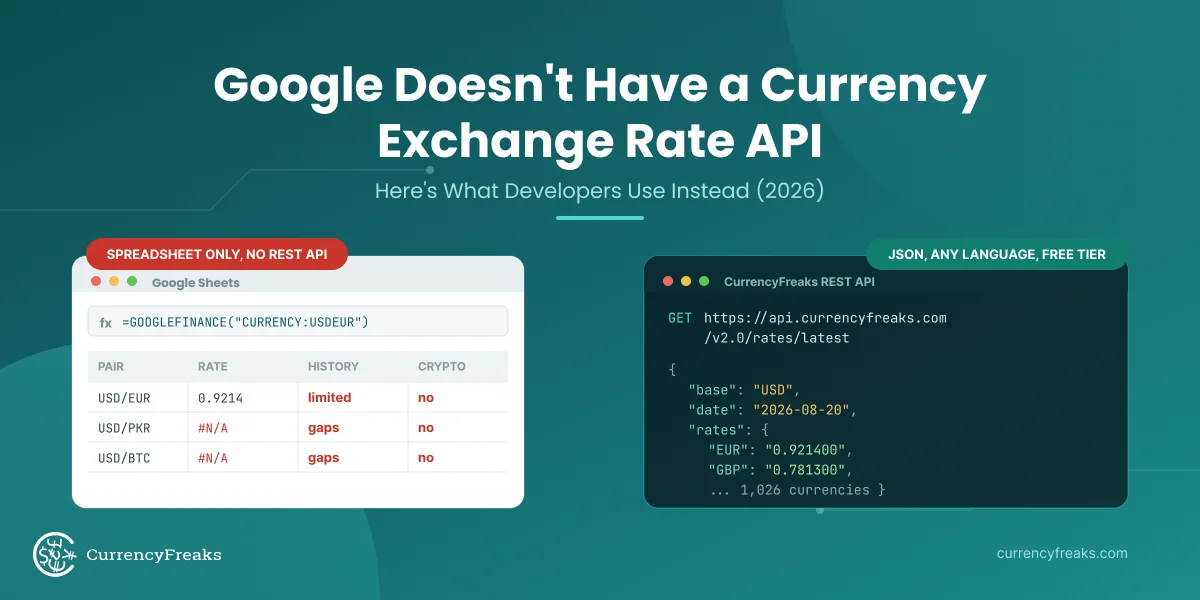
To call a currency API in JavaScript, send one GET request to https://api.currencyfreaks.com/v2.0/rates/latest?apikey=YOUR_API_KEY with fetch, read rates from the JSON, and run each value through parseFloat, because the rates arrive as strings. On the free plan every rate is quoted against USD, so EUR to GBP is rates.GBP / rates.EUR.
The embeddable widget wraps that call in a self-contained block of HTML, CSS and JavaScript. Dark mode is handled with CSS custom properties: define the light palette on :root, redefine the same tokens under a prefers-color-scheme: dark media query, and let a data-cf-theme attribute override both so a manual toggle still wins.
Paste-In Embed Code for the Currency Converter Widget
Two lines of HTML, once you have self-hosted a single script file. Drop the container where the widget should appear, then load the script once before the closing body tag.
<!-- 1. Where the widget renders -->
<div data-cf-converter data-from="USD" data-to="EUR" data-amount="100" data-theme="auto"></div>

<!-- 2. Load once, anywhere before </body> -->
<script src="/js/cf-converter.js" defer></script>
The four attributes control everything the host page needs:
| Attribute | Values | Default | Effect |
|---|---|---|---|
data-from | ISO 4217 code | USD | Source currency preselected in the dropdown |
data-to | ISO 4217 code | EUR | Target currency preselected in the dropdown |
data-amount | Number | 100 | Starting amount in the input |
data-theme | auto, light, dark | auto | auto follows the visitor's system setting, the other two pin the palette |
Here is the whole of cf-converter.js. It injects its own styles once, supports several instances on one page, and makes exactly one network request no matter how many widgets are on screen.
// cf-converter.js
// Self-host this file, then add the two lines above to any page.
// Returns: renders every [data-cf-converter] block and converts pairs client side.
(function () {
  const API_KEY = 'YOUR_API_KEY';
  const ENDPOINT = 'https://api.currencyfreaks.com/v2.0/rates/latest';

  const hosts = document.querySelectorAll('[data-cf-converter]');
  if (!hosts.length) return;

  injectStyles();
  const ratesPromise = fetch(`${ENDPOINT}?apikey=${API_KEY}`)
    .then(r => {
      if (!r.ok) throw new Error(`CurrencyFreaks responded ${r.status}`);
      return r.json();
    })
    .then(payload => payload.rates);

  hosts.forEach((host, index) => mount(host, index));

  function mount(host, index) {
    const uid = `cf${index}`;
    const startFrom = (host.dataset.from || 'USD').toUpperCase();
    const startTo = (host.dataset.to || 'EUR').toUpperCase();
    const startAmount = host.dataset.amount || '100';

    host.setAttribute('data-cf-theme', host.dataset.theme || 'auto');
    host.innerHTML = `
      <div class="cf-card">
        <div class="cf-head">
          <span class="cf-title">Currency converter</span>
          <button type="button" class="cf-toggle" aria-pressed="false">Dark</button>
        </div>
        <label class="cf-label" for="${uid}-amount">Amount</label>
        <input class="cf-field" id="${uid}-amount" type="number" min="0" step="any" value="${startAmount}">
        <label class="cf-label" for="${uid}-from">From</label>
        <select class="cf-field" id="${uid}-from"></select>
        <label class="cf-label" for="${uid}-to">To</label>
        <select class="cf-field" id="${uid}-to"></select>
        <output class="cf-result" aria-live="polite">Loading rates</output>
      </div>`;

    const amount = host.querySelector(`#${uid}-amount`);
    const from = host.querySelector(`#${uid}-from`);
    const to = host.querySelector(`#${uid}-to`);
    const result = host.querySelector('.cf-result');
    const toggle = host.querySelector('.cf-toggle');

    let rates = null;

    ratesPromise
      .then(payload => {
        rates = payload;
        // USD is the base currency. The Set keeps one USD option whether or not `rates` already lists it.
        const codes = [...new Set(Object.keys(rates).concat('USD'))].sort();
        codes.forEach(code => {
          from.add(new Option(code, code));
          to.add(new Option(code, code));
        });
        from.value = (rates[startFrom] || startFrom === 'USD') ? startFrom : 'USD';
        to.value = (rates[startTo] || startTo === 'USD') ? startTo : 'EUR';
        [amount, from, to].forEach(el => el.addEventListener('input', convert));
        convert();
      })
      .catch(error => {
        console.error(error);
        result.textContent = 'Exchange rates unavailable right now.';
      });

    toggle.addEventListener('click', () => {
      const dark = resolveTheme(host) === 'dark';
      host.setAttribute('data-cf-theme', dark ? 'light' : 'dark');
      paintToggle();
    });

    paintToggle();

    function paintToggle() {
      const dark = resolveTheme(host) === 'dark';
      toggle.textContent = dark ? 'Light' : 'Dark';
      toggle.setAttribute('aria-pressed', String(dark));
    }

    function convert() {
      if (!rates) return;
      const value = parseFloat(amount.value);
      const fromRate = rateOf(rates, from.value);
      const toRate = rateOf(rates, to.value);

      if (!Number.isFinite(value) || fromRate === null || toRate === null) {
        result.textContent = '';
        return;
      }
      // USD is the pivot, so FROM to TO is simply toRate divided by fromRate.
      const converted = (value * (toRate / fromRate)).toFixed(4);
      result.textContent = `${value} ${from.value} = ${converted} ${to.value}`;
    }
  }

  function rateOf(rates, code) {
    if (code === 'USD') return 1;
    const value = parseFloat(rates[code]);
    return Number.isFinite(value) ? value : null;
  }

  function resolveTheme(host) {
    const set = host.getAttribute('data-cf-theme');
    if (set === 'dark' || set === 'light') return set;
    return window.matchMedia('(prefers-color-scheme: dark)').matches ? 'dark' : 'light';
  }

  function injectStyles() {
    if (document.getElementById('cf-converter-styles')) return;
    const style = document.createElement('style');
    style.id = 'cf-converter-styles';
    style.textContent = `
      [data-cf-converter]{--cf-surface:#ffffff;--cf-text:#1f2937;--cf-muted:#4b5563;
        --cf-border:#d1d5db;--cf-field:#f1f5f9;--cf-accent:#0f7d6f;--cf-shadow:rgba(0,0,0,.15)}
      @media (prefers-color-scheme: dark){
        [data-cf-converter]:not([data-cf-theme="light"]){--cf-surface:#131c2e;--cf-text:#e5edf5;
          --cf-muted:#9fb0c3;--cf-border:#2a3a54;--cf-field:#1b2740;--cf-accent:#14b8b8;
          --cf-shadow:rgba(0,0,0,.55)}}
      [data-cf-converter][data-cf-theme="dark"]{--cf-surface:#131c2e;--cf-text:#e5edf5;
        --cf-muted:#9fb0c3;--cf-border:#2a3a54;--cf-field:#1b2740;--cf-accent:#14b8b8;
        --cf-shadow:rgba(0,0,0,.55)}
      .cf-card{max-width:360px;padding:24px;border-radius:14px;background:var(--cf-surface);
        color:var(--cf-text);border:1px solid var(--cf-border);box-shadow:0 8px 20px var(--cf-shadow);
        font-family:system-ui,-apple-system,'Segoe UI',sans-serif}
      .cf-head{display:flex;align-items:center;justify-content:space-between;margin-bottom:18px}
      .cf-title{font-weight:700;font-size:1.05em}
      .cf-toggle{padding:6px 12px;border-radius:999px;border:1px solid var(--cf-border);
        background:transparent;color:var(--cf-muted);font-size:.8em;cursor:pointer}
      .cf-label{display:block;margin-bottom:6px;font-size:.85em;color:var(--cf-muted)}
      .cf-field{width:100%;box-sizing:border-box;padding:11px;margin-bottom:16px;
        border:1px solid var(--cf-border);border-radius:8px;background:var(--cf-field);
        color:var(--cf-text);font-size:1em}
      .cf-field:focus{outline:2px solid var(--cf-accent);outline-offset:1px}
      .cf-result{display:block;margin-top:6px;font-size:1.25em;font-weight:700;color:var(--cf-text)}
    `;
    document.head.appendChild(style);
  }
})();
Swap YOUR_API_KEY for the key on your CurrencyFreaks account and the widget is live. The dropdowns list every currency the Latest Rates endpoint returns, so coverage matches the supported currencies list exactly.
Building a Currency Exchange Rate Widget
The four steps below build the same widget from scratch so you can restyle it, change the layout, or strip out the parts you do not need. Step 2 is where dark mode lives.
Step 1: Basic HTML Structure
Start by creating the basic structure of the HTML document.
<!DOCTYPE html>

<html lang="en">

<head>

    <meta charset="UTF-8">

    <meta name="viewport" content="width=device-width, initial-scale=1.0">

    <title>Currency Exchange Rate Widget</title>
Step 2: Adding CSS for Styling
Every color goes into a CSS custom property instead of being hardcoded. That single decision is what makes dark mode possible later without touching a line of JavaScript. Define the light palette on :root, redefine the same token names inside a prefers-color-scheme: dark media query, then redefine them once more under a [data-cf-theme="dark"] attribute so a manual toggle can override the system setting in both directions.
<style>
  /* Light palette. Every color the widget uses is declared once, here. */
  :root {
    color-scheme: light dark;
    --cf-page: #e8eef3;
    --cf-surface: #ffffff;
    --cf-text: #1f2937;
    --cf-muted: #4b5563;
    --cf-border: #d1d5db;
    --cf-field: #f1f5f9;
    --cf-accent: #0f7d6f;
    --cf-accent-hover: #13968a;
    --cf-on-accent: #ffffff;
    --cf-shadow: rgba(0, 0, 0, 0.15);
  }

  /* Dark palette when the visitor's OS asks for it, unless light is pinned. */
  @media (prefers-color-scheme: dark) {
    :root:not([data-cf-theme="light"]) {
      --cf-page: #070d18;
      --cf-surface: #131c2e;
      --cf-text: #e5edf5;
      --cf-muted: #9fb0c3;
      --cf-border: #2a3a54;
      --cf-field: #1b2740;
      --cf-accent: #14b8b8;
      --cf-accent-hover: #3ad3d3;
      --cf-on-accent: #06201f;
      --cf-shadow: rgba(0, 0, 0, 0.55);
    }
  }

  /* Manual toggle. Wins over the media query in both directions. */
  :root[data-cf-theme="dark"] {
    --cf-page: #070d18;
    --cf-surface: #131c2e;
    --cf-text: #e5edf5;
    --cf-muted: #9fb0c3;
    --cf-border: #2a3a54;
    --cf-field: #1b2740;
    --cf-accent: #14b8b8;
    --cf-accent-hover: #3ad3d3;
    --cf-on-accent: #06201f;
    --cf-shadow: rgba(0, 0, 0, 0.55);
  }

  body {
    font-family: 'Segoe UI', Tahoma, Geneva, Verdana, sans-serif;
    display: flex;
    justify-content: center;
    align-items: center;
    min-height: 100vh;
    margin: 0;
    background: var(--cf-page);
    color: var(--cf-text);
  }

  #currency-widget {
    width: 360px;
    padding: 30px;
    border-radius: 15px;
    background: var(--cf-surface);
    border: 1px solid var(--cf-border);
    box-shadow: 0 8px 20px var(--cf-shadow);
    text-align: center;
  }

  .widget-head {
    display: flex;
    align-items: center;
    justify-content: space-between;
    margin-bottom: 24px;
  }

  h2 {
    font-size: 1.4em;
    margin: 0;
    color: var(--cf-text);
  }

  #theme-toggle {
    padding: 6px 14px;
    border-radius: 999px;
    border: 1px solid var(--cf-border);
    background: transparent;
    color: var(--cf-muted);
    font-size: 0.8em;
    cursor: pointer;
  }

  #theme-toggle:hover { color: var(--cf-text); }

  label {
    font-size: 0.95em;
    color: var(--cf-muted);
    margin-bottom: 8px;
    display: block;
    text-align: left;
  }

  select, input[type="number"], input[type="text"] {
    width: 100%;
    box-sizing: border-box;
    padding: 12px;
    margin-bottom: 20px;
    border: 1px solid var(--cf-border);
    border-radius: 8px;
    font-size: 1em;
    background-color: var(--cf-field);
    color: var(--cf-text);
  }

  select:focus, input:focus {
    outline: 2px solid var(--cf-accent);
    outline-offset: 1px;
  }

  #result {
    font-size: 1.5em;
    font-weight: bold;
    color: var(--cf-text);
    margin-top: 20px;
  }

  #currency-widget button#convertButton {
    width: 100%;
    padding: 12px;
    background-color: var(--cf-accent);
    border: none;
    border-radius: 8px;
    color: var(--cf-on-accent);
    font-size: 1.1em;
    cursor: pointer;
    transition: background-color 0.3s ease;
  }

  #currency-widget button#convertButton:hover {
    background-color: var(--cf-accent-hover);
  }
</style>
</head>
Step 3: Adding HTML Structure for the Widget
Within the <body> section, create the structure of the currency exchange widget.
<body>
<div id="currency-widget">
  <div class="widget-head">
    <h2>Currency Exchange Rate</h2>
    <button type="button" id="theme-toggle" aria-pressed="false">Dark mode</button>
  </div>

  <label for="fromCurrency">From:</label>
  <select id="fromCurrency" class="searchable"></select>

  <label for="toCurrency">To:</label>
  <select id="toCurrency" class="searchable"></select>

  <label for="amount">Amount:</label>
  <input type="number" id="amount" value="1" min="0" step="any">

  <output id="result" aria-live="polite"></output>
  <button id="convertButton">Convert</button>
</div>
Step 4: Adding JavaScript for Functionality: JavaScript Exchange Rate Widget
This script makes one request to the Latest Rates endpoint on page load, fills both dropdowns from the response, and calculates every pair from that single payload.
That last point is the important one. The free Developer plan returns rates against a USD base and rejects the base parameter, so a widget that sends base=EUR fails on the plan most readers are actually using. Dividing two USD-quoted rates gives the same answer without a second request:
EUR to GBP = rates["GBP"] / rates["EUR"]
The side effect is a quota saving. The common tutorial pattern fires a request on every keystroke in the amount field, which can spend a month of free calls in a single session. This version spends one call per page load regardless of how much the visitor types.
<script>
document.addEventListener('DOMContentLoaded', function () {
  const API_KEY = 'YOUR_API_KEY';

  const fromCurrency = document.getElementById('fromCurrency');
  const toCurrency = document.getElementById('toCurrency');
  const amount = document.getElementById('amount');
  const result = document.getElementById('result');
  const convertButton = document.getElementById('convertButton');

  let usdRates = null; // every rate quoted against a USD base

  fetch(`https://api.currencyfreaks.com/v2.0/rates/latest?apikey=${API_KEY}`)
    .then(response => {
      if (!response.ok) throw new Error(`CurrencyFreaks responded ${response.status}`);
      return response.json();
    })
    .then(data => {
      usdRates = data.rates;

      // USD is the base currency. The Set keeps one USD option whether or not `rates` already lists it.
      [...new Set(Object.keys(usdRates).concat('USD'))].sort().forEach(code => {
        fromCurrency.add(new Option(code, code));
        toCurrency.add(new Option(code, code));
      });

      fromCurrency.value = 'USD';
      toCurrency.value = 'EUR';

      fromCurrency.addEventListener('change', updateResult);
      toCurrency.addEventListener('change', updateResult);
      amount.addEventListener('input', updateResult);
      convertButton.addEventListener('click', updateResult);

      makeDropdownSearchable(fromCurrency);
      makeDropdownSearchable(toCurrency);

      updateResult();
    })
    .catch(error => {
      console.error('Rate load failed:', error);
      result.textContent = 'Could not load exchange rates. Please try again.';
    });

  function rateOf(code) {
    if (code === 'USD') return 1;
    const value = parseFloat(usdRates[code]);
    return Number.isFinite(value) ? value : null;
  }

  function updateResult() {
    if (!usdRates) return;

    const from = fromCurrency.value;
    const to = toCurrency.value;
    const amt = parseFloat(amount.value);
    const fromRate = rateOf(from);
    const toRate = rateOf(to);

    if (!Number.isFinite(amt) || fromRate === null || toRate === null) {
      result.textContent = '';
      return;
    }

    // USD is the pivot currency, so FROM to TO is toRate divided by fromRate.
    const converted = (amt * (toRate / fromRate)).toFixed(4);
    result.textContent = `${amt} ${from} = ${converted} ${to}`;
  }

  function makeDropdownSearchable(dropdown) {
    const searchInput = document.createElement('input');
    searchInput.type = 'text';
    searchInput.setAttribute('placeholder', 'Search currencies');
    dropdown.parentNode.insertBefore(searchInput, dropdown);

    searchInput.addEventListener('input', function () {
      const filter = searchInput.value.toLowerCase();
      for (const option of dropdown.options) {
        option.hidden = !option.textContent.toLowerCase().includes(filter);
      }
    });
  }
});
</script>
Returns: a populated pair of currency dropdowns and a converted amount that updates locally, using one API call per page load.
Every parameter the Latest Rates endpoint accepts, including symbols and the paid base option, is listed in the CurrencyFreaks API documentation.
jQuery version
Already running jQuery on the page? The same cross-rate logic in eleven lines. Use this instead of the vanilla script above, never alongside it.
<script src="https://code.jquery.com/jquery-3.6.0.min.js"></script>
<script>
$(function () {
  const API_KEY = 'YOUR_API_KEY';
  let usdRates = null;

  $.get('https://api.currencyfreaks.com/v2.0/rates/latest', { apikey: API_KEY })
    .done(function (data) {
      usdRates = data.rates;
      // USD is the base currency. The Set keeps one USD option whether or not `rates` already lists it.
      $.each([...new Set(Object.keys(usdRates).concat('USD'))].sort(), function (i, code) {
        $('#fromCurrency, #toCurrency').append($('<option>').val(code).text(code));
      });
      $('#fromCurrency').val('USD');
      $('#toCurrency').val('EUR');
      $('#amount, #fromCurrency, #toCurrency').on('input change', convert);
      convert();
    })
    .fail(function () {
      $('#result').text('Could not load exchange rates. Please try again.');
    });

  function rateOf(code) {
    return code === 'USD' ? 1 : parseFloat(usdRates[code]);
  }

  function convert() {
    if (!usdRates) return;
    const from = $('#fromCurrency').val();
    const to = $('#toCurrency').val();
    const amt = parseFloat($('#amount').val());
    if (!Number.isFinite(amt)) return $('#result').text('');
    const converted = (amt * (rateOf(to) / rateOf(from))).toFixed(4);
    $('#result').text(`${amt} ${from} = ${converted} ${to}`);
  }
});
</script>
</body>
</html>
Returns: the same converted amount as the vanilla build, using jQuery event binding.
Add Dark Mode to the Currency Converter Widget
Dark mode on a currency converter widget is a three-line problem once the palette lives in CSS custom properties. The pattern in Step 2 covers all three states a visitor can be in: no preference set, an OS-level dark preference, and a manual choice made on your site.
Add this script anywhere after the widget markup to wire up the toggle button from Step 3. It stores the choice so the widget still matches on the next visit.
<script>
(function () {
  const root = document.documentElement;
  const toggle = document.getElementById('theme-toggle');
  const stored = localStorage.getItem('cf-theme');

  if (stored === 'dark' || stored === 'light') {
    root.setAttribute('data-cf-theme', stored);
  }
  paint();

  toggle.addEventListener('click', function () {
    const next = active() === 'dark' ? 'light' : 'dark';
    root.setAttribute('data-cf-theme', next);
    localStorage.setItem('cf-theme', next);
    paint();
  });

  function active() {
    const pinned = root.getAttribute('data-cf-theme');
    if (pinned === 'dark' || pinned === 'light') return pinned;
    return window.matchMedia('(prefers-color-scheme: dark)').matches ? 'dark' : 'light';
  }

  function paint() {
    const dark = active() === 'dark';
    toggle.textContent = dark ? 'Light mode' : 'Dark mode';
    toggle.setAttribute('aria-pressed', String(dark));
  }
})();
</script>
Returns: a working theme toggle that overrides the system setting and survives a page reload.
Four approaches show up in the wild. The third is the one worth using.
| Approach | Follows OS setting | Respects a manual toggle | Extra requests | Best for |
|---|---|---|---|---|
prefers-color-scheme only | Yes | No | 0 | Sites with no theme switcher |
data-cf-theme attribute only | No | Yes | 0 | Sites that already ship a toggle |
| Attribute overriding the media query | Yes | Yes | 0 | Default recommendation |
| Two stylesheets swapped by JavaScript | Yes | Yes | 1 extra CSS file | Legacy builds without custom properties |
Two details catch people out. Setting color-scheme: light dark on :root is what makes native form controls, scrollbars and the number input spinners repaint, so without it the dropdowns stay stubbornly white inside an otherwise dark card. And the guard :root:not([data-cf-theme="light"]) on the media query block is what lets a visitor force light mode on a machine set to dark. Drop the guard and the toggle only works in one direction.
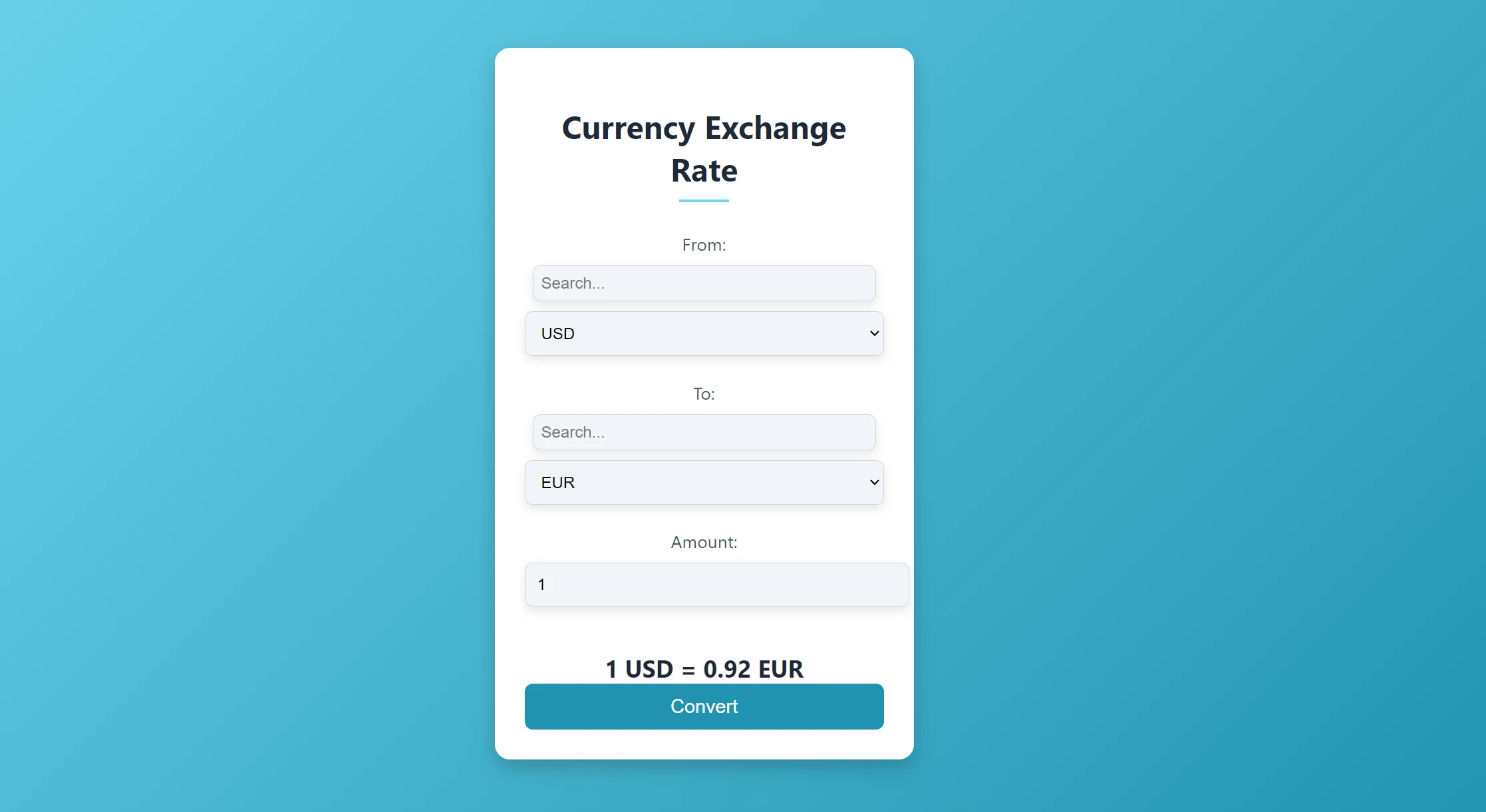
Output
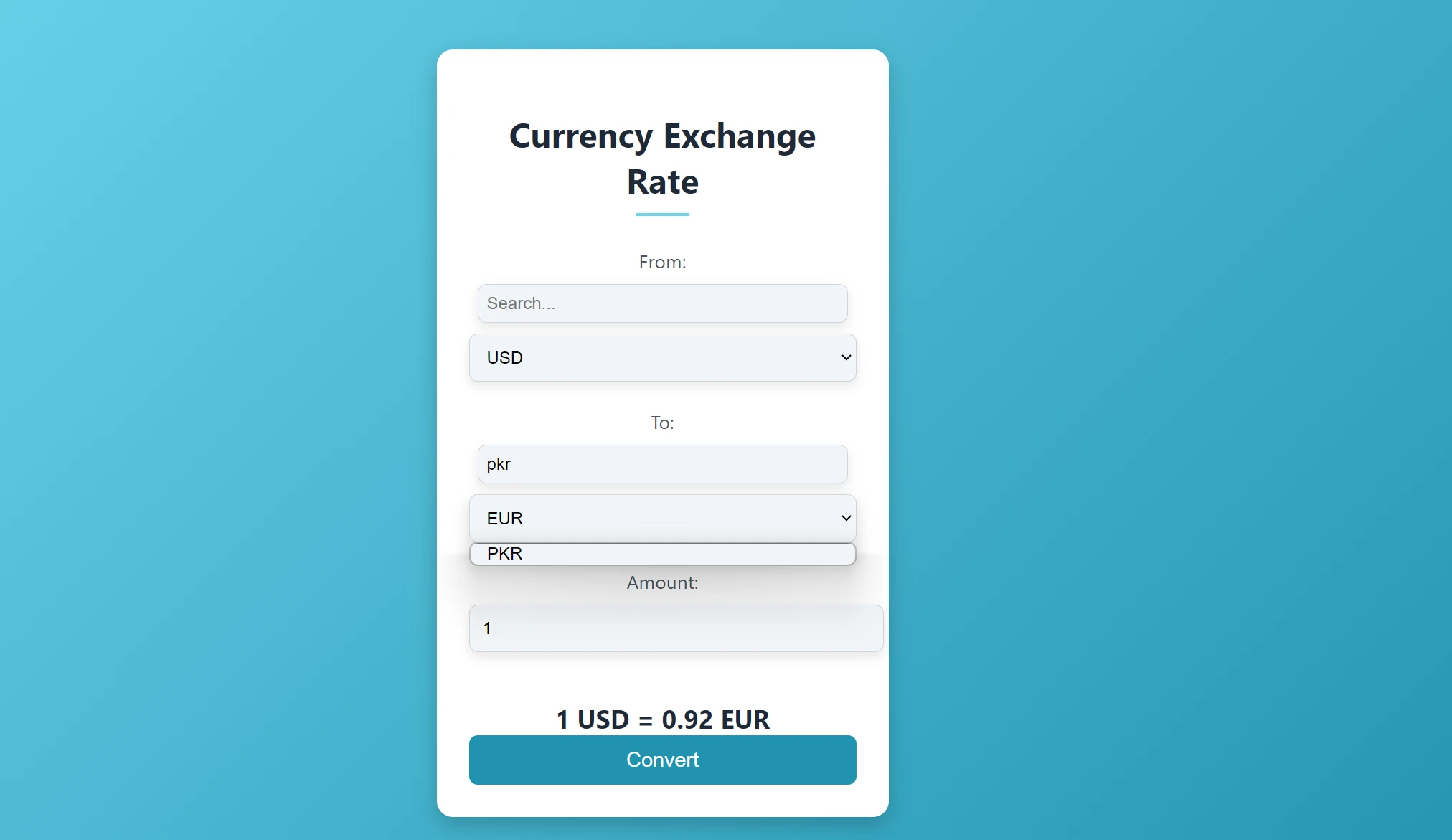
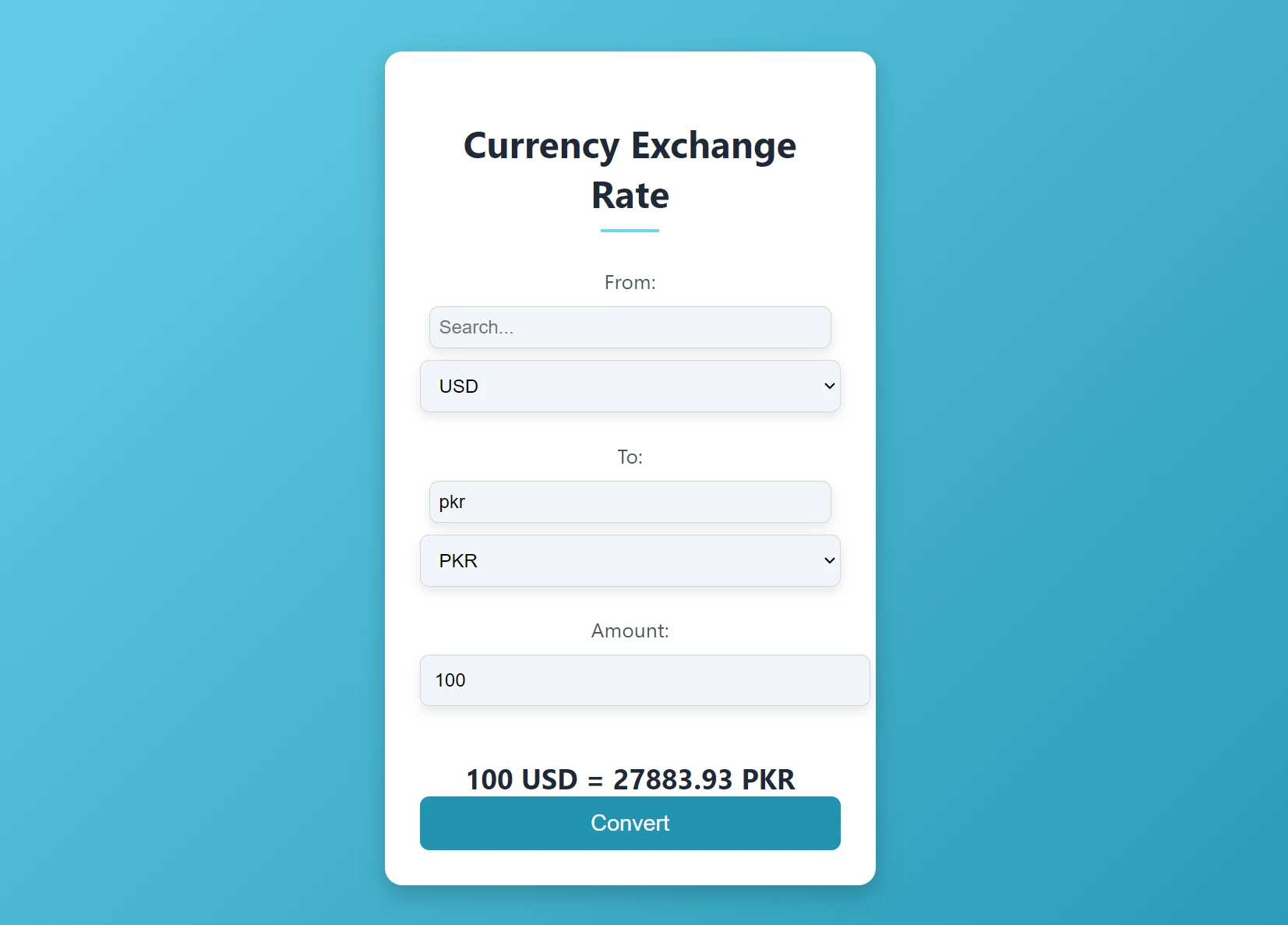
Learn to create currency widget using Vue JS.
Currency Converter API for JavaScript (Free Options)
Four things decide whether a rate API is usable from browser JavaScript, and only one of them is price.
CORS matters most. The widget above calls the API directly from the page, so the endpoint has to answer a cross-origin request from an arbitrary domain. Any provider that requires a server-side proxy turns a two-line embed into a backend project.
Base currency handling comes second. Most free tiers, CurrencyFreaks included, quote everything against USD and gate the base parameter behind a paid plan. That is not a blocker, it just means you divide two rates instead of asking the API to do it. Check this before you write the fetch call, not after.
Then payload size and quota. A full Latest Rates response covers every supported currency in one call, which is what fills the dropdowns. Once the visitor is converting a known pair, symbols=EUR,GBP trims the response to what you need.
| What to check | Why it matters for a browser widget | Free Developer plan |
|---|---|---|
| CORS on the endpoint | Direct fetch from the page, no proxy | Supported |
| Base currency parameter | Decides cross-rate math versus API-side conversion | USD base only, paid plans unlock others |
| Monthly call quota | One call per page load adds up on a busy page | 1,000 calls per month |
| Update frequency | Sets how stale a displayed rate can be | Every 24 hours |
| Historical endpoint | Needed for trend charts, not for conversion | Paid plans |
Plan limits and prices change. Confirm the current tiers on the CurrencyFreaks pricing page before you commit an architecture to them.
Fetch Exchange Rates in JavaScript with async/await
The widget above uses promise chains so it runs as a classic script with no module setup. For new code, async/await reads better and makes the caching layer obvious. Save the two functions below as rates.js: getRates() fetches once, keeps the payload in sessionStorage for an hour, and returns the same object shape either way.
// rates.js
const RATE_TTL_MS = 60 * 60 * 1000; // free plan refreshes every 24 hours anyway

export async function getRates() {
  const apiKey = 'YOUR_API_KEY';
  const cached = JSON.parse(sessionStorage.getItem('cf-rates') || 'null');

  if (cached && Date.now() - cached.at < RATE_TTL_MS) {
    return cached.rates;
  }

  const url = `https://api.currencyfreaks.com/v2.0/rates/latest?apikey=${apiKey}`;
  const response = await fetch(url);
  if (!response.ok) throw new Error(`CurrencyFreaks responded ${response.status}`);

  const { rates } = await response.json();
  sessionStorage.setItem('cf-rates', JSON.stringify({ at: Date.now(), rates }));
  return rates;
}

// Convert any pair from the USD-quoted payload.
export function convert(rates, amount, from, to) {
  const rate = code => (code === 'USD' ? 1 : parseFloat(rates[code]));
  return amount * (rate(to) / rate(from));
}
Returns: a USD-quoted rates object from cache when it is fresh, from the API when it is not.
Module scripts allow top-level await, so using it on a page takes three lines plus an element to write into:
<p>$49 in euros: €<span id="price-eur">...</span></p>

<script type="module">
  import { getRates, convert } from '/js/rates.js';
  const rates = await getRates();
  document.querySelector('#price-eur').textContent = convert(rates, 49, 'USD', 'EUR').toFixed(2);
</script>
This is the shape of the JSON getRates() unpacks, trimmed to three currencies (example values):
{
  "date": "2026-09-30 00:00:00+00",
  "base": "USD",
  "rates": {
    "EUR": "0.9142",
    "GBP": "0.7631",
    "PKR": "278.45"
  }
}
Note that getRates() takes no base argument. Passing one on the free Developer plan returns an error rather than re-based rates, which is why the conversion happens in convert() instead.
When a page only quotes a fixed set of currencies, two changes to the request pay off. symbols trims the payload to the codes you name, and AbortSignal.timeout() stops a slow response from leaving the widget stuck on "Loading rates":
export async function getRatesFor(symbols, timeoutMs = 5000) {
  const params = new URLSearchParams({ apikey: 'YOUR_API_KEY', symbols: symbols.join(',') });
  const response = await fetch(`https://api.currencyfreaks.com/v2.0/rates/latest?${params}`, {
    signal: AbortSignal.timeout(timeoutMs),
  });
  if (!response.ok) throw new Error(`CurrencyFreaks responded ${response.status}`);
  return (await response.json()).rates;
}

// getRatesFor(['EUR', 'GBP']) resolves to { EUR: "0.9142", GBP: "0.7631" }
A timed-out request rejects with a TimeoutError, so the same try/catch that handles a bad status handles a hung connection too.
TypeScript Types for the Currency API Response
Two details of the payload are worth encoding in a type. Rate values are strings, and the base currency may not appear as a key in rates. Type rates as Record<string, string> and the compiler rejects rates.EUR * 100 until you parse it, which is the exact bug that produces 1000.9142 in the plain JavaScript version.
// currencyfreaks.ts
export type CurrencyCode = string; // ISO 4217 codes plus the crypto and metal codes the API returns

export interface LatestRatesResponse {
  date: string; // "2026-09-30 00:00:00+00"
  base: CurrencyCode; // always "USD" on the free plan
  rates: Record<CurrencyCode, string>; // values arrive as strings, not numbers
}

export class CurrencyFreaksError extends Error {
  readonly status: number;

  constructor(status: number) {
    super(`CurrencyFreaks responded ${status}`);
    this.name = 'CurrencyFreaksError';
    this.status = status;
  }
}

const ENDPOINT = 'https://api.currencyfreaks.com/v2.0/rates/latest';

function isLatestRatesResponse(value: unknown): value is LatestRatesResponse {
  if (typeof value !== 'object' || value === null) return false;
  const v = value as Record<string, unknown>;
  return typeof v.base === 'string' && typeof v.rates === 'object' && v.rates !== null;
}

export async function fetchLatestRates(apiKey: string, signal?: AbortSignal): Promise<LatestRatesResponse> {
  const response = await fetch(`${ENDPOINT}?apikey=${encodeURIComponent(apiKey)}`, { signal: signal ?? null });
  if (!response.ok) throw new CurrencyFreaksError(response.status);

  const body: unknown = await response.json();
  if (!isLatestRatesResponse(body)) throw new Error('Unexpected response shape from CurrencyFreaks');
  return body;
}

export function rateOf(payload: LatestRatesResponse, code: CurrencyCode): number | null {
  if (code === payload.base) return 1;
  const raw = payload.rates[code];
  if (raw === undefined) return null;
  const value = Number.parseFloat(raw);
  return Number.isFinite(value) ? value : null;
}

export function convert(
  payload: LatestRatesResponse,
  amount: number,
  from: CurrencyCode,
  to: CurrencyCode,
): number | null {
  const fromRate = rateOf(payload, from);
  const toRate = rateOf(payload, to);
  if (!Number.isFinite(amount) || fromRate === null || toRate === null) return null;
  return amount * (toRate / fromRate);
}
Most tutorials end with return (await response.json()) as LatestRatesResponse. That cast tells the compiler to trust the network. isLatestRatesResponse checks the two fields the widget reads, at runtime, which is enough for a display widget. If the converted number feeds an invoice or a checkout total, I would validate every field with a schema library such as Zod instead.
Typed widget code
Here is Step 4 rewritten against those types. It expects the HTML from Step 3. byId throws at startup when an element is missing or has the wrong tag, instead of failing later with Cannot read properties of null.
// cf-widget.ts
import { convert, fetchLatestRates, type LatestRatesResponse } from './currencyfreaks';

const API_KEY = 'YOUR_API_KEY';

function byId<T extends HTMLElement>(id: string, type: { new (): T }): T {
  const el = document.getElementById(id);
  if (!(el instanceof type)) throw new Error(`#${id} is missing or is not a ${type.name}`);
  return el;
}

const fromSelect = byId('fromCurrency', HTMLSelectElement);
const toSelect = byId('toCurrency', HTMLSelectElement);
const amountInput = byId('amount', HTMLInputElement);
const result = byId('result', HTMLOutputElement);

let payload: LatestRatesResponse | null = null;

function fillOptions(select: HTMLSelectElement, codes: readonly string[], preferred: string): void {
  for (const code of codes) select.add(new Option(code, code));
  select.value = codes.includes(preferred) ? preferred : (codes[0] ?? '');
}

function render(): void {
  if (!payload) return;
  const amount = amountInput.valueAsNumber;
  const converted = convert(payload, amount, fromSelect.value, toSelect.value);
  result.textContent =
    converted === null ? '' : `${amount} ${fromSelect.value} = ${converted.toFixed(4)} ${toSelect.value}`;
}

async function init(): Promise<void> {
  try {
    payload = await fetchLatestRates(API_KEY);
    // Set removes the duplicate if the base currency is already listed in `rates`.
    const codes = [...new Set([...Object.keys(payload.rates), payload.base])].sort();
    fillOptions(fromSelect, codes, 'USD');
    fillOptions(toSelect, codes, 'EUR');
    for (const el of [fromSelect, toSelect, amountInput]) el.addEventListener('input', render);
    render();
  } catch (error) {
    console.error(error);
    result.textContent = 'Could not load exchange rates. Please try again.';
  }
}

void init();
Compile it with tsc or let Vite bundle it, then load the output with <script type="module" src="/js/cf-widget.js"></script>. Both files pass tsc 5.4 with strict, noUncheckedIndexedAccess and exactOptionalPropertyTypes switched on.
A Reusable useCurrencyRate React Hook
In a React app the conversion logic belongs in a hook. useCurrencyRate(from, to, apiKey) returns the rate for one pair and shares a single request across every component that calls it, so a pricing table with twelve converted prices still spends one API call. It imports the types and rateOf from currencyfreaks.ts above.
// useCurrencyRate.ts
import { useEffect, useState } from 'react';
import { fetchLatestRates, rateOf, type CurrencyCode, type LatestRatesResponse } from './currencyfreaks';

export type CurrencyRate =
  | { status: 'loading'; rate: null; updatedAt: null; error: null }
  | { status: 'success'; rate: number; updatedAt: string; error: null }
  | { status: 'error'; rate: null; updatedAt: null; error: Error };

const MAX_AGE_MS = 60 * 60 * 1000;

// One in-flight or resolved request shared by every component on the page.
let cache: { at: number; promise: Promise<LatestRatesResponse> } | null = null;

function loadRates(apiKey: string): Promise<LatestRatesResponse> {
  if (!cache || Date.now() - cache.at > MAX_AGE_MS) {
    const promise = fetchLatestRates(apiKey);
    cache = { at: Date.now(), promise };
    // Drop a failed request so the next mount retries instead of reusing the error.
    promise.catch(() => {
      if (cache?.promise === promise) cache = null;
    });
  }
  return cache.promise;
}

export function useCurrencyRate(from: CurrencyCode, to: CurrencyCode, apiKey: string): CurrencyRate {
  const [payload, setPayload] = useState<LatestRatesResponse | null>(null);
  const [error, setError] = useState<Error | null>(null);

  useEffect(() => {
    let active = true;
    loadRates(apiKey).then(
      (data) => {
        if (!active) return;
        setPayload(data);
        setError(null);
      },
      (reason: unknown) => {
        if (active) setError(reason instanceof Error ? reason : new Error(String(reason)));
      },
    );
    return () => {
      active = false;
    };
  }, [apiKey]);

  if (error) return { status: 'error', rate: null, updatedAt: null, error };
  if (!payload) return { status: 'loading', rate: null, updatedAt: null, error: null };

  // The pair is derived during render, so switching currencies never touches the network.
  const fromRate = rateOf(payload, from);
  const toRate = rateOf(payload, to);
  if (fromRate === null || toRate === null) {
    const missing = fromRate === null ? from : to;
    return { status: 'error', rate: null, updatedAt: null, error: new Error(`No CurrencyFreaks rate for ${missing}`) };
  }
  return { status: 'success', rate: toRate / fromRate, updatedAt: payload.date, error: null };
}
Three choices in that hook do most of the work:
- The pair is derived during render. Switching
fromortore-runs no effect and sends no request. The hook divides two rates already in memory. - The cache sits at module level. The first component to mount starts the request and the rest await the same promise. A failed request is dropped from the cache so the next mount retries.
- The return type is a discriminated union. Checking
status === 'success'narrowsratetonumber, so TypeScript will not let you render a rate that has not arrived.
Using it looks like this:
// PriceTag.tsx
import { useCurrencyRate } from './useCurrencyRate';

const API_KEY = 'YOUR_API_KEY';

export function PriceTag({ usd, currency }: { usd: number; currency: string }) {
  const { status, rate } = useCurrencyRate('USD', currency, API_KEY);

  if (status !== 'success') return <span>${usd.toFixed(2)}</span>;

  const local = new Intl.NumberFormat(undefined, { style: 'currency', currency }).format(usd * rate);
  return <span title={`Converted from $${usd.toFixed(2)}`}>{local}</span>;
}

// Three tags, one API request.
export function PlanPrices() {
  return (
    <ul>
      <li>Starter: <PriceTag usd={9.99} currency="EUR" /></li>
      <li>Growth: <PriceTag usd={29.99} currency="EUR" /></li>
      <li>Business: <PriceTag usd={99.99} currency="EUR" /></li>
    </ul>
  );
}
The one-hour age check runs when a component mounts, not on a timer. That is fine on the free plan, where rates refresh every 24 hours. On a paid plan with 60-second updates, lower MAX_AGE_MS and remount the component on an interval.
The React currency converter tutorial builds a full converter app around a useCurrencyConverter hook that refetches whenever the base currency changes. useCurrencyRate takes the opposite route: fetch once, divide locally. That is what keeps it working on the free plan.
Any API key in browser code is readable in DevTools. For a public production site, move the fetch behind your own endpoint; the Node.js currency converter tutorial covers the server-side call.
Helpful Resource: How to Get Live Currency Rates in Google Sheets Using a Currency Free API
Why Build This With the CurrencyFreaks API
The widget works because a single /rates/latest call returns every supported currency at once. That one response populates both dropdowns in Step 4 and supplies the numbers for every pair the visitor picks afterwards, which is why updateResult() never touches the network.
Two parameters shape what that response looks like. symbols=EUR,GBP trims it to named currencies, useful when a page only ever quotes two or three pairs. base re-quotes everything against a currency other than USD, and it is available on paid subscription plans only, so the free build divides rates locally instead.
One behaviour worth knowing before you ship: rate values arrive as strings, not numbers. data.rates.EUR is "0.9142", not 0.9142. Skip the parseFloat and JavaScript will happily concatenate instead of multiply, and the widget will show something like 100USD = 1000.9142 EUR with no error thrown anywhere.
Where This Widget Pattern Fits
The same fromCurrency/toCurrency/amount structure built above drops into a few common cases with minor changes:
- An e-commerce product page: swap the
#resultdiv for a price display, and re-runupdateResult()whenever the shopper changes their currency in the header. - A travel or booking form: seed
fromCurrencywith the traveler's home currency andtoCurrencywith the destination currency by default. - A finance dashboard: call
getRates()from the async/await example on a timer instead of on click, so the displayed rates refresh without user interaction. - A SaaS billing page: use the
baseparameter to re-quote a fixed-price plan in the customer's local currency at checkout.
Each of these reuses the same single API call from Step 4. Only the trigger and the display target change.
Vanilla JS vs React Currency Widget
The script in this guide is roughly 60 lines and ships zero dependencies. A React equivalent needs a bundler, a build step, and a hydration story before it renders a single dropdown. For a widget dropped into a marketing page, a WordPress post, or a Webflow embed, that overhead buys you nothing.
React earns its cost when the converted value has to stay in sync with other state. A checkout that re-prices line items, a dashboard where six panels share one rate payload, a form that validates against a converted total: those are state problems, and a useState plus a shared context handles them better than passing DOM nodes around.
Theme handling is the one place the vanilla build has a genuine edge. CSS custom properties and prefers-color-scheme need no JavaScript at all, while most React theme setups reach for a provider and a hook to do the same job.
| Factor | Vanilla JavaScript | React |
|---|---|---|
| Setup | Two files, no build | Bundler, build step, dependencies |
| Bundle cost | Under 4KB | 45KB minimum before your code |
| Shared rate state | Manual | Context or store |
| Dark mode | CSS only | Provider plus hook, usually |
| Best fit | Embeds, blogs, static sites | Dashboards, checkouts, SPAs |
Building inside an existing React app? Start with the useCurrencyRate hook above, or follow the React currency converter API tutorial for a complete converter app. The same widget also exists as a Vue currency converter guide and a Svelte integration guide. Calling the API from a backend instead of the browser - to keep the API key off the client or cache rates server-side - is covered in the Node.js currency converter tutorial.
Helpful Resource: Integrating CurrencyFreaks Free currency converter API with React JS: A Tutorial
Conclusion
You now have a currency converter widget that respects the visitor's theme and embeds in two lines, plus the same API call as an async/await function, a typed TypeScript module, and a useCurrencyRate hook for React. All of them run on the free API plan because they derive cross rates instead of asking the API to re-base them.
Three things to check before you ship it. Confirm your key is in YOUR_API_KEY and not committed to a public repository. Decide how stale a rate can be for your use case, since the free Developer plan refreshes every 24 hours while paid plans go down to 60 seconds. And test the toggle on a machine set to dark at the OS level, which is where the :not([data-cf-theme="light"]) guard proves it is doing something.
FAQs
How Do I Call a Currency API in JavaScript?
Send a GET request with fetch to https://api.currencyfreaks.com/v2.0/rates/latest?apikey=YOUR_API_KEY, then read the rates object from the JSON response. Parse each value with parseFloat before doing math, since the API returns rates as strings. The async/await section has a version with caching and a timeout.
Can I Use the CurrencyFreaks API with TypeScript?
Yes. The API returns plain JSON, so a three-field interface (date, base, rates) covers the Latest Rates response. The TypeScript section includes that interface, a runtime type guard, and a typed version of the widget.
How Can I Improve Performance and Save API Credits in JavaScript?
You can significantly improve performance by caching API responses in sessionStorage. Since currency rates don’t typically change every second, storing the data locally for a set period (like 1 hour) prevents unnecessary network requests and saves your API quota.
What Currency Source Should I Use for This Widget?
CurrencyFreaks aggregates rates from forex exchanges, cryptocurrency exchanges and national banks, including the European Central Bank, and the /rates/latest endpoint is what the widget above reads. How often those rates refresh depends on your plan: every 24 hours on the free Developer plan, hourly on Starter, and every 60 seconds on Professional. Match the refresh rate to your use case before you display a value as current.
How Much Does the CurrencyFreaks Currency Converter API Cost to Create a Widget?
CurrencyFreaks currency converter API offers multiple pricing plans, including a free tier. For the most accurate and up-to-date pricing details, visit the official CurrencyFreaks pricing page.
What Support Is Available When Building a Widget on the CurrencyFreaks API?
Documentation covers every endpoint used here, including /rates/latest, with request and response examples in eleven languages. Support level scales with plan: limited support on the free Developer tier, basic support on Starter, and premium support on Growth and above. Check the current tier details before relying on a specific response time.
Sign Up for free at CurrencyFreaks currency converter API and get 1000 free API calls today!