Last updated: 13 August 2026
This tutorial walks through building a vuejs currency converter that fetches live exchange rates from CurrencyFreaks API and displays accurate conversions using Vue's reactive system. Whether you're adding multi-currency support to an e-commerce app or building a standalone converter, this guide covers the full integration.
Learn to integrate a currency converter using the Vue.js currency conversion library, fetch real-time data feeds, and display accurate conversions using its reactive system. We will also walk you through setting up and creating the application step by step.
👉Discover our Python-based implementation to gain a greater insight into currency conversion in different programming environments.
Copy-Paste Vue Currency Converter (No Build Step)
If you just want working code, start here. Save the block below as converter.html, replace YOUR_API_KEY with your free CurrencyFreaks key, and open the file in any browser. There is no npm install, no Vue CLI, and no bundler, because it loads Vue 3 from a CDN and uses the global createApp API.
<!DOCTYPE html>
<html lang="en">
<head>
  <meta charset="utf-8" />
  <title>Vue Currency Converter</title>
  <script src="https://unpkg.com/vue@3/dist/vue.global.prod.js"></script>
</head>
<body>
  <div id="app">
    <input type="number" v-model.number="amount" min="0" />

    <select v-model="from">
      <option v-for="c in codes" :key="c" :value="c">{{ c }}</option>
    </select>

    <select v-model="to">
      <option v-for="c in codes" :key="c" :value="c">{{ c }}</option>
    </select>

    <p v-if="loading">Loading rates...</p>
    <p v-else-if="error">{{ error }}</p>
    <p v-else>{{ amount }} {{ from }} = <strong>{{ converted }}</strong> {{ to }}</p>
  </div>

  <script>
    const { createApp, ref, computed, onMounted } = Vue

    createApp({
      setup() {
        const API_KEY = 'YOUR_API_KEY'
        const codes = ['USD', 'EUR', 'GBP', 'JPY', 'AUD', 'CAD', 'INR', 'PKR']

        const amount = ref(1)
        const from = ref('USD')
        const to = ref('EUR')
        const rates = ref({})
        const loading = ref(true)
        const error = ref('')

        onMounted(async () => {
          try {
            const url = 'https://api.currencyfreaks.com/v2.0/rates/latest'
              + '?apikey=' + API_KEY + '&symbols=' + codes.join(',')
            const res = await fetch(url)
            if (!res.ok) throw new Error('API returned ' + res.status)
            const data = await res.json()

            // CurrencyFreaks returns rates as strings, so convert before doing math
            rates.value = Object.fromEntries(
              Object.entries(data.rates).map(([code, rate]) => [code, parseFloat(rate)])
            )
            // The base currency is not included in the response
            rates.value.USD = 1
          } catch (e) {
            error.value = 'Could not load rates: ' + e.message
          } finally {
            loading.value = false
          }
        })

        const converted = computed(() => {
          const f = rates.value[from.value]
          const t = rates.value[to.value]
          if (!f || !t) return '0.0000'
          // Free plan uses a USD base, so cross-rate through USD
          return ((amount.value / f) * t).toFixed(4)
        })

        return { amount, from, to, codes, converted, loading, error }
      }
    }).mount('#app')
  </script>
</body>
</html>
Four things in that code are worth knowing before you adapt it:
-
Rates come back as strings.
parseFloatis required before any arithmetic, or you will silently get string concatenation instead of multiplication. -
The free plan uses USD as the base currency. Converting between two non-USD currencies has to cross through USD: divide by the source rate, then multiply by the target rate.
-
rates.USD = 1is set manually because the API does not include the base currency in its own rates object. -
The API key is visible in client-side code. That is fine for a local demo or prototype, but in production you should proxy the request through your own backend so the key never reaches the browser.
One note on syntax: <script setup> needs a compiler, so it cannot run from a plain HTML file. The demo above uses createApp with a setup() function, which is the same Composition API written without the build step. If you are working inside a Vue project and want the <script setup> single-file-component version, the full tutorial below covers Vue CLI setup, axios, and a searchable currency list.
Steps to Build a Vue.js Currency Converter Using an Exchange Rate API
Let’s explore the easiest steps to build a Vuejs currency converter.
Get the Free Currency Converter API Key
Before getting started, obtain your API key from CurrencyFreaks and integrate it directly into your Vue.js application.
When done so, head over to their website and read up on their official documentation for understanding all their endpoints and features.
Build the Application
As stated previously, to begin our application development, we need to install Vue.js first. For this, go to the Vue JS website at: https://vuejs.org/
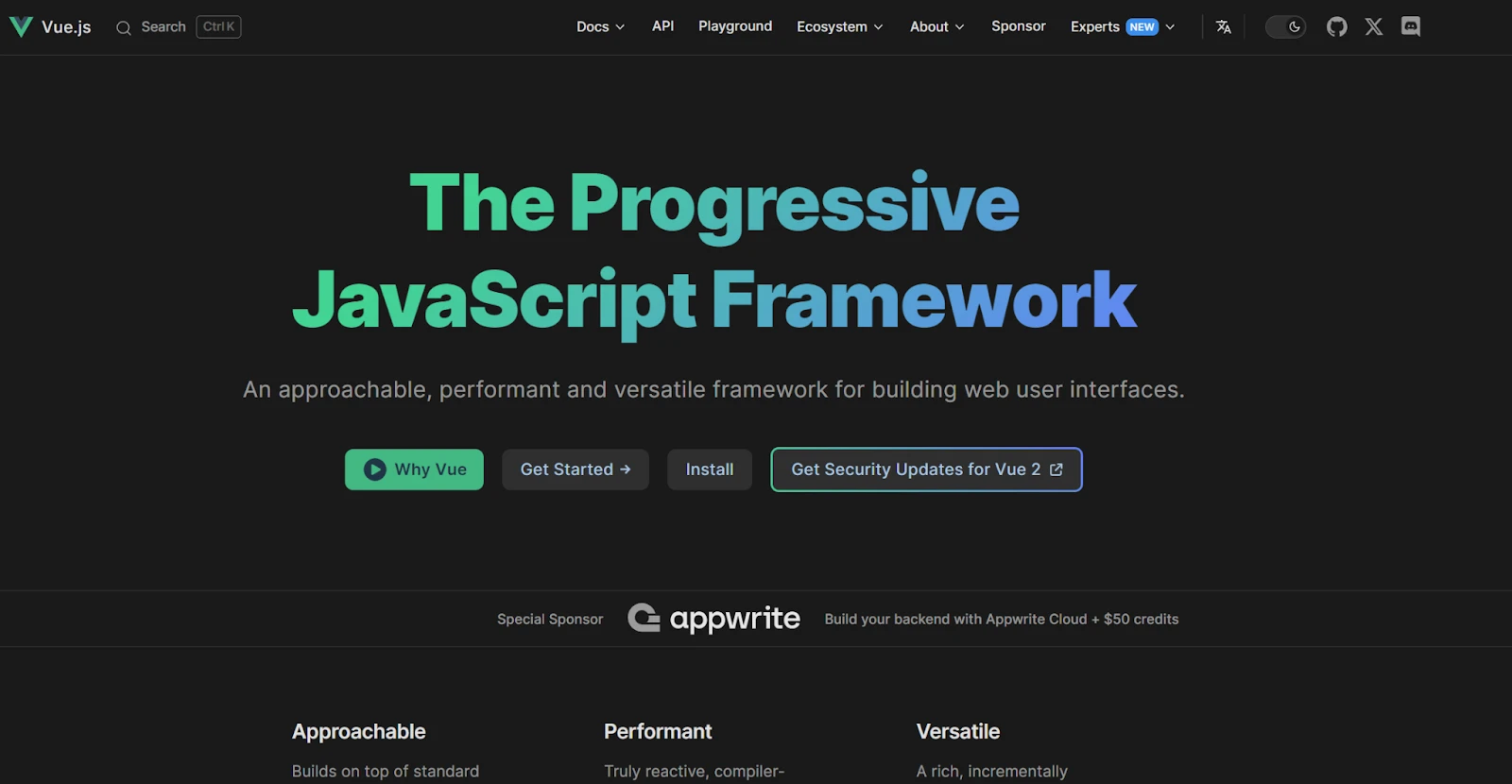
You can easily find the installation guide. Following the guide set up your system.
Step 1: Set Up Your Vue.js Project
Create a new Vue.js project using Vue CLI. If you don't have Vue CLI installed, you can do so by running:
npm install \-g @vue/cli
Then, create a new project:
vue create currency-exchange-widget
Navigate into the project folder:
cd currency-exchange-widget
Vue.js Exchange Rate API Integration with Axios
Install Axios for API calls:
npm install axios
Open the project in your code editor. You'll primarily be working in the src folder.
Step 2: Create the Currency Exchange Component
Create a new file named CurrencyExchange.vue inside the src/components folder.
Copy the following code into CurrencyExchange.vue:
<template>
    <div id="currency-widget">
        <h2>Currency Exchange Rate</h2>

        <div class="input-group">
            <label for="fromCurrency">From:</label>
            <input type="text" v-model="searchFrom" placeholder="Search..." @input="filterFromCurrencies" />
            <select v-model="fromCurrency">
                <option v-for="currency in filteredFromCurrencies" :key="currency" :value="currency">{{ currency }}</option>
            </select>
        </div>

        <div class="input-group">
            <label for="toCurrency">To:</label>
            <input type="text" v-model="searchTo" placeholder="Search..." @input="filterToCurrencies" />
            <select v-model="toCurrency">
                <option v-for="currency in filteredToCurrencies" :key="currency" :value="currency">{{ currency }}</option>
            </select>
        </div>

        <div class="input-group">
            <label for="amount">Amount:</label>
            <input type="number" v-model="amount" />
        </div>

        <div id="result">{{ result }}</div>

        <button @click="convertCurrency">Convert</button>
    </div>
</template>

<script>
import axios from 'axios';

export default {
    data() {
        return {
            API_KEY: 'ADD-YOUR-API-KEY-HERE', // Replace with your CurrencyFreaks API key
            currencies: [],
            fromCurrency: 'USD',
            toCurrency: 'EUR',
            amount: 1,
            result: '',
            searchFrom: '',
            searchTo: ''
        };
    },
    computed: {
        filteredFromCurrencies() {
            return this.currencies.filter(currency => currency.toLowerCase().includes(this.searchFrom.toLowerCase()));
        },
        filteredToCurrencies() {
            return this.currencies.filter(currency => currency.toLowerCase().includes(this.searchTo.toLowerCase()));
        }
    },
    mounted() {
        this.fetchCurrencies();
    },
    methods: {
        async fetchCurrencies() {
            try {
                const response = await axios.get(`https://api.currencyfreaks.com/v2.0/rates/latest?apikey=${this.API_KEY}`);
                this.currencies = Object.keys(response.data.rates);
            } catch (error) {
                console.error('Error fetching currencies:', error);
                this.result = 'Failed to fetch currencies. Please refresh the page.';
            }
        },
        async convertCurrency() {
            try {
                const response = await axios.get(`https://api.currencyfreaks.com/v2.0/rates/latest?apikey=${this.API_KEY}&base=${this.fromCurrency}&symbols=${this.toCurrency}`);
                const rate = response.data.rates[this.toCurrency];
                const convertedAmount = (this.amount * rate).toFixed(2);
                this.result = `${this.amount} ${this.fromCurrency} = ${convertedAmount} ${this.toCurrency}`;
            } catch (error) {
    console.error('Error converting currency:', error);
    this.result = 'Conversion failed. Please try again later.';
}

        }
    }
};
</script>

<style scoped>
body {
    font-family: 'Poppins', sans-serif;
    display: flex;
    justify-content: center;
    align-items: center;
    height: 100vh;
    margin: 0;
    background: linear-gradient(to right, #2193b0, #6dd5ed);
}

#currency-widget {
    width: 400px;
    padding: 35px;
    border-radius: 30px;
    background: rgba(255, 255, 255, 0.9);
    box-shadow: 0 6px 15px rgba(0, 0, 0, 0.15);
    text-align: center;
    backdrop-filter: blur(10px);
}


h2 {
    font-size: 2.2em;
    color: #1f2937;
    margin-bottom: 20px;
    letter-spacing: 1px;
    font-weight: bold;
}

h2::after {
    content: '';
    width: 60px;
    height: 4px;
    background: #ff8a00;
    display: block;
    margin: 10px auto;
}

.input-group {
    margin-bottom: 20px;
    position: relative;
}

label {
    font-size: 1.1em;
    color: #4b5563;
    margin-bottom: 8px;
    display: block;
}

select, input {
    width: 100%;
    padding: 14px;
    margin-bottom: 10px;
    border: 2px solid #e5e7eb;
    border-radius: 12px;
    font-size: 1.1em;
    background-color: #f9fafb;
    transition: border-color 0.3s ease;
}

select:focus, input:focus {
    border-color: #ff8a00;
    outline: none;
}

#result {
    font-size: 1.6em;
    font-weight: bold;
    color: #1f2937;
    margin-top: 25px;
}

#currency-widget button {
    width: 100%;
    padding: 15px;
    background-color: #ff8a00;
    border: none;
    border-radius: 12px;
    color: white;
    font-size: 1.3em;
    cursor: pointer;
    transition: background-color 0.3s ease;
}

#currency-widget button:hover {
    background-color: #da1b60;
}
</style>
Here is the explanation for the above code:
This code presents a currency converter written in Vue.js. The template is the body of the widget. It consists of two combo boxes for “from” and “to” currencies, an amount input, and a button for conversion.
The input fields are bound to the component data model using Vue's v-model. Any typing by the user is updated in real-time.
The filterFromCurrencies and filterToCurrencies methods allow currency selection from the list based on user input.
The script section demonstrates fetching currency rates from the CurrencyFreaks API using the axios library.
When the 'convert' button is clicked, the selected currencies and amount are used for conversion.
The computed properties filter the currencies displayed in the dropdown menus. It is shown in the styled div, resulting in proper string formatting in the #result div.
The style section incorporates modern input fields with rounded corners, a gradient background, and responsive layouts. These features enhance the user experience.
Currency Converter Vue 3 Using Composition API
For Vue 3 users building currency converters, using the Composition API can improve code organization and reuse. This approach ensures greater code organization and reuse.
Here is a simple version using the Composition API (this uses the same template and styling as the Options API component shown above. Only the script logic changes):
<script setup>
import { ref, onMounted } from 'vue'
import axios from 'axios'

const API_KEY = 'ADD-YOUR-API-KEY-HERE'

const currencies = ref([])
const fromCurrency = ref('USD')
const toCurrency = ref('EUR')
const amount = ref(1)
const result = ref('')

const fetchCurrencies = async () => {
  try {
    const response = await axios.get(
      `https://api.currencyfreaks.com/v2.0/rates/latest?apikey=${API_KEY}`
    )
    currencies.value = Object.keys(response.data.rates)
  } catch (error) {
    console.error('Error fetching currencies:', error)
    result.value = 'Failed to fetch currencies. Please refresh the page.'
  }
}

const convertCurrency = async () => {
  try {
    const response = await axios.get(
      `https://api.currencyfreaks.com/v2.0/rates/latest?apikey=${API_KEY}&base=${fromCurrency.value}&symbols=${toCurrency.value}`
    )

    const rate = response.data.rates[toCurrency.value]

    if (!rate) {
      result.value = 'Invalid currency selection. Please try again.'
      return
    }

    const convertedAmount = (amount.value * rate).toFixed(2)
    result.value = `${amount.value} ${fromCurrency.value} = ${convertedAmount} ${toCurrency.value}`

  } catch (error) {
    console.error('Error converting currency:', error)
    result.value = 'Conversion failed. Please try again later.'
  }
}

onMounted(fetchCurrencies)
</script>
👉This version uses the Vue 3 Composition API with setup syntax to create reactive variables using ref(), while onMounted executes code when our component is ready, serving as an alternative lifecycle hook.
Step 3: Update the App.vue
Open src/App.vue and replace its content with the following code to use your new component:
<template>

    <div id="app">

        <CurrencyExchange />

    </div>

</template>


<script>

import CurrencyExchange from './components/CurrencyExchange.vue';


export default {

    name: 'App',

    components: {

        CurrencyExchange

    }

};

</script>


<style>

#app {

    font-family: Avenir, Helvetica, Arial, sans-serif;

    text-align: center;

    color: #2c3e50;

    margin-top: 60px;

}

</style>
Explanation
Here, it serves as the primary entry point for a Vue.js application. There is one div inside the <template> section with the id=app. It shows a customized element referred to as CurrencyExchange. This element is exported in the file CurrencyExchange.vue in the components folder.
The component layout is configured in the section of the script. The primary component, which is the main application, imports the CurrencyExchange component. It adds it to the components object that is to be used in the application.
- The <style> section provides basic styles to the div with id "app".
- It uses the Avenir font or resorts to Helvetica and Arial.
- It makes the text centered, uses some form of color, and adds a 60-pixel margin at the top of the text to give the text some spacing during layout.
👉These styles offer a clean and neat appearance for the application’s UI.
Step 4: Run Your Vue JS App
Start your development server by running:
npm run serve
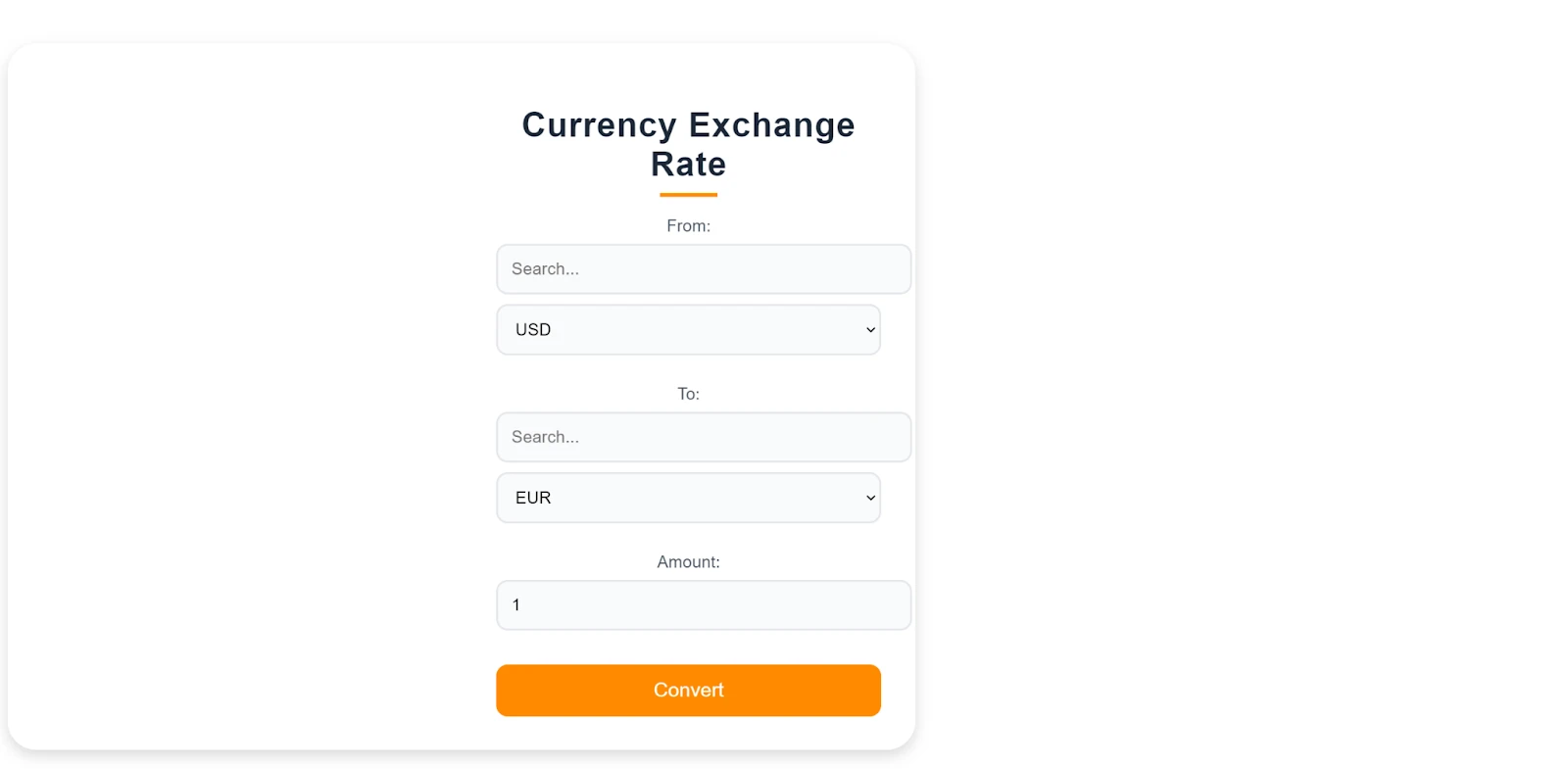
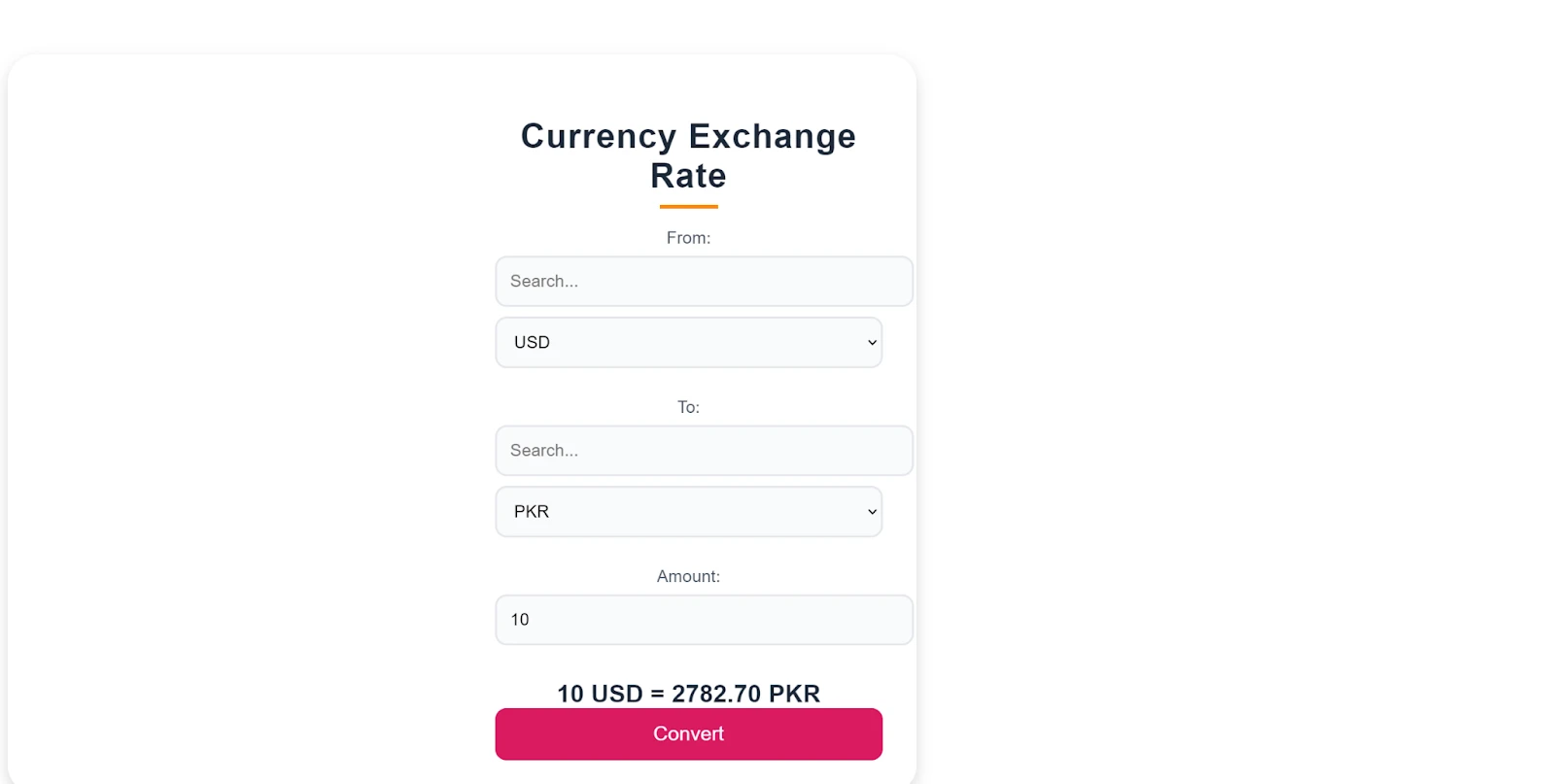
Open your browser and go to http://localhost:8080. You should see your Currency Exchange Rate Widget.
Step 5: Testing the Functionality
Select different currencies, enter an amount, and click "Convert" to see the conversion result.
Use the search inputs to filter the currencies in the dropdowns.
Why Vue.js Fits a Currency Converter App
Vue's reactive system is the practical reason it works well here: ref() and computed() recalculate the converted amount automatically whenever amount, fromCurrency, or toCurrency change, with no manual DOM updates or watchers to wire up. Single-file components also keep the template, conversion logic, and styling for the widget in one .vue file, which is convenient for a self-contained piece like this one that you might drop into a larger app.
For a broader comparison of options, see our guide to the 10 best currency exchange APIs.
Conclusion
This Vue.js currency converter demonstrates how to integrate real-time exchange rate data using Vue.js and CurrencyFreaks. A step-by-step implementation allows developers to quickly build a functional currency converter that dynamically updates as exchange rates change.
Vue's reactive system, coupled with CurrencyFreaks, ensures accurate and efficient currency conversion with minimal effort. As a result, building financial and data-driven applications is much simpler for developers and businesses alike. Together, they form a reliable user experience.
Vue Currency Converter API: FAQs
How Do I Build a Vuejs Currency Converter?
Fetch rates from CurrencyFreaks with axios or fetch in a mounted()/onMounted() hook, store them in a ref or data() property, and multiply the entered amount by the stored rate in a method or computed property. Both the Options API and Composition API versions above follow this same pattern.
Why Do My Converted Amounts Come Out Wrong?
The most common cause is skipping parseFloat() on the API response. CurrencyFreaks returns rates as strings, so amount * rate without parsing does string concatenation, not multiplication. If you're converting between two non-USD currencies on the free plan, remember the base is always USD, so you need to cross-rate through it rather than dividing the two symbols directly.
Can I Query a Specific Base Currency Instead of USD?
Yes, on paid plans. Append &base=EUR (or any ISO code) to the /v2.0/rates/latest request, as shown in the convertCurrency method above, and CurrencyFreaks returns rates relative to that base instead of USD.
Sign Up for free at CurrencyFreaks today - Create the perfect Vue JS currency app.