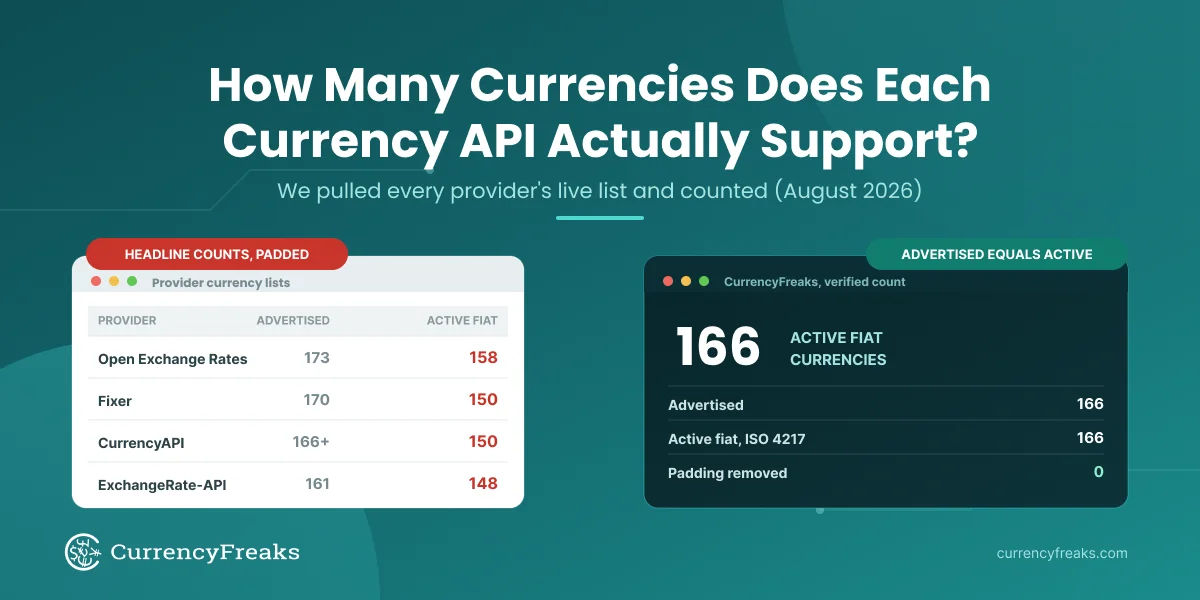
Looking to build a currency converter in React with real-time currency rates? Accurate exchange rates are important whether building:
- Financial tools
- E-commerce platforms
- Or global apps.
In this tutorial, we will show how to integrate an accurate exchange rate API into a React application. Furthermore, we have described simple steps to achieve it. You will:
- Learn to set up and customize a currency converter React app using hooks such as useState and useEffect to retrieve exchange rates.
- Display that data within an actual React component.
- Build a working currency converter that uses live data and updates continuously.
If you are exploring similar implementations in other languages, check out our Python-based currency converter integration guide.
CurrencyFreaks Integration with React JS
Integration is straightforward and can be done in just a few steps.
Creating an Account
Start today by signing up at CurrencyFreaks and generating your API key from their dashboard.
You can explore all available endpoints and request formats in the official CurrencyFreaks API documentation.
👉Check out our guide on the 10 Best Currency Exchange APIs to compare features and find the right API for your project.
Testing the API Key
You should create a new GET request in Postman. Next, you should enter the URL below into the request bar.
https://api.currencyfreaks.com/v2.0/rates/latest?apikey=YOUR_APIKEY
If it shows a JSON response, it means our API key is working fine.
Set Up the React Currency Converter Project
👉Node.js must be installed on your system before creating a React app.
npx create-react-app currency-converter

cd currency-converter

npm install axios react-select
React-select offers searchable, accessible, and user-friendly dropdowns right out of the box, unlike native, which requires additional work for search and user experience management.
Building a Currency Converter React Component with Hooks
Creating a Reusable useCurrencyConverter Hook
To make your React app more modular and reusable, try extracting currency fetching logic into its own hook. This approach keeps components clean while also enabling you to reuse this logic across multiple components.
Create a new file named useCurrencyConverter.js inside the src directory:
// src/useCurrencyConverter.js

import { useState, useEffect } from 'react';
import axios from 'axios';

const useCurrencyConverter = (apiKey, baseCurrency) => {
  const [rates, setRates] = useState({});
  const [loading, setLoading] = useState(true);
  const [error, setError] = useState(null);

  useEffect(() => {
    if (!apiKey || !baseCurrency) return;

    setLoading(true);

    axios
      .get(
        `https://api.currencyfreaks.com/v2.0/rates/latest?apikey=${apiKey}&base=${baseCurrency}`
      )
      .then(response => {
        setRates(response.data.rates);
        setError(null);
      })
      .catch(error => {
        console.error(`Error fetching the rates: ${error}`);
        setError('Failed to fetch exchange rates. Please try again.');
      })
      .finally(() => {
        setLoading(false);
      });
  }, [apiKey, baseCurrency]);

  return { rates, loading, error };
};

export default useCurrencyConverter;
Now you can utilize this hook within React components to more efficiently retrieve and manage exchange rate data.
Create the CurrencyConverter Component
To create the CurrencyConverter Component, create a file named 'CurrencyConverter.js' in the source directory (for example: //src/CurrencyConverter.js).
import React, { useState, useEffect } from 'react';
import Select from 'react-select';
import './CurrencyConverter.css';
import useCurrencyConverter from './useCurrencyConverter';

const CurrencyConverter = () => {
  const [amount, setAmount] = useState(1);
  const [fromCurrency, setFromCurrency] = useState({ label: 'USD', value: 'USD' });
  const [toCurrency, setToCurrency] = useState({ label: 'EUR', value: 'EUR' });

  const apiKey = 'YOUR_APIKEY';

  // ✅ USE CUSTOM HOOK
  const { rates, loading, error } = useCurrencyConverter(apiKey, fromCurrency.value);

  const [exchangeRate, setExchangeRate] = useState(null);
  const [currencyOptions, setCurrencyOptions] = useState([]);

  // ✅ Build options + rate from hook data
  useEffect(() => {
    if (rates && Object.keys(rates).length > 0) {
      const options = Object.keys(rates).map(currency => ({
        label: currency,
        value: currency
      }));

      setCurrencyOptions(options);

      const rate = rates[toCurrency.value];
      setExchangeRate(rate ? parseFloat(rate) : null);
    }
  }, [rates, toCurrency]);

  const handleAmountChange = (e) => {setAmount(parseFloat(e.target.value) || 0);
  };

  const handleFromCurrencyChange = (selectedOption) => {
    setFromCurrency(selectedOption);
  };

  const handleToCurrencyChange = (selectedOption) => {
    setToCurrency(selectedOption);
  };

  const convertCurrency = () => {
  if (loading) return 'Fetching latest rates...';
   if (exchangeRate !== null) return (amount * exchangeRate).toFixed(2);
    return 'N/A';
  };

  return (
    <div className="currency-converter">
      <h1>Currency Converter</h1>

      {/* ✅ Proper error handling */}
      {error && <p className="error-message">{error}</p>}


      <div className={`converter-container ${loading ? 'is-loading' : ''}`}>
        {loading && <div className="loading-overlay">Updating Rates...</div>}
<h2>
{amount} {fromCurrency.value} is equal to {convertCurrency()} {toCurrency.value}
</h2>
        <div className="converter-inputs">
          <input
            type="number"
            value={amount}
            onChange={handleAmountChange}
            className="amount-input"
            disabled={loading}
          />

          <Select
            value={fromCurrency}
            onChange={handleFromCurrencyChange}
            options={currencyOptions}
            className="currency-select"
            isDisabled={loading}
            placeholder="Loading..."
          />

          <span>to</span>

          <Select
            value={toCurrency}
            onChange={handleToCurrencyChange}
            options={currencyOptions}
            className="currency-select"
            isDisabled={loading}
            placeholder="Loading..."
          />
                </div>
      </div>   {/* closes converter-container */}
    </div>     {/* closes currency-converter */}
  );
};


export default CurrencyConverter;
Create a CSS File for Styling
To style the currency converter, create a new CSS file called CurrencyConverter.css located within your src directory.
/* src/CurrencyConverter.css */


.converter-container { position: relative; }
.is-loading { opacity: 0.6; pointer-events: none; }
.loading-overlay { font-weight: bold; color: #666; margin-bottom: 10px; }


.currency-converter {

  text-align: center;

  padding: 20px;

}


.converter-inputs {

  display: flex;

  justify-content: center;

  align-items: center;

  gap: 10px;

  margin-bottom: 20px;

}


.amount-input {

  width: 200px;

  padding: 10px;

  font-size: 1.2em;

  border: 1px solid #ccc;

  border-radius: 4px;

}


.currency-select {

  width: 150px;

}
Integrate the Component into the App
Modify App.js to include the CurrencyConverter component.
// src/App.js

import React from 'react';
import './App.css';
import CurrencyConverter from './CurrencyConverter';

function App() {
  return (
    <div className="App">
      <header className="App-header">
        <h1>React Currency Converter</h1>
        <CurrencyConverter />
      </header>
    </div>
  );
}

export default App;
Start the React Application
Run your application by executing:
npm start
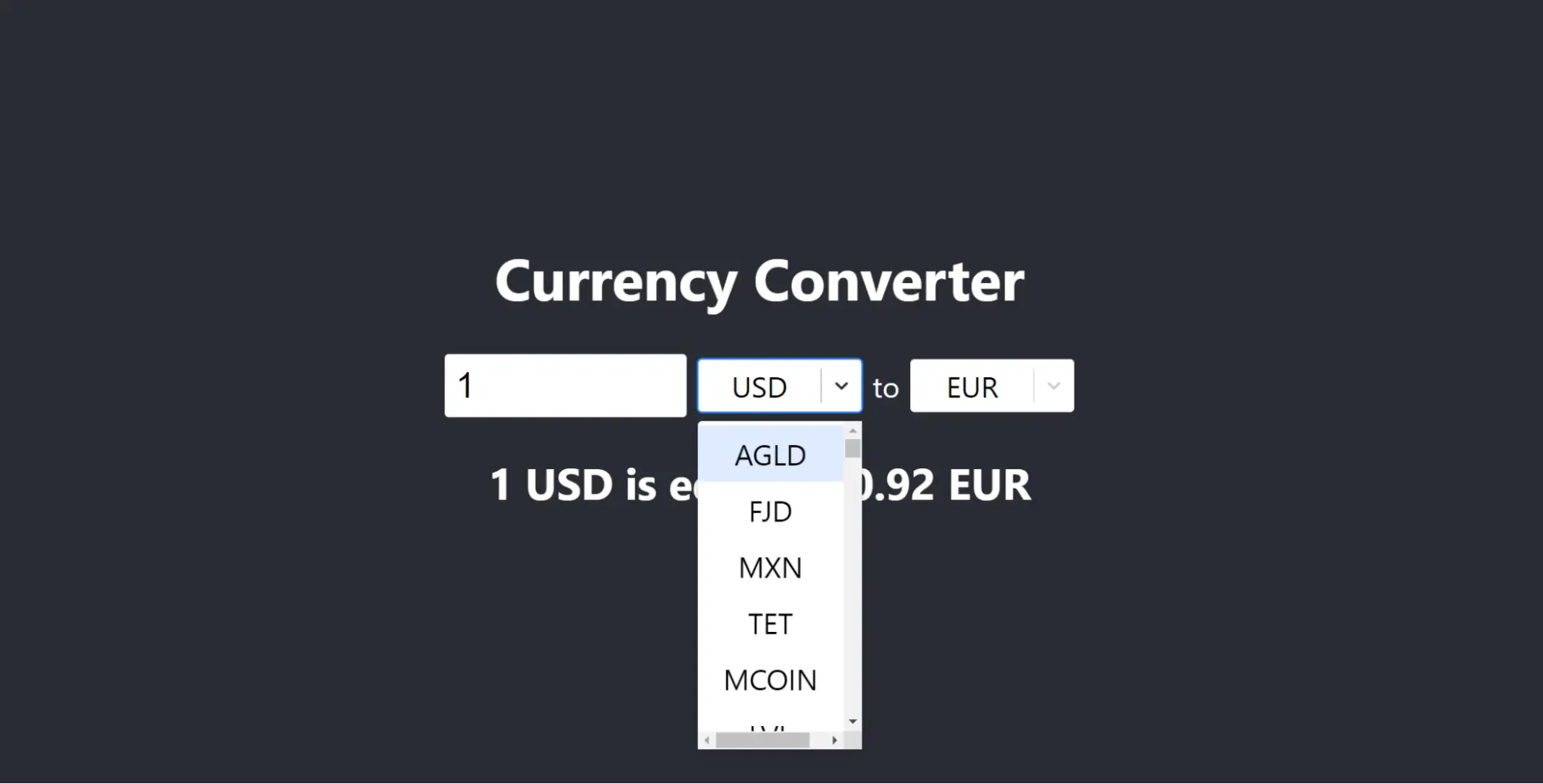
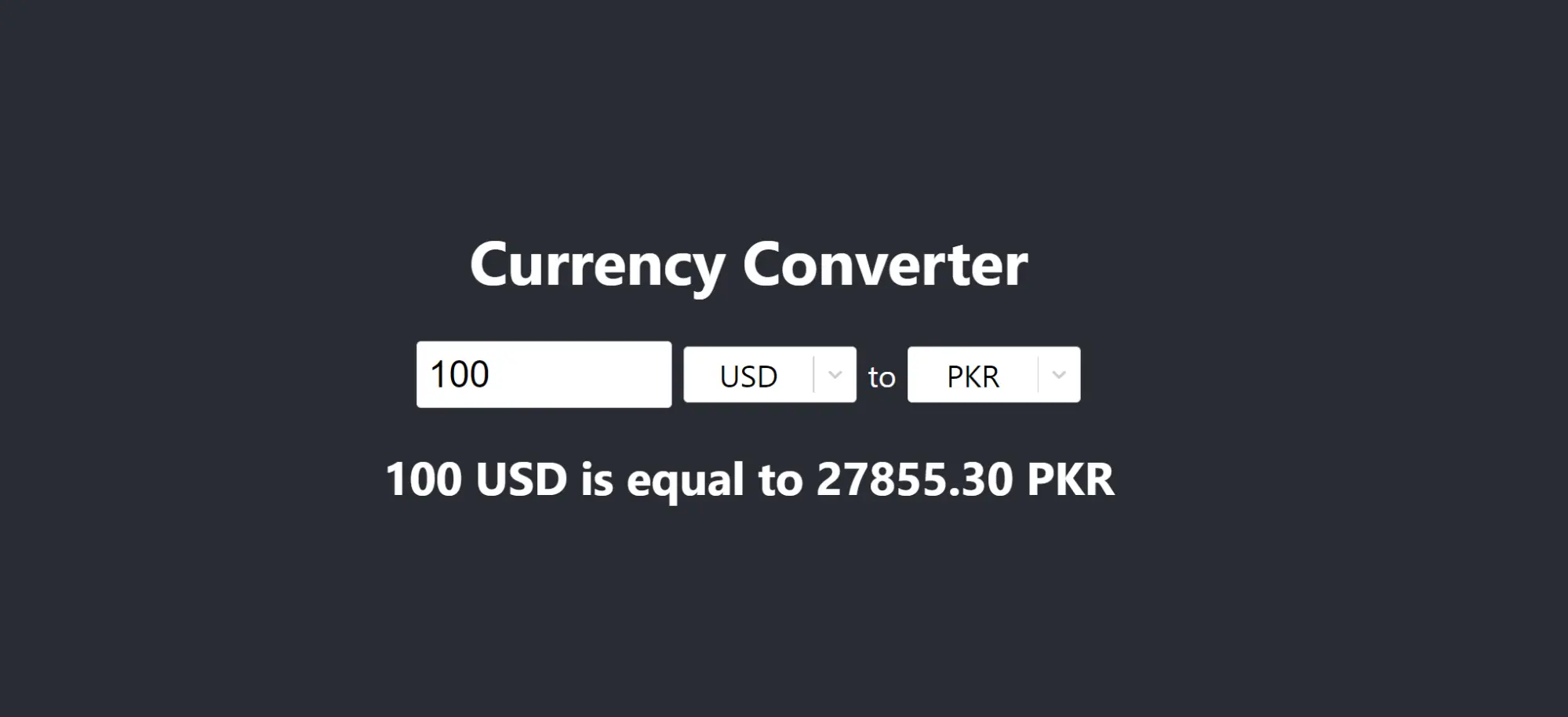
Output
What Are the Benefits of Integrating CurrencyFreaks with React JS?

Integrating CurrencyFreaks with React brings a few concrete benefits to a web app:
- Accurate rates with minimal effort - one API call returns rates for every supported currency, so financial tools and e-commerce sites don't need to source or maintain their own rate data.
- A smooth, live-updating UI - the
useCurrencyConverterhook re-fetches onbaseCurrencychanges, so React re-renders the converted amount automatically with no manual refresh or recalculation. - Reusable logic - because the fetch logic lives in a hook rather than inside the component, the same
useCurrencyConverterhook can power a converter, a pricing table, and a dashboard widget without duplicating code. - Simple scaling - adding more currency pairs or a new component that needs rates is just another call to the hook, not a new integration.
Conclusion
Combining React JS with the CurrencyFreaks API is an efficient way to add real-time exchange rates to your application. This tutorial shows you how to leverage this combination for creating an interactive and user-friendly currency converter.
Simple steps enabled you to quickly set up a React environment, fetch and render currency data, and make it look better for users' convenience. This made your React exchange rate app more useful while offering real-time currency conversion for global transactions.
FAQs
What is the CurrencyFreaks API, and Why Should You Use It In a React JS Application?
It's a REST API returning live and historical exchange rates as JSON, which is exactly the shape axios.get() needs to drop straight into React state - no parsing or transformation required, as shown in the useCurrencyConverter hook above.
How Can I Securely Store My CurrencyFreaks API Key In A React Application?
Environment variables provide the ideal method of safely storing Free React Currency Converter API keys in React applications. Simply create an .env file at the root of your React project, adding REACT_APP_API_KEY=YOUR_API_KEY. It can be accessed as process.env.REACT_APP_API_KEY. This approach ensures API keys remain secure.
What Are The Most Common Issues That May Arise When Integrating With The CurrencyFreaks API, And How Can I Handle Them In a React App?
An invalid API key returns a 401, and the free plan's 1,000 monthly calls can run out if the hook re-fetches too often (e.g., on every keystroke instead of on baseCurrency change). The .catch() block in useCurrencyConverter already surfaces both as the error state, which the component renders as <p className="error-message">{error}</p> - the main job left is deciding what a user should see when that happens (a stale rate, a retry button, or a disabled input, for example).
Can I Use the CurrencyFreaks API in My React App to Fetch Historical Exchange Rates?
Yes, but please be aware that CurrencyFreaks API offers endpoints specifically tailored for accessing historical exchange rates. Simply request an endpoint that retrieves historical data, specifying a date as an input or path parameter.
For more details, check out all endpoints within its documentation.
What are the best ways to improve the performance of my React app, which uses the CurrencyFreaks API in a React app for frequent API calls?
Avoid unnecessary API calls in order to reduce performance issues. Methods such as user input debouncing, response caching, and efficient state management may help decrease the number of API requests.
Can I Change The Base Currency To Something Other Than USD?
Yes, but only on paid plans - the free plan restricts the base parameter to USD. On the free plan, convert between two non-USD currencies by dividing through USD in your component instead of passing a different base value to the hook.
Sign up for free at CurrencyFreaks and get your API key to build a React application.