
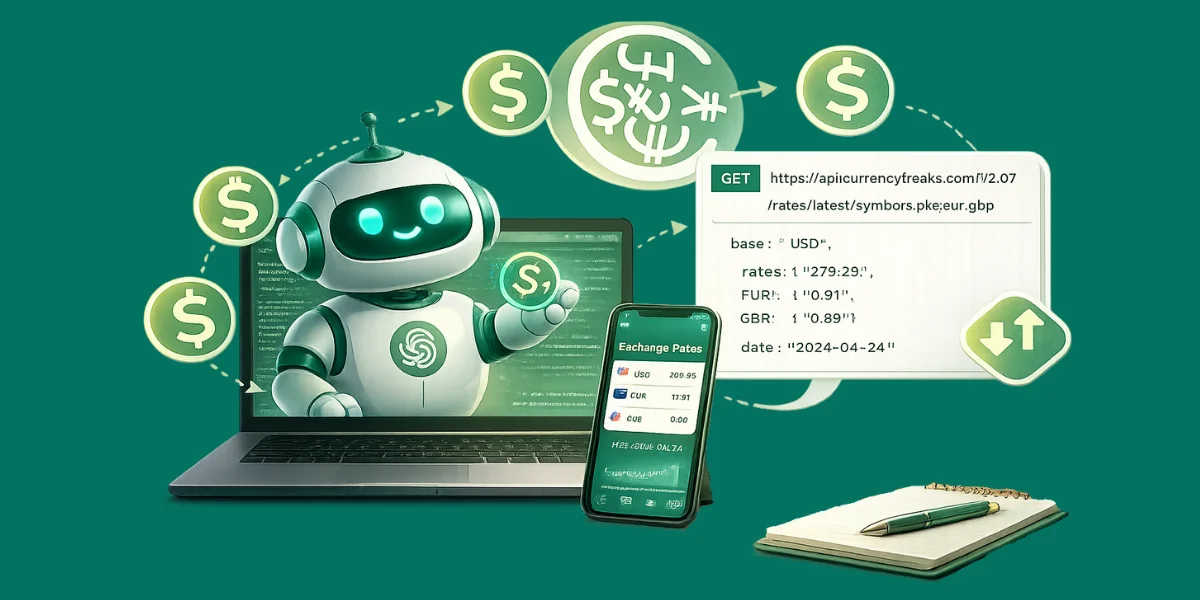
You’ve probably built this before: a pricing page, an invoice flow, or a travel budget tool. Everything looks fine until someone pays from another country. That’s where CurrencyFreaks helps, because rates change all day.
If you plug an api for exchange rates into ChatGPT, users can ask Convert 500 USD to PKR and get a real answer. You fetch live prices from a foreign exchange rates API and return the JSON to the chat. That keeps your totals consistent and stops rate confusion.
Start with clean API integration in your backend so your key stays private. Add caching and request only the symbols you need to cut latency. Later, add historical data for invoices and reports, using the best source for currency exchange rates via API.
What This Integration Actually Means
When you connect ChatGPT to a currency API, you are letting it answer money questions with live numbers. It reads your user’s request and turns it into a clear API call. Then it formats the result in plain language.
Option A: GPT Actions
You create a Custom GPT and attach an Action that hits a REST endpoint. You store the api key in the Action setup so users never see it. This route feels like effortless integration when you only need simple lookups.
Option B: Backend Tool Calling
Your backend calls OpenAI, then triggers your own tool to fetch rates from the provider. You can cache results, log every call, and validate each currency pair before returning it. You can also issue access controls so that only approved clients can use it.
Rule of Thumb
Select GPT Actions when building fast and small workflows. Use backend tools in cases of audit trails and mobile safety. Priority roadmap input is used to determine what to ship first, and this is done using product management feature requests.
Helpful Resource: Currency Exchange API Integration: A Step-by-Step Guide for Developers
Why You Should Use An API For Exchange Rates (Not Hardcoded Rates)
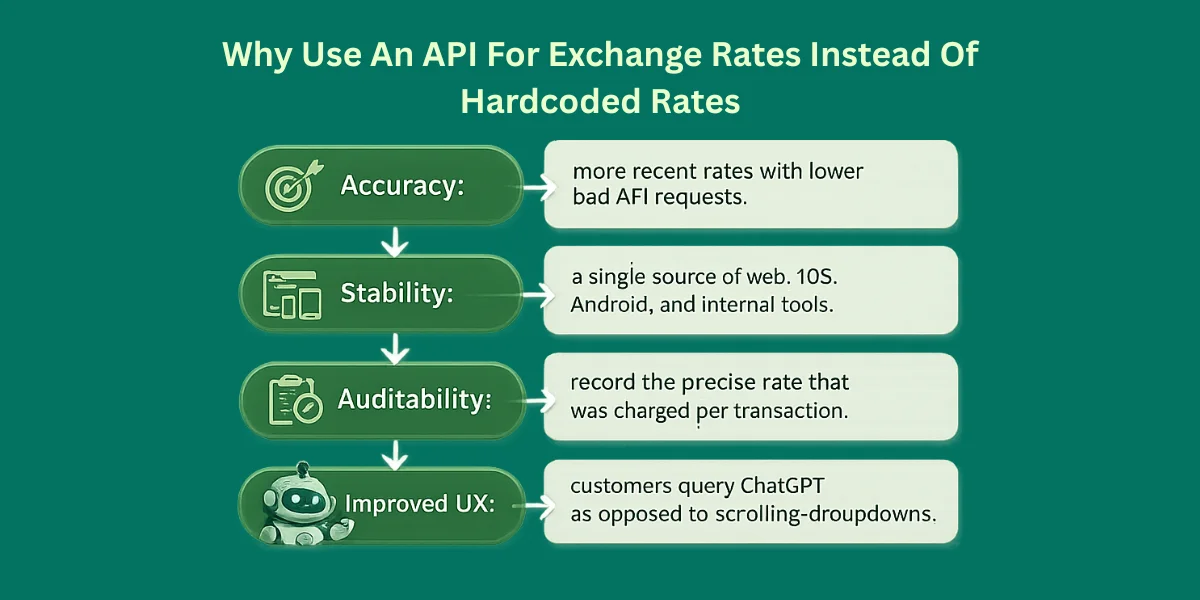
Hardcoding rates breaks fast, especially when markets move all day. A real api for currency exchange rates gives you live exchange rate data you can trust. You also avoid messy rounding issues when you validate each currency code.
-
Accuracy: more recent rates with fewer bad API requests.
-
Stability: a single source of web, iOS, Android, and internal tools.
-
Auditability: record the precise rate that was charged per transaction.
-
Improved UX: customers query ChatGPT as opposed to scrolling dropdowns.
If you build finance features, this setup scales into an exchange rate API for businesses and an exchange rate API for corporates. It also helps you support advanced pricing like forward rates. That’s how you keep totals stable and explain changes clearly.
Helpful Resource: Exchange Rates API Vs. CurrencyFreaks | Which API is Right For You?
Which Endpoints You’ll Use (And When)
CurrencyFreaks is a practical api for exchange rates because it covers fiat, crypto, and metals in one place. It gives you the latest exchange rates for UI, plus currency conversion and analytics endpoints when you need more than a number. Check plans early so you do not hit hidden fees, and pick the hidden fees professional level tier only if you need premium endpoints.
Most teams start with /rates/latest and add filters to speed things up. The API feels like an intuitive API because each route maps to one job. If you need an updates option, tune caching and refresh intervals based on your quota.
| Use Case | Endpoint Type | Example |
|---|---|---|
| Show the latest rates in the app UI | Latest rates | /v2.0/rates/latest |
| Make responses faster | Latest + symbols filter | ...latest?symbols=PKR,EUR,GBP |
| Convert an amount | Live conversion | /v2.0/convert/latest?from=USD&to=PKR&amount=500 |
| Backdated invoices | Historical rates | /v2.0/rates/historical?date=YYYY-MM-DD |
| Charts in dashboards | Time series | /v2.0/timeseries?startDate=...&endDate=... |
| What changed this week | Fluctuation | /v2.0/fluctuation?startDate=...&endDate=... |
| Localize by visitor IP | IP-to-currency | /v2.0/iptocurrency?... |
For an API for cryptocurrency exchange rates, confirm symbol coverage first.
Types And Categories Of Exchange Rate APIs
Not all providers behave the same. Select according to your data needs and risk tolerance. Some platforms also ship intuitive APIs for faster setup.
-
Forex-only APIs: Fiat currencies are strong for banking. Many offer hourly updates.
-
Crypto-focused APIs: Tokens and exchange feeds. Fiat accuracy can lag behind.
-
Hybrid APIs: Fiat plus crypto plus metals. Good when you want one backend.
-
Free-tier APIs: These are good for prototypes. Expect base limits and strict quotas.
People often search api for exchange rates free, free API for currency exchange rates, free REST API for getting exchange rates, and free API for forex exchange rate.
Free can work with caching and clear refresh rules. If you want platinum support, you’ll usually need annual billing and a quarterly briefing call.
Helpful Resource: Open Exchange Rates API vs CurrencyFreaks | Exchange Rates API Free Options Available for Developers
Approach 1: Custom GPT With GPT Actions (Direct Inside ChatGPT)
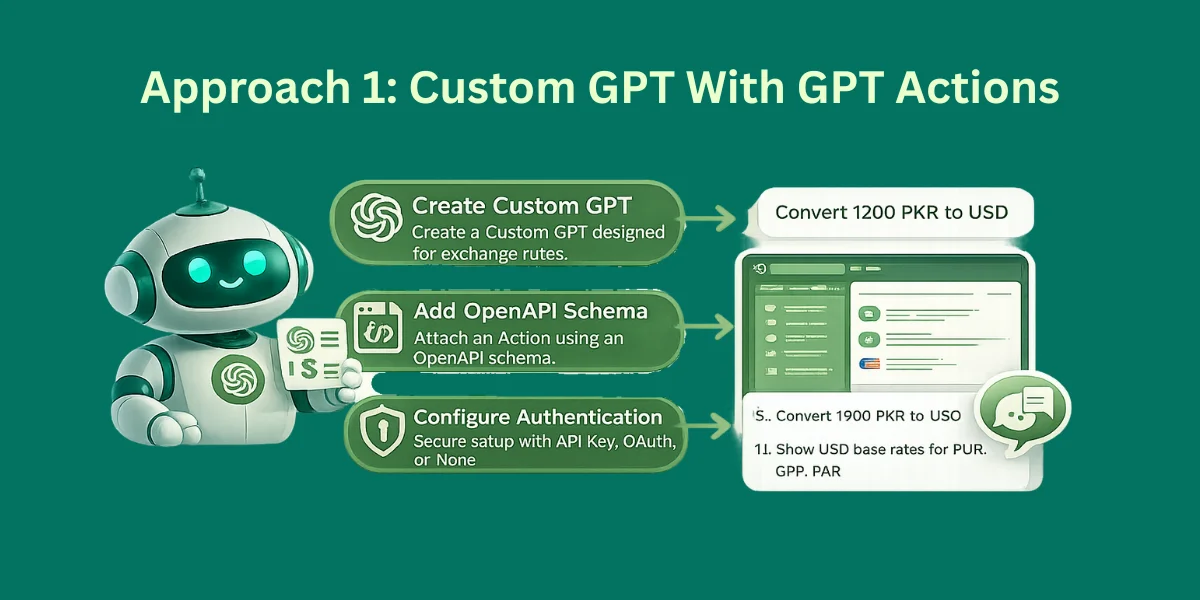
This is the quickest way to let ChatGPT call your exchange-rate endpoint. It works well for commercial use when you need real time exchange rates without building a full UI. You connect a REST service through an OpenAPI schema.
How It Works
-
Create a Custom GPT. Pick your base currencies up front so outputs stay consistent. Use rates aligned with sources like the European Central Bank when you need a familiar benchmark.
-
Add an Action with an OpenAPI schema describing your endpoint. Keep it small and only expose the endpoints you need. This also makes testing easier.
-
Configure authentication (None, API Key, OAuth). Never place a provider key in client-side code. If you need help, use the platinum support click.
-
Test with prompts like:
-
Convert 1200 PKR to USD
-
Show USD base rates for EUR, GBP, PKR
-
Important Security Note
Keep your provider key private. Don’t put it in client-side code. Store it in the Action authentication settings, so ChatGPT uses it safely.
Best Use
Use this for internal teams and quick demos. It also works when you want ChatGPT to act like a simple finance helper inside the chat.
Here is the complete method to integrate your API for exchange rate data within ChatGPT:
Currency Converter GPT – Full Tutorial
Prerequisites
-
Install Node.js (v21+ recommended) – download from Node.js website.
-
Install npm (comes with Node.js).
-
Install ngrok – download from ngrok.com and unzip it.
-
A ChatGPT account with access to the Custom GPTs feature. You can create a GPT only with a GPT 5 version.
Create the Node.js Server
-
Open a folder for your project, e.g., currency-helper.
-
Open a terminal/command prompt in this folder.
Initialize Node.js project
npm init -y
This will create a package.json file.
Install dependencies
npm install express axios cors
Create the server file
Create server.js in your folder:
import express from "express";  // use import because package.json has "type": "module"
import cors from "cors";

const app = express();
app.use(cors());
app.use(express.json());

app.post("/convert", (req, res) => {
  const { from, to, amount } = req.body;

  if (!from || !to || !amount) {
    return res.status(400).json({ error: "Missing from, to, or amount" });
  }

  // Example: Simple fixed conversion rates (replace with real API if you want)
  const rates = {
    USD: { PKR: 280, EUR: 0.92 },
    PKR: { USD: 0.0036, EUR: 0.0033 },
    EUR: { USD: 1.09, PKR: 305 }
  };

  const rate = rates[from]?.[to];
  if (!rate) return res.status(400).json({ error: "Conversion not supported" });

  const convertedAmount = amount * rate;

  res.json({ from, to, rate, convertedAmount });
});

const PORT = 3000;
app.listen(PORT, () => {
  console.log(`Server running on http://localhost:${PORT}`);
});
✅ Notes:
-
We use ES module syntax (import) because package.json will have "type": "module".
-
This example uses hardcoded rates. You can later replace with a live API if you want.
Run the server
node server.js
-
You should see: Server running on
http://localhost:3000 -
Test locally (optional) using Postman or curl:
curl -X POST http://localhost:3000/convert -H "Content-Type: application/json" -d "{\"from\":\"USD\",\"to\":\"PKR\",\"amount\":100}"
Expected response:
{
  "from": "USD",
  "to": "PKR",
  "rate": 280,
  "convertedAmount": 28000
}
Expose your server with ngrok
-
Open a new terminal in your project folder.
-
Start ngrok:
ngrok http 3000
-
You will see a forwarding URL, e.g.,
https://41cde1c5bfea.ngrok-free.app -
This URL is now public and can be used by ChatGPT.
Create your GPT in ChatGPT
-
Go to ChatGPT → Explore GPTs → Create GPT.
-
Fill in Name & Description:
-
Name: Currency Converter GPT
-
Description: Converts any amount from one currency to another using live exchange rates.
Instructions
Paste this:
You are a currency assistant.

When a user asks about exchange rates or conversions in plain language,
extract:
- source currency
- target currency
- amount

Then call the /convert API and return the result in simple words.

Always show:
- converted amount
- exchange rate
Create Action / Connect your API
-
Click Create Action → Import OpenAPI schema
-
Use this full fixed schema (replace YOUR_NGROK_URL with your actual ngrok URL without /convert):
{
  "openapi": "3.1.0",
  "info": {
    "title": "Currency Converter API",
    "version": "1.0.0",
    "description": "Converts currency using live exchange rates."
  },
  "servers": [
    {
      "url": "https://YOUR_NGROK_URL"
    }
  ],
  "paths": {
    "/convert": {
      "post": {
        "operationId": "convertCurrency",
        "summary": "Convert currency",
        "requestBody": {
          "required": true,
          "content": {
            "application/json": {
              "schema": {
                "type": "object",
                "properties": {
                  "from": { "type": "string", "example": "USD" },
                  "to": { "type": "string", "example": "PKR" },
                  "amount": { "type": "number", "example": 100 }
                },
                "required": ["from", "to", "amount"]
              }
            }
          }
        },
        "responses": {
          "200": {
            "description": "Converted result",
            "content": {
              "application/json": {
                "schema": {
                  "type": "object",
                  "properties": {
                    "from": { "type": "string" },
                    "to": { "type": "string" },
                    "rate": { "type": "number" },
                    "convertedAmount": { "type": "number" }
                  },
                  "required": ["from", "to", "rate", "convertedAmount"]
                }
              }
            }
          }
        }
      }
    }
  }
}
✅ Key: Do not include /convert in the servers URL, only the base URL.
- Click Save / Import.
Test your GPT
-
Go to Preview → Try it out
-
Ask:
Convert 500 USD to PKR
You should get a response like:
500 USD equals 140,000 PKR
Exchange rate: 280
Here is the output:
✅ Done!
Now you have:
-
A Node.js currency server
-
Exposed publicly via ngrok
-
Integrated into ChatGPT as a Custom GPT
-
Works for plain-language currency conversion
Approach 2: Backend Tool Calling (Best For Apps + Android/iOS)
This is safer for real products. It’s ideal for an exchange rate api for android or iOS app. Your provider key stays on the server.
Tool calling lets the model request a function. Your backend runs it. Then you return the result.
Step 1: Define A Tool Contract
Give the model small tools:
get_latest_rates(base, symbols[])
convert_currency(from, to, amount)
Step 2: Implement The Tool In Your Backend
Node.js Sample Code Example (Express + fetch)
import express from "express";

const app = express();

app.use(express.json());

const CF_API_KEY = process.env.CURRENCYFREAKS_API_KEY;

const CF_LATEST_URL = "https://api.currencyfreaks.com/v2.0/rates/latest";

async function getLatestRates({ base = "USD", symbols = [] }) {

  const params = new URLSearchParams({ apikey: CF_API_KEY, base });

  if (symbols.length) params.set("symbols", symbols.join(","));

  const res = await fetch(`${CF_LATEST_URL}?${params.toString()}`);

  if (!res.ok) {

    throw new Error(`Currency API error: ${res.status} ${await res.text()}`);

  }

  return await res.json();

}

app.post("/rates/latest", async (req, res) => {

  try {

    const data = await getLatestRates(req.body);

    res.json(data);

  } catch (e) {

    res.status(500).json({ error: e.message });

  }

});

app.listen(3000, () => console.log("Server running on :3000"));

Now your app calls /rates/latest. The key stays hidden.

Python Example (FastAPI + requests)

import os

import requests

from fastapi import FastAPI, HTTPException

from pydantic import BaseModel

from typing import List, Optional

app = FastAPI()

CF_API_KEY = os.getenv("CURRENCYFREAKS_API_KEY")

CF_LATEST_URL = "https://api.currencyfreaks.com/v2.0/rates/latest"

class LatestReq(BaseModel):

    base: Optional[str] = "USD"

    symbols: Optional[List[str]] = []

@app.post("/rates/latest")

def rates_latest(payload: LatestReq):

    params = {"apikey": CF_API_KEY, "base": payload.base}

    if payload.symbols:

        params["symbols"] = ",".join(payload.symbols)

    r = requests.get(CF_LATEST_URL, params=params, timeout=15)

    if r.status_code != 200:

        raise HTTPException(status_code=502, detail=r.text)

    return r.json()
Same idea. Your server fetches rates. The app never touches the key.
Step 3: Let ChatGPT Decide When To Call It
You pass a tool schema in your OpenAI flow. The model triggers tools when needed.
This pattern fits:
-
exchange rate api free for app prototypes that still hide keys
-
production convert features
-
audit logs, caching, and rate limiting
Practical Integration Tips
Use these habits early. They keep the process simple and accurate. They also help developers ship a reliable setup.
-
Store current quotes in 30-60 seconds to reduce the cost of euro quotes and latency.
-
Symbol filtering prevents the downloading of 1000+ currencies when one only requires 4.
-
Store rate used, per transaction, so remain correct even when markets change.
-
Catch 429, 401, and 402 errors and have a fallback to ensure the replies continue to work.
-
Never send API keys in mobile apps; use your backend to get premium features and an infinite number of opportunities.
TL;DR
-
Connect the exchange rate exchange rate api with GPT Actions or backend tool calling.
-
Actions retrieve rates fast.
-
Backend tool calling applications and stores keys.
-
Select endpoints according to refresh times and response status.
Conclusion
If you want ChatGPT to answer money questions people trust, you need live data from an api for exchange rates. That keeps conversions correct without you guessing. It also opens limitless opportunities for pricing, billing, and analytics.
Start simple with the latest rates plus conversion using an api for exchange rates endpoint. A free api for exchange rates can work for testing, but watch limits and cache results to save calls. When you build a mobile, pick a good currency exchange rate api for iOS and keep your key on the server.
Next, add historical and time series when you need charts or backdated invoices. Store the used rate as a string with a timestamp so results stay consistent. Read the documentation and add retries plus timeouts, because even a strong api for exchange rates will fail a million times if you don’t handle errors.
FAQs
What’s The Best Source For Currency Exchange Rates Via API?
The best api for exchange rates depends on what you ship. If you need fiat-only, crypto-heavy, or both, select the source that matches your coverage and update frequency. Also check uptime, latency, and clear error codes.
Can I Use An API For Exchange Rates Free?
Yes, an api for exchange rates free plan is effective with prototypes and small applications. Look forward to monthly limits, reduced refresh rates, or predetermined base currency policies. Add caching in order not to burn requests.
What If I Need An API For Cryptocurrency Exchange Rates Too?
Select an exchange rate API that explicitly mentions crypto symbols that it supports. Test your best coins first and ensure that you know the frequency of rate refresh. Do not think that all providers have crypto.
How Do I Use A Free REST API for Getting Exchange Rates in Android Or iOS?
Don’t call the api for exchange rates directly from the app. Put a backend proxy in front so the phone hits your server, and your server calls the provider. This keeps your key private and lets you cache responses.
When Should Businesses Upgrade From Free?
Upgrade your api for exchange rates plan when you need faster updates and more calls. You’ll also want multiple base currencies, historical endpoints, and better support. If downtime costs you money, paid plans make sense.


