Quick answer: A Node.js currency API integration needs three pieces: an HTTP client, a server route that never exposes the key, and a cache. This guide uses Express and Axios against the CurrencyFreaks Latest Rates endpoint at https://api.currencyfreaks.com/v2.0/rates/latest. The full server, a 10 minute in-memory cache, and the front end are below. Two details break most first attempts: rate values come back as strings, and the free plan locks the base parameter to USD.
Fetching live exchange rates in Node.js takes one Axios call. Shipping it takes a server route that hides your API key, a cache so you are not billed per page view, and a parseFloat() call that stops your totals coming back as NaN. This guide builds all three with Express, then covers what the free plan actually returns.
Everything below runs as written. Copy the server, the middleware, and the front end into a fresh project and you have a working converter in about ten minutes. If you are building the same thing in Python instead, the Python currency converter integration guide covers it with requests.
How to Integrate Currency Converter API in Node.js (Step-by-Step)
Get Your API Key
Get your API key by creating an account at CurrencyFreaks - free currency converter API. You will be able to log into the dashboard. You will be able to see the API key. You will see this type of dashboard:
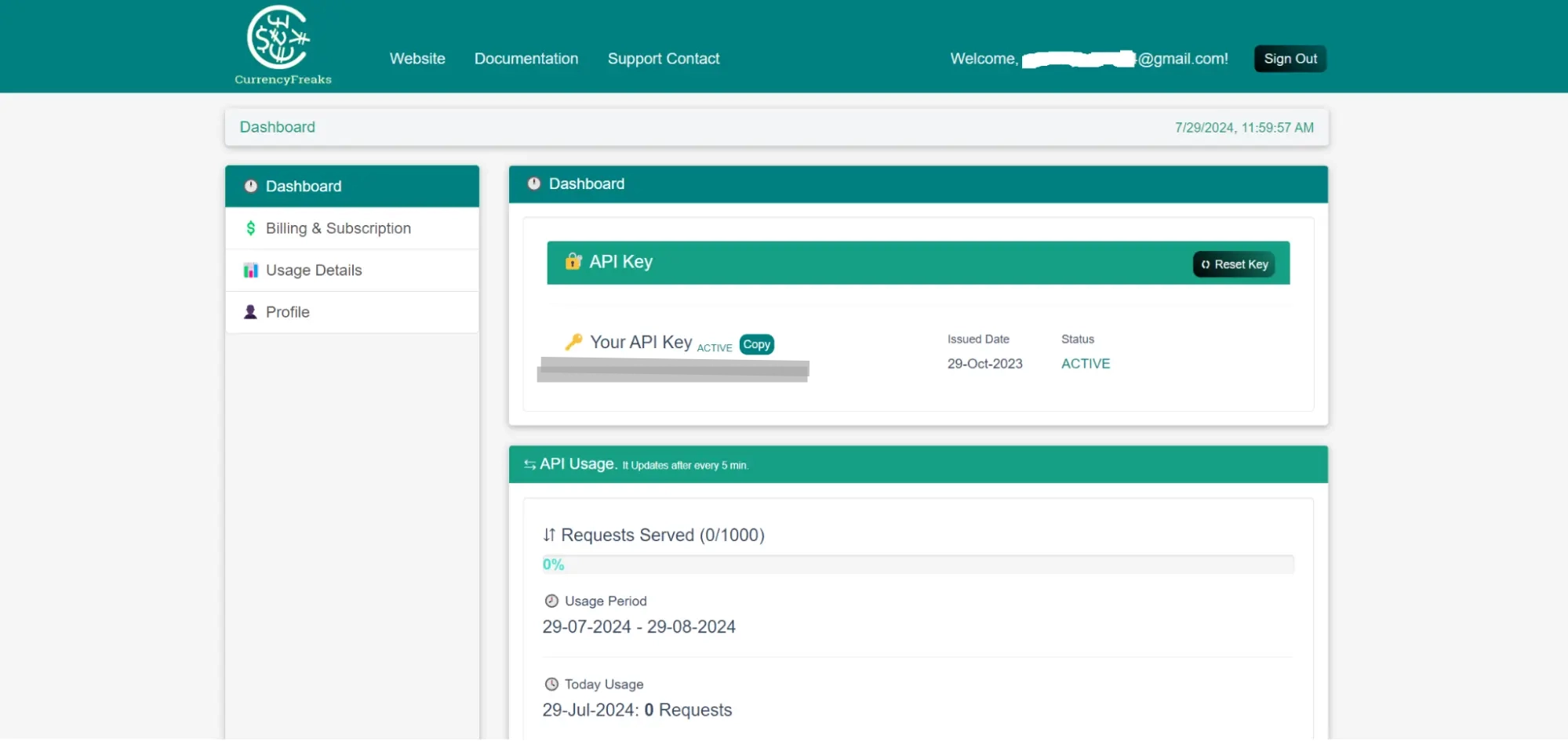
The chosen endpoint can be opened in your browser or Postman to test your API key.
👉Go to all CurrencyFreaks endpoints using the CurrencyFreaks documentation.
Set Up Node.js Environment for Currency API Integration
To begin with, make sure you have Node.js installed. Then configure a new Node.js project. Run the commands below in the Command Prompt. Open it inside Visual Studio Code.
mkdir currency-converter-node

cd currency-converter-node

npm init -y

npm install express axios dotenv
Set Up Environment Variables
Create a .env file in your project root directory and add your API key:
CURRENCYFREAKS_API_KEY=your_api_key_here
Then load it in your project using:
require('dotenv').config();
Next, you should create a new file named server.js in the project directory. Below is a complete working Node.js example using Express and Axios to fetch real-time exchange rates.
// server.js

require('dotenv').config();

const express = require('express');

const axios = require('axios');

const path = require('path');

const app = express();

const port = 3000;


const apiKey = process.env.CURRENCYFREAKS_API_KEY; // Replace with your actual API key


app.use(express.json());

app.use(express.static(path.join(__dirname, 'public')));


app.get('/', (req, res) => {

  res.sendFile(path.join(__dirname, 'public', 'index.html'));

});


app.post('/convert', async (req, res) => {

  const { amount, fromCurrency, toCurrency } = req.body;

  try {

    const response = await axios.get(`https://api.currencyfreaks.com/v2.0/rates/latest?apikey=${apiKey}&base=${fromCurrency}`);

    const rates = response.data.rates;

    const exchangeRate = rates[toCurrency];

    if (exchangeRate) {

      const convertedAmount = (amount * exchangeRate).toFixed(2);

      res.json({ amount, fromCurrency, toCurrency, convertedAmount });

    } else {

      res.status(400).json({ error: 'Invalid toCurrency code' });

    }

  } catch (error) {

    res.status(500).json({ error: 'Error fetching exchange rates' });

  }

});


app.listen(port, () => {

  console.log(`Server is running on http://localhost:${port}`);

});
Using CurrencyFreaks API in Express Middleware (Server-Side Conversion)
One of the most effective methods in Node.js applications is to use the Express middleware. It can directly convert currency on the server. This will enable you to store exchange rates at the middleware level. It reduces frequent API calls. It enhances the performance of responses in production apps.
A basic example of a middleware to get exchange rates is presented here:
// middleware/exchangeRate.js

require('dotenv').config();

const axios = require('axios');

const apiKey = process.env.CURRENCYFREAKS_API_KEY;

// Simple in-memory cache
let cache = {};
const CACHE_TTL = 10 * 60 * 1000; // 10 minutes

const getExchangeRates = async (req, res, next) => {
  try {
   const fromCurrency = req.body.fromCurrency || req.query.fromCurrency;
    const now = Date.now();

    if (
      cache[fromCurrency] &&
      now - cache[fromCurrency].lastFetched < CACHE_TTL
    ) {
      req.rates = cache[fromCurrency].rates;
      return next();
    }

    const response = await axios.get(
      `https://api.currencyfreaks.com/v2.0/rates/latest?apikey=${apiKey}&base=${fromCurrency}`
    );

    cache[fromCurrency] = {
      rates: response.data.rates,
      lastFetched: now,
    };

    req.rates = cache[fromCurrency].rates;

    next();
  } catch (error) {
    res.status(500).json({ error: 'Failed to fetch exchange rates' });
  }
};

module.exports = getExchangeRates;
This will enhance performance. It will centralize your currency conversion logic on the server.
The second step is to make an index.html file. You must also build a CSS file, which you should call styles.css. It will enhance the appearance of your application.
Index.html
In your project root, create a public directory. Create an index.html and a styles.css file within it.
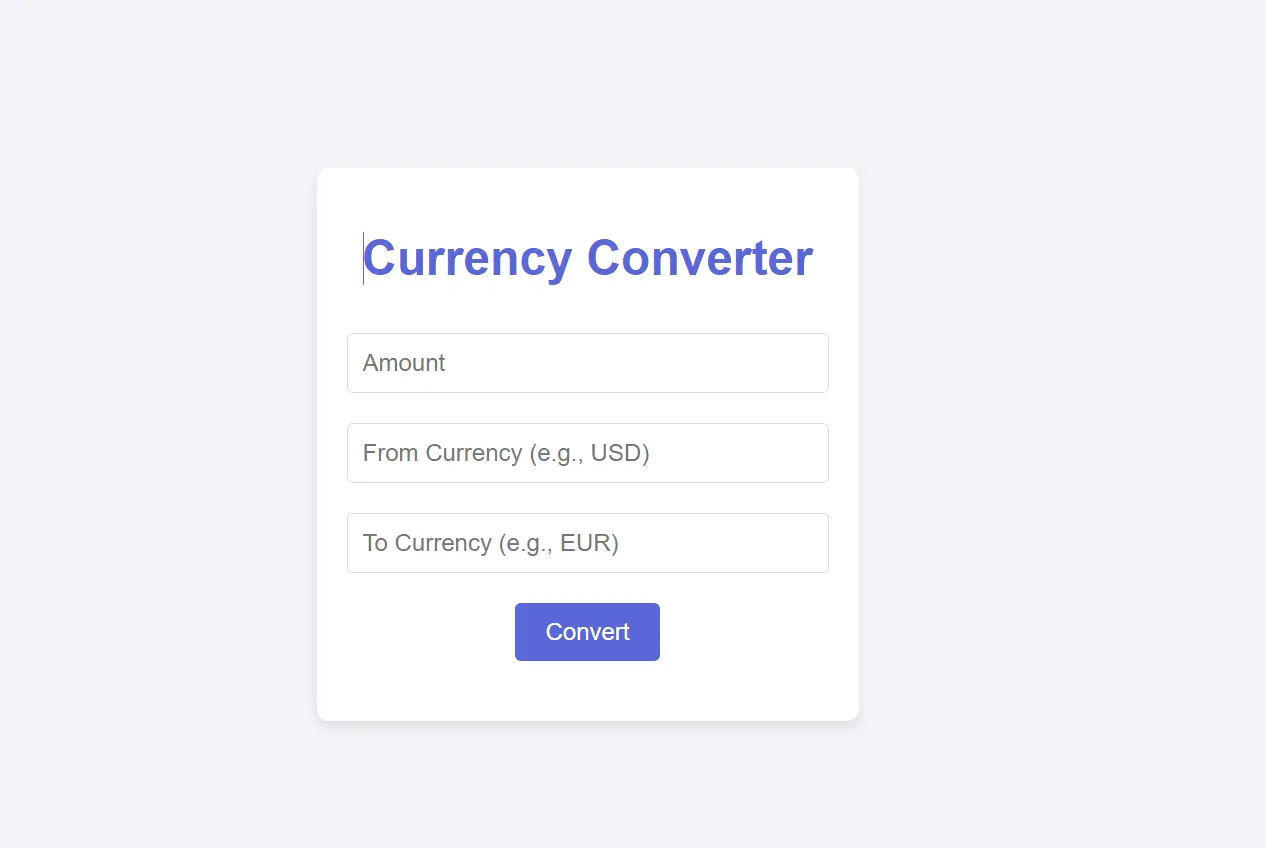
Here is the code for index.html file:
<!DOCTYPE html>

<html lang="en">

<head>

  <meta charset="UTF-8">

  <meta name="viewport" content="width=device-width, initial-scale=1.0">

  <title>Currency Converter</title>

  <link rel="stylesheet" href="styles.css">

</head>

<body>

  <div class="container">

    <h1>Currency Converter</h1>

    <form id="converter-form">

      <input type="number" id="amount" placeholder="Amount" required>

      <input type="text" id="fromCurrency" placeholder="From Currency (e.g., USD)" required>

      <input type="text" id="toCurrency" placeholder="To Currency (e.g., EUR)" required>

      <button type="submit">Convert</button>

    </form>

    <h2 id="result"></h2>

  </div>


  <script>

    document.getElementById('converter-form').addEventListener('submit', async (e) => {

      e.preventDefault();

      const amount = document.getElementById('amount').value;

      const fromCurrency = document.getElementById('fromCurrency').value;

      const toCurrency = document.getElementById('toCurrency').value;


      const response = await fetch('/convert', {

        method: 'POST',

        headers: {

          'Content-Type': 'application/json',

        },

        body: JSON.stringify({ amount, fromCurrency, toCurrency }),

      });


      const data = await response.json();

      if (response.ok) {

        document.getElementById('result').textContent = `${amount} ${fromCurrency} is equal to ${data.convertedAmount} ${toCurrency}`;

      } else {

        document.getElementById('result').textContent = `Error: ${data.error}`;

      }

    });

  </script>

</body>

</html>
Styles.css
Here is the code for styles.css file:
body {

  font-family: Arial, sans-serif;

  background-color: #f4f4f9;

  color: #333;

  margin: 0;

  padding: 0;

  display: flex;

  justify-content: center;

  align-items: center;

  height: 100vh;

}


h1 {

  color: #5a67d8;

}


.container {

  background: white;

  padding: 20px;

  border-radius: 8px;

  box-shadow: 0 4px 8px rgba(0, 0, 0, 0.1);

  text-align: center;

}


form {

  display: flex;

  flex-direction: column;

  align-items: center;

}


input[type="number"],

input[type="text"] {

  width: 300px;

  padding: 10px;

  margin: 10px 0;

  border: 1px solid #ddd;

  border-radius: 4px;

  font-size: 1em;

}


button {

  background-color: #5a67d8;

  color: white;

  padding: 10px 20px;

  border: none;

  border-radius: 4px;

  font-size: 1em;

  cursor: pointer;

  margin-top: 10px;

}


button:hover {

  background-color: #434190;

}


#result {

  margin-top: 20px;

  font-size: 1.2em;

}
Lastly, you need to boot the server with the following code :
node server.js
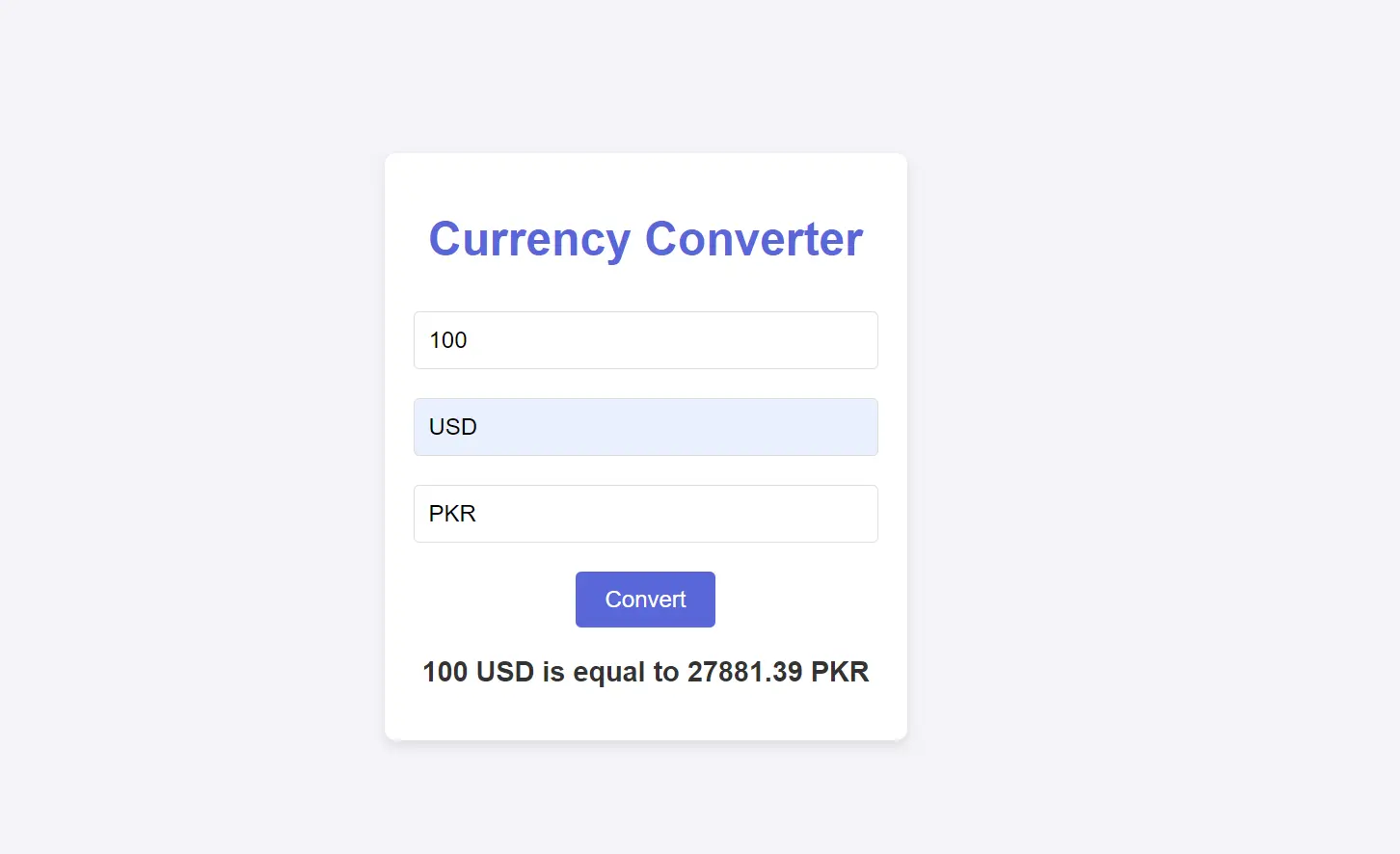
Click on your web browser. Visit the localhost:3000.
Take a look at the styled currency converter form. Fill out the form and submit it to see the converted currency.
Output
Why Is Node.js Ideal for Currency Converter API Integration?
Node.js handles concurrent API requests well thanks to its non-blocking architecture, and npm gives you Axios and dotenv in seconds - making it a practical choice for server-side currency integrations.
Keeping Your API Key Secure in Production
The middleware example above keeps the API key server-side, which is the right pattern. A few additional practices to follow in deployed apps:
- Never expose the key in client-side code - a browser network tab reveals it immediately. All CurrencyFreaks calls must go through your backend.
- Use environment variables -
process.env.CURRENCYFREAKS_API_KEYas shown above. Never hardcode the key in source files that get committed. - Rotate the key if exposed - CurrencyFreaks lets you regenerate a key from your dashboard at any time.
- Handle 401 responses explicitly - if your key is invalid or the free plan limit is reached, the API returns a
401. Catch this in your error handler and surface a clear message rather than silently failing.
Conclusion
The CurrencyFreaks API and Node.js are the best combination for creating a currency converter on the server-side. The live exchange rates from CurrencyFreaks make your app more powerful and user-friendly. Improve your application with the real-time currency rates. In our guide to the best currency exchange APIs, you can also find other options.
Other language guides
- Django: cache rates, expose them through DRF, refresh with Celery
- PHP and Laravel: a service class with caching and a scheduled Artisan command
- Python: live rates and conversion with
requests - Ruby on Rails: HTTParty, a service object, Rails caching and background jobs
FAQs
How Many Free API Calls Does CurrencyFreaks Give Node.js Apps?
1,000 calls per month on the free plan, with SSL included and no credit card required. The in-memory cache in the middleware example above (10-minute TTL) is what keeps a production app well under that limit instead of calling the API on every request.
Why Does My Converted Amount Come Out As NaN Or A Concatenated String?
CurrencyFreaks returns rates as strings, not numbers. amount * exchangeRate works in the examples above because JavaScript coerces the string during multiplication, but if you use + anywhere or pass the rate to a function expecting a number, call parseFloat() on it first.
Can I Set A Base Currency Other Than USD?
Only on paid plans. The free plan locks the base parameter to USD, so converting between two non-USD currencies (e.g., EUR to GBP) requires fetching both rates against USD and cross-calculating, rather than passing base=EUR directly.
How Do I Handle Errors In The Node.js Integration Above?
The /convert route already wraps the axios call in try/catch and returns a 400 for an invalid toCurrency and a 500 for a failed request. For production, add a check for error.response?.status === 429 to detect when you've exceeded the monthly call limit, and serve the last cached rate instead of failing the request.